 koobas.hobune.stream


Cinema 4d File Imported incorecctly in Unity
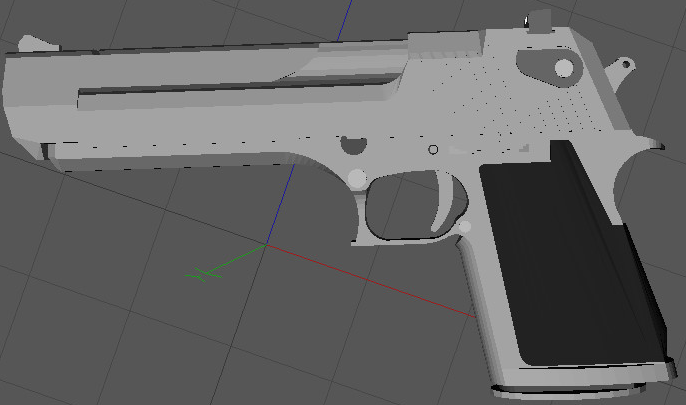
I imported an Desert Eagle from Cinema 4d in unity everything is fine materials are right bla bla bla BUT there are some tiles missing i got some screenshots how it should be and how it is
In C4d
and in Unity
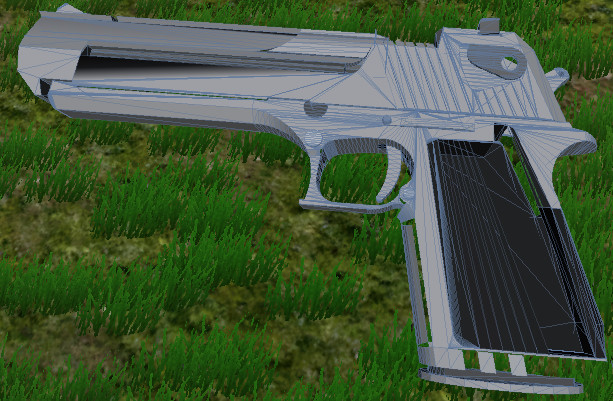
The object is a mesh in a group object
Btw sorry for my bad english im a young german :D

Yes it looks like you have some flipped normals, you can check in Cinema 4d by going into poly mode and selecting all polys (ctrl+A) normals facing the right way will be orange, and normals facing inwards will be blue, to make them all face the correct way (orange) right click in the viewport and in the menu select "Align Normals" hopefully thats what the problem is.
If the problems are worse than this you can check your mesh in cinema 4d with the mesh checker, here is a tutorial i made about it :D




