 koobas.hobune.stream


Why does the lighting on an object change when multiple objects are within camera view (iOS)?
I cannot figure this out for the life of me. Whenever there is more than one object within the camera view, the lighting on the objects changes. When only one object is within camera view the lighting on the object appears as expected. This issue is not occurring in the editor and is only on the device. I have a total of 3 directional lights set up (one to illuminate the front and one for each side), but the issue still occurs if I only use one directional light. Any help is greatly appreciated.
Here are some screens:
Lighting on single object (expected): 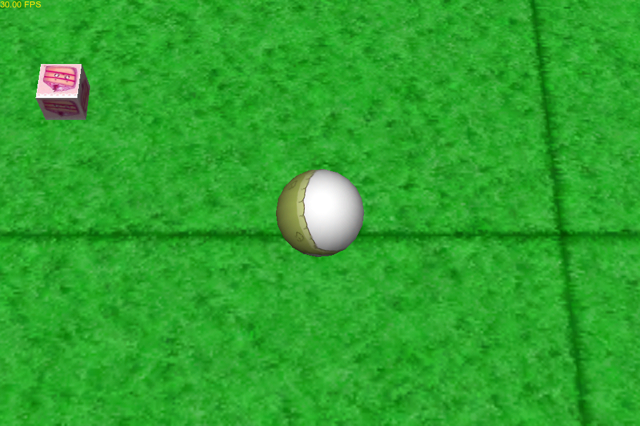
Lighting on multiple objects: 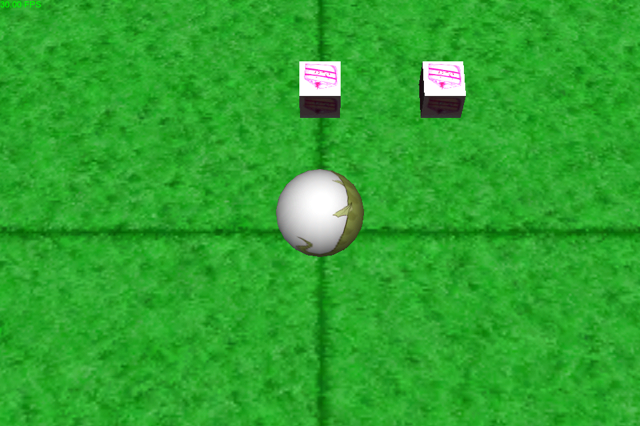
EDIT 1: This appears to have something to do with the scale of the objects. In the above screenshots the scale is .5 for all axis. I changed the scale to 1 and the problem went away... Any ideas why the scale would make a difference?

It's due to the quality settings for the default phone mode (which will be Fastest if you haven't changed it). The maximum number of point lights affecting an object is normally 1 in this mode for performance reasons.
Edit>Project Settings>Quality

I bumped it up to 'Beautiful' (3 pixel lights) and I'm getting the same result. It appears that this only affects certain objects as my other objects do not display this behavior, only the little cake cubes. I've tried replacing the material with the one from my other working objects, but I get the same effect.
Also the cake cubes are instances of a prefab if that makes any difference...

Turns out that this is actually a bug in Unity.
See this thread: http://answers.unity3d.com/questions/278313/how-do-i-fix-directional-light-problem-with-multip.html


