 koobas.hobune.stream


The functionality discussed in the question differs between Unity Free and Pro. I did not do enough research into lightmappaing before asking this question.

Self Illumination Material in Beast Lightmap
I try to setup a scene similar to this youtube tutorial video. I have no problem baking a basic scene with a directional light. However, I have problem baking the light from a self-illumination material into the scene.
I have tried a lot of different settings; and I create a new scene like in the video, but I cannot bake any emission light into the scene. What have I missed?
Self-Illum material setup 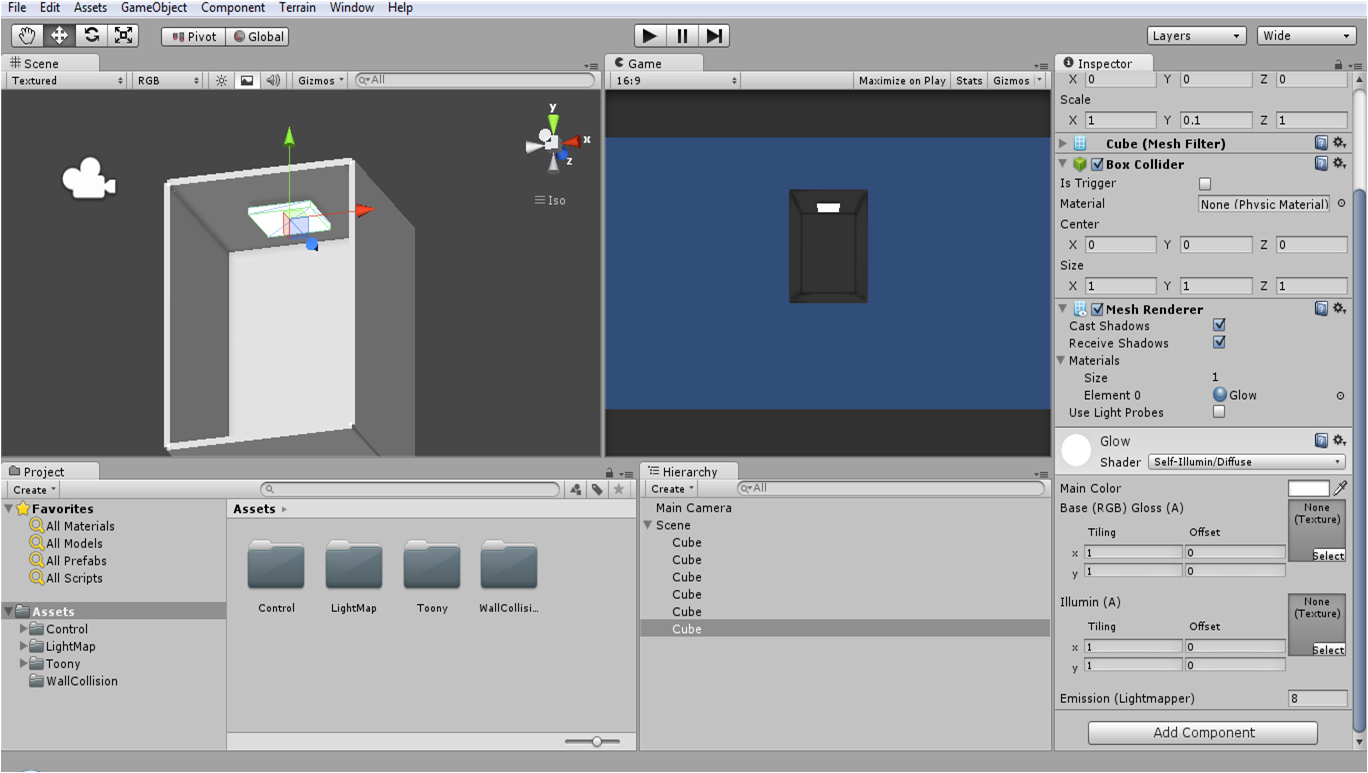
Lightmap Setting 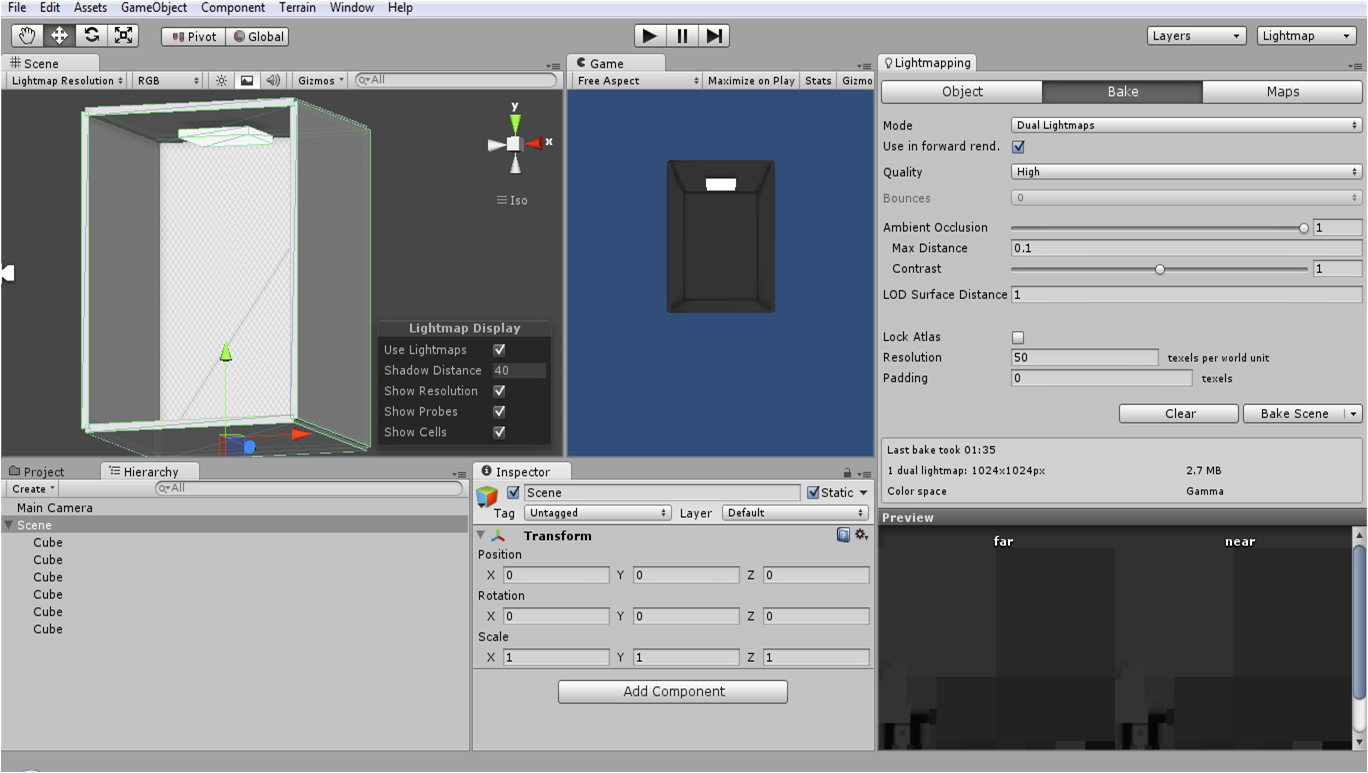
As shown in the 2nd screen shot. I have baked a lightmap (AO is present), but the emission of the ceiling cube is not baked.

Last time I do this, it works. But I was using Unity 3.5.x that time (and unfortunately I deleted the project a long time ago). I am currently using Unity 4. I am not sure whether this makes any different. Lastly, I am using free license for both 3.5.x and 4.

The emission value on your material is set to 0. ;)

;) Indeed. God my eyes are getting bad! Sorry for jumping to conclusions there. I can't see in your screen shot, but I assume that you have marked your self-illum GO as Lightmap static?
Yes, I have. I group all the static GO and make them child of a empty object and I marked them all as static in one go.
Does it have something to do with Pro license?
Now when I tried really hard to recall the last time when it work, I think I might pull it off when I was using a Unity Pro ( it was a Pro-trial license )

I have pro and it doesn't seem to work for me unless I use bounce lighting.


