 koobas.hobune.stream


Using movetowards while in the Air
So i got this game where you can only move between 3 spots
You can jump
Move to another spot while in the air
My problems is while moving to another spot while in the air it looks like my character is doing a double jump.
Im using MoveTowards between the 3 spots
 void Center(){
     transform.position = Vector3.MoveTowards(transform.position, locPts[1].position, moveSpeed*Time.deltaTime);
 }  void Left(){
     transform.Position = Vector3.MoveTowards(transform.position, locPts[0].position, moveSpeed*Time.deltaTime);

 void Right(){
     transform.position = Vector3.MoveTowards(transform.position, locPts[2].position, moveSpeed*Time.deltaTime);
 }

You're moving the character via it's world position (transform.position) except for in your Left() method.
Depending on where the parent is situated in the world, the localPosition is likely not aligned with the world, meaning it might seemingly "pop" to another location causing what looks to be a double jump?
That's my guess anyway. Everything else looks like it should work otherwise.

oh sorry about that i forgot to change that its the same as the other two
i Attach i img to show you in paint sorry about about the quality xD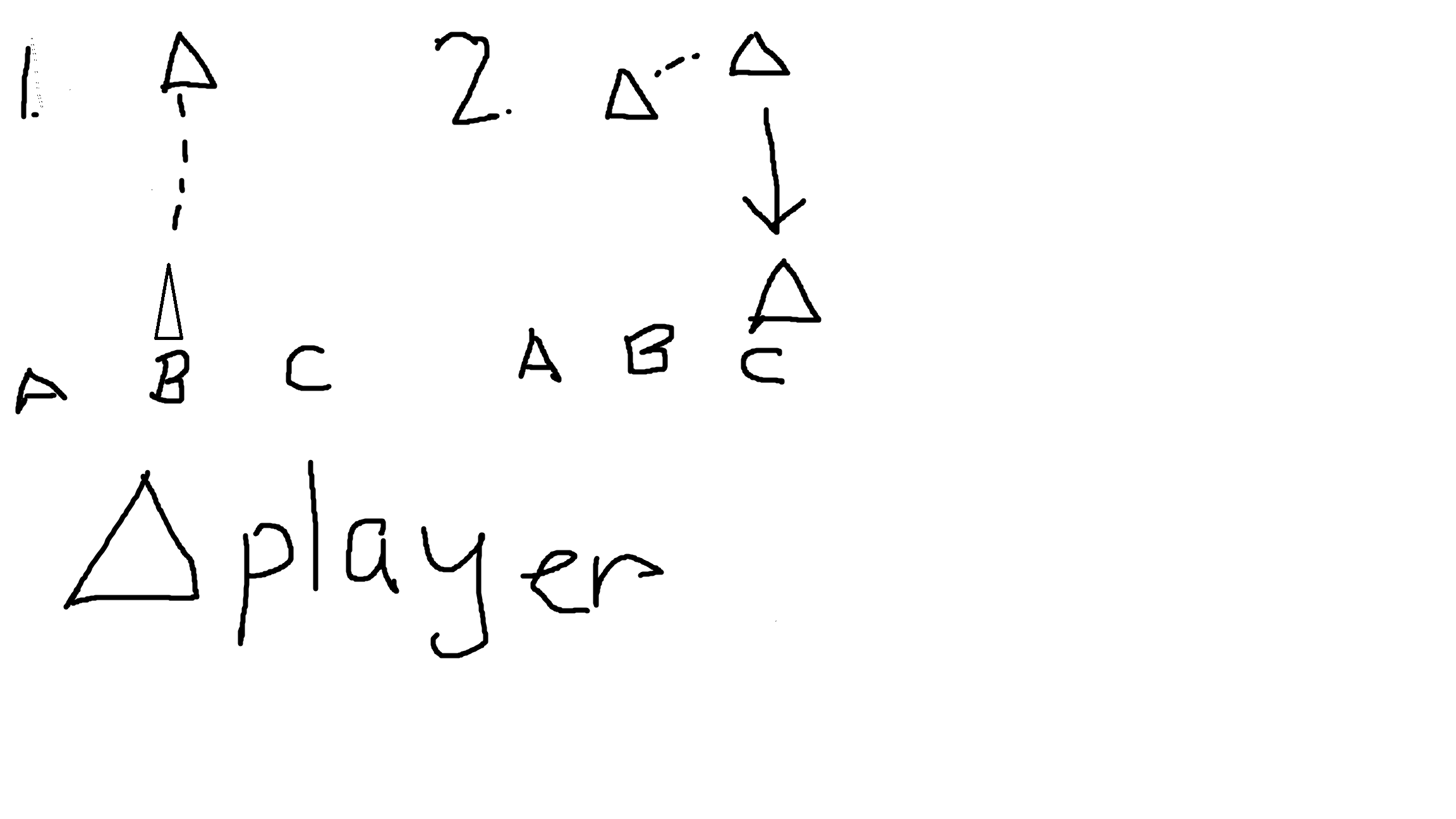 so basically when i switch position while in the air it does like another jump
im using rb.AddForce(Vector3.up * jumpForce,Force$$anonymous$$ode.VelocityChange); for the jump

Sorry, I'm a little confused then what the issue is and how it relates to your code. Your code looks fine in that the object will move to one of the three location points based on which you call.
However, you're saying that when you call either of these methods while already in the air, the player does an additional jump? Perhaps it's because you're actually calling for another jump? Do you have a check in place to make sure the playing is not already in the air?
I feel like there might be some missing code surrounding this issue that might be the cause. It's hard to say. :S
@Osteel i dont think im calling it again anyways here's my player script
 using System.Collections;
 using System.Collections.Generic;
 using UnityEngine;
 public enum locations{LEFT = 0, CENTER = 1, RIGHT}

 public class Player : MonoBehaviour {

     [SerializeField]locations currentLocation = locations.CENTER;
     [SerializeField]GameObject UIManager;
     [SerializeField]float moveSpeed;
     [SerializeField][Range(10,20)]float jumpForce;
     [SerializeField]Transform[] locPts;
     [SerializeField]bool isGrounded = true;
     private Rigidbody rb;
     [SerializeField]private int _switcher;
     private UIManager UImgr;

     // Use this for initialization
     void Start () {
         rb = GetComponent<Rigidbody>();
         moveSpeed = 5f;
         jumpForce = 14f;
         UImgr = UIManager.GetComponent<UIManager>();
         currentLocation = locations.CENTER;
         _switcher = (int)currentLocation;
     }

     // Update is called once per frame
     void Update () {

         _switcher = Mathf.Clamp(_switcher, 0, 2);
         switch(_switcher){
             case (int)locations.LEFT:
                 Left();
                 break;
             case (int)locations.CENTER:
                 Center();
                 break;
             case (int)locations.RIGHT:
                 Right();
                 break;
         }


     }


     ////////////////////////////////////////////////////////////////
     /////////~~~~~~~~PUT COLLIDER CODES HERE~~~~~~~~~~//////////////
     ////////////////////////////////////////////////////////////////
     void OnTriggerEnter(Collider col) {
         if(col.gameObject.tag == "Ground") {
             isGrounded = true;
         }
         if(col.gameObject.tag == "PickUps") {
             GameManager.Instance.Score += 1;
         }
         if(col.gameObject.tag == "Rock") {
            UImgr.currentState = states.GAMEOVER;
         }
     }
     void OnTriggerExit(Collider col){
         if(col.gameObject.tag == "Ground") {
             isGrounded = false;
         }
     }

     ////////////////////////////////////////////////////////////////
     /////////~~~~~~~~PUBLIC ACCESSORS HERE~~~~~~~~~~////////////////
     ////////////////////////////////////////////////////////////////
     public void changePos(int changer){
         _switcher += changer;
     }

     public void Jump(){
            rb.AddForce(Vector3.up * jumpForce,ForceMode.Impulse);
     }

     public bool get_isGrounded(){
         return isGrounded;
     }


     ////////////////////////////////////////////////////////////////
     /////////~~~~~~~~PUT MOVEMENT CODES HERE~~~~~~~~~~//////////////
     ////////////////////////////////////////////////////////////////
     void Left(){
         transform.position = Vector3.MoveTowards(transform.position, locPts[0].position, moveSpeed*Time.deltaTime);
     }

     void Center(){
         transform.position = Vector3.MoveTowards(transform.position, locPts[1].position, moveSpeed*Time.deltaTime);
     }

     void Right(){
         transform.position = Vector3.MoveTowards(transform.position, locPts[2].position, moveSpeed*Time.deltaTime);
     }
 }
What is calling Jump() and changePos()?
If the character is jumping twice, the first step to debugging it will be seeing the logic around what makes the character jump in the first place.
its not really double jumping per se it looks like it is double jumping when you change position when in air.
because when i change position while going down it doesn't do the weird double jump looking move


