 koobas.hobune.stream


Skyrim Books. How did they made the text on the pages?
I cannot find anything useful on the internet that would give me an idea how the text of the Books in Skyrim are made...
by observing how the animation of the pages of the books works. I think I can recreate them. But for the text in the books I have no idea how they made this.
If I set in Skyrim the quality of anything to the lowest, the text in the books is still clearly readable but the papertexture is really bad... so it seems that the text is not a texture, only the paper is a texture.
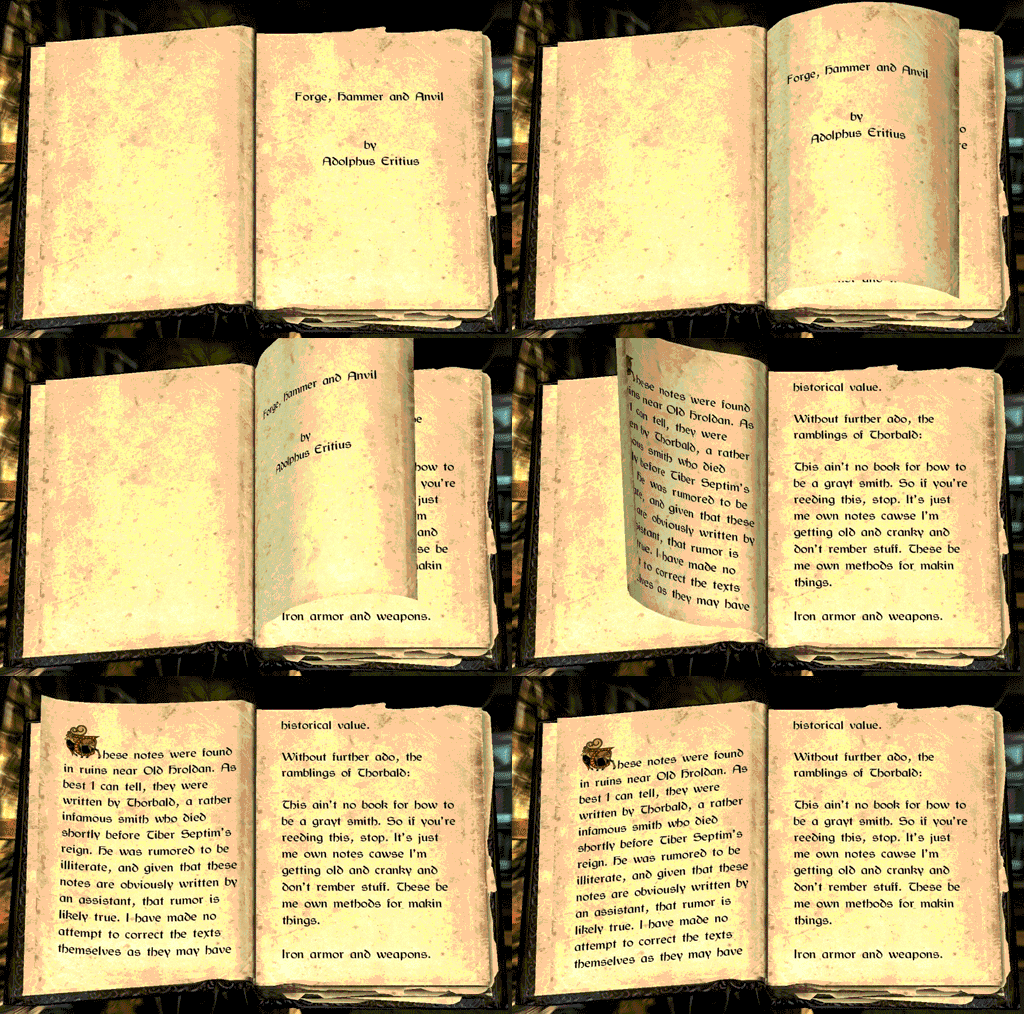
my thoughts:
I had the idea to create a camera that renders its hudtext to a texture and map that to the books pages but I think when a player plays my game at low resolution that then he would also not be able to read the text. and its performance is not good. but I would be able to change the text in the hud via script.
another idea would be to create a texture like a spritesheet with the text and let it control in the shader via script. I think in a 2048x2048 texture I could fit 20 pages of 512x512px. that would be enough pixel to display enough text. but still the problem when the player sets the resolution down he will not be able to read the text.
sooo is there a way of preventing texture scaling at lower game settings? or does a way exist to render text to texture directly via script?

Have you tried using a 3D Text $$anonymous$$esh?
As far as I know this works like the standard text so it should scale well despite quality settings.

If I want to create a text that hovers over something that would be your way. I want that the text is directly on the pages of a book and I want to be able to change the text on the fly.
Well, Text $$anonymous$$eshes can tweaked on the fly no problem, Im currently using one to dynamically display the enemy's health on a game Im making so Im pretty sure.
As for having the text over the pages, just place attach the Text $$anonymous$$esh to the page itself and place it on top of it. As long as the text doesnt cast shadows nobody will notice it's not actually on the paper itself.
The only issue with this implementation is that the text wont bend if you flip pages around, so if you do flip pages try not to make them take a curved shape to break the illusion.
Im sure somebody else will eventually reply with a better implementation, but for the time being Im pretty sure this will work and wont be affected by texture resolution.

This sort of technique is pretty popular in game engines. See also this whitepaper from Chris Green at Valve. It is not built into Unity, but some people have worked toward patching it in.

I wouldn't recommend Text $$anonymous$$esh for this one because, as others have pointed out, it's a separate object and will not deform along the page.
Ins$$anonymous$$d, I think you should look into how a decal shader works. A "decal" is a smaller texture you slap onto a surface to add detail to the object. A very typical use case is bullet holes on a wall, posters or perhaps a picture of a manhole cover on a road. It has two main advantages: One is that it would be painted directly onto the page, just like the page's paper background. Thus, it deforms alongside the page if you animate it. Another advantage is that it's a separate texture, so you can change the resolution and filtering quality of the page background as you see fit without affecting the text.
I think having text as a decal is the easiest and most robust solution for this. Decal is a standard, built-in shader in Unity, just select it for your page's material and give it the paper background for the base texture and the text for the decal.
ok now I found a solution by myselfe how to prevent the text if it is a texture to be downscaled and blurry on low end PCs. http://answers.unity3d.com/questions/589881/prevent-1-texture-from-being-scaled-down-if-i-play.html
I think I am not able to create something that renders me text to a texture on the fly except I use a second camera that renders its hud text to a texture.
So I will go with the decal texture solution and then it should work like I want it. ^^
here is my test of the pages with shapekeys. 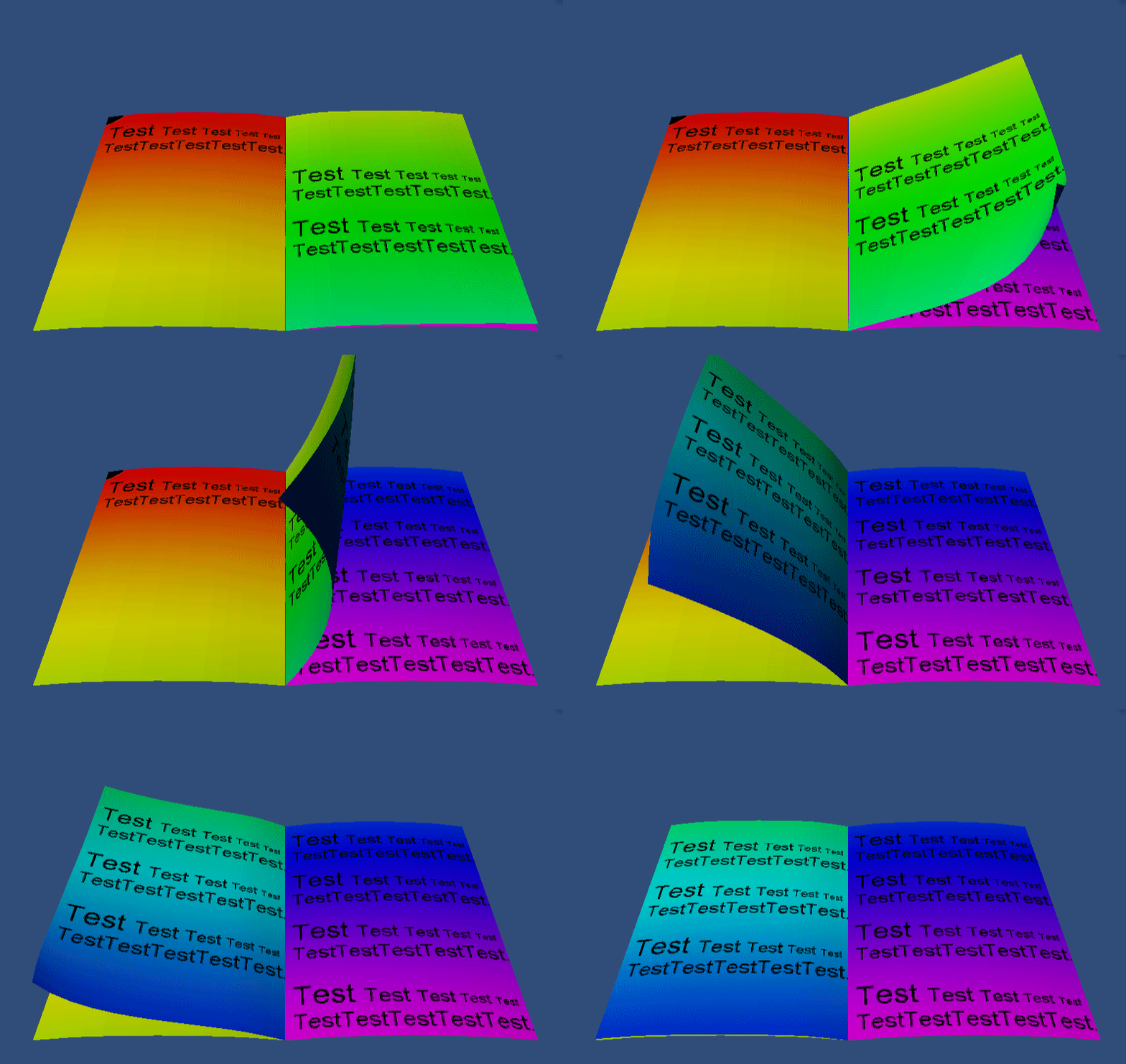

Here, I made a quick example of how this could work. Pages would need to be flat when turning as text wont deform along with it (no idea how that would be achieved, but it sounds like it would be very complicated with very little payback).
This is the easiest, most straightforward way to get it done. As you can see since the Text Mesh is attached to each page you can turn them around and it'll come along, and of course since it's a Text Mesh component you can easily attach a script to change the text itself.
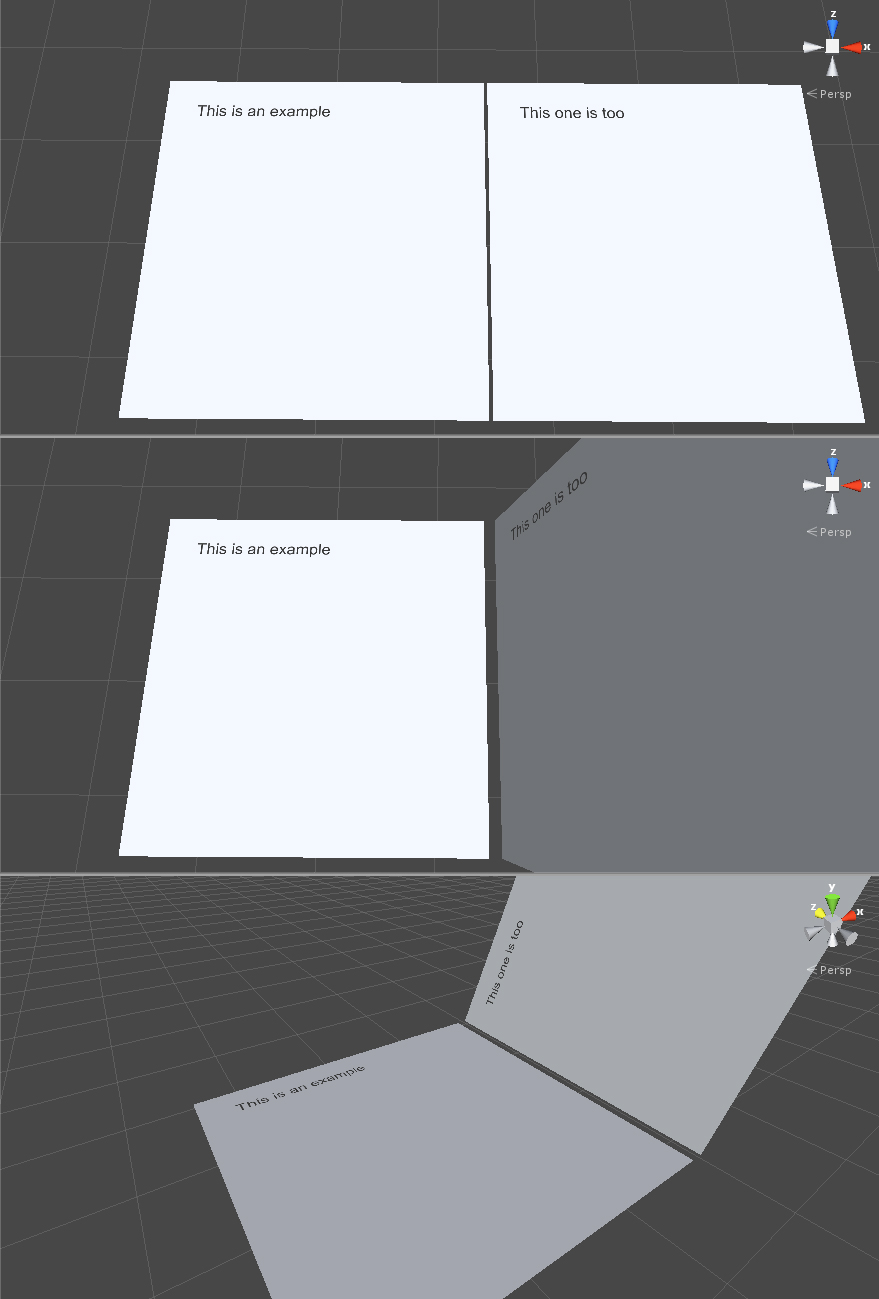
hmmm... do you have any z-fighting problems? thanks for creating this for me so I could see that it would work like this. but I think this would look very unnatural because I plan that my character is in First Person mode and he should use his hands to grab a page and flip it over. if I would let it flat like you made it above it would look odd... but If noting works out for me I will use this technic. thanks ^^

You'd need Unity Pro. You can then render to a texture. Have the texture of the page set to your newly rendered texture, then flip with ease.
thats what I was planning in one of my ideas but I am worryd that if someone has not a powerfull pc that then the rendered texture would look blurry like a low quality texture...

Use TextMesh as Alejandro suggests, if flat pages are acceptable. Otherwise, you will need a text-to-texture solution. Then, you can just texture your 3d page model. Here are some options for that, the first one is designed for runtime use:
http://www.71squared.com/en/glyphdesigner





