 koobas.hobune.stream


GTA Style Aiming
So I have a player that has a good Mecanim, a nice SmoothFollow camera, a zoom script that zooms the camera in like an aim down sights thing, and the MouseLook script (that I took from Unity's First Person Controller) that revolves the x axis of the player. The problem I am having is when you right click (aim down sights) the camera zooms in properly but I can't get the camera to move on the Y axis, it only moves left and right.
I did try doing what Unity's First Person Controller does and have the X axis MouseLook script on the player and then have the Y axis MouseLook script on the Main Camera but, of course, that didn't work.
If anyone can help me find an what so that when I aim down the sights the camera will be able to move on the x and y axis that would be great.
If you have any other ideas on how I could do it that would be awesome to.
Thanks in advance
Edit : additional information
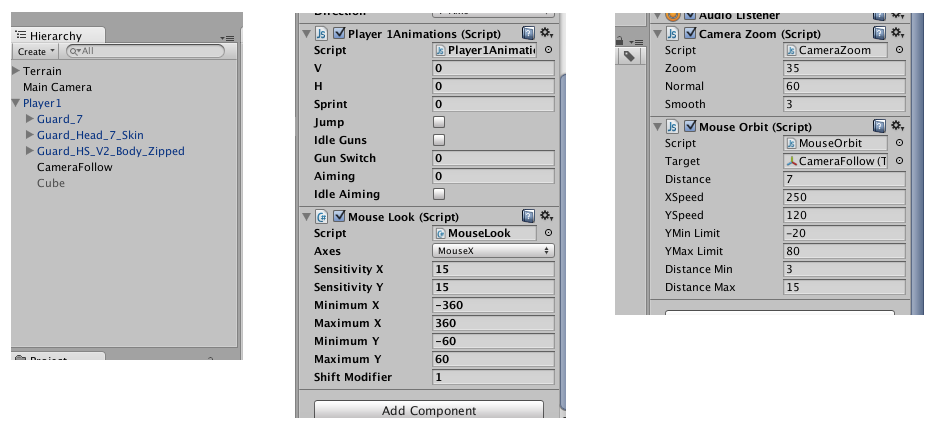
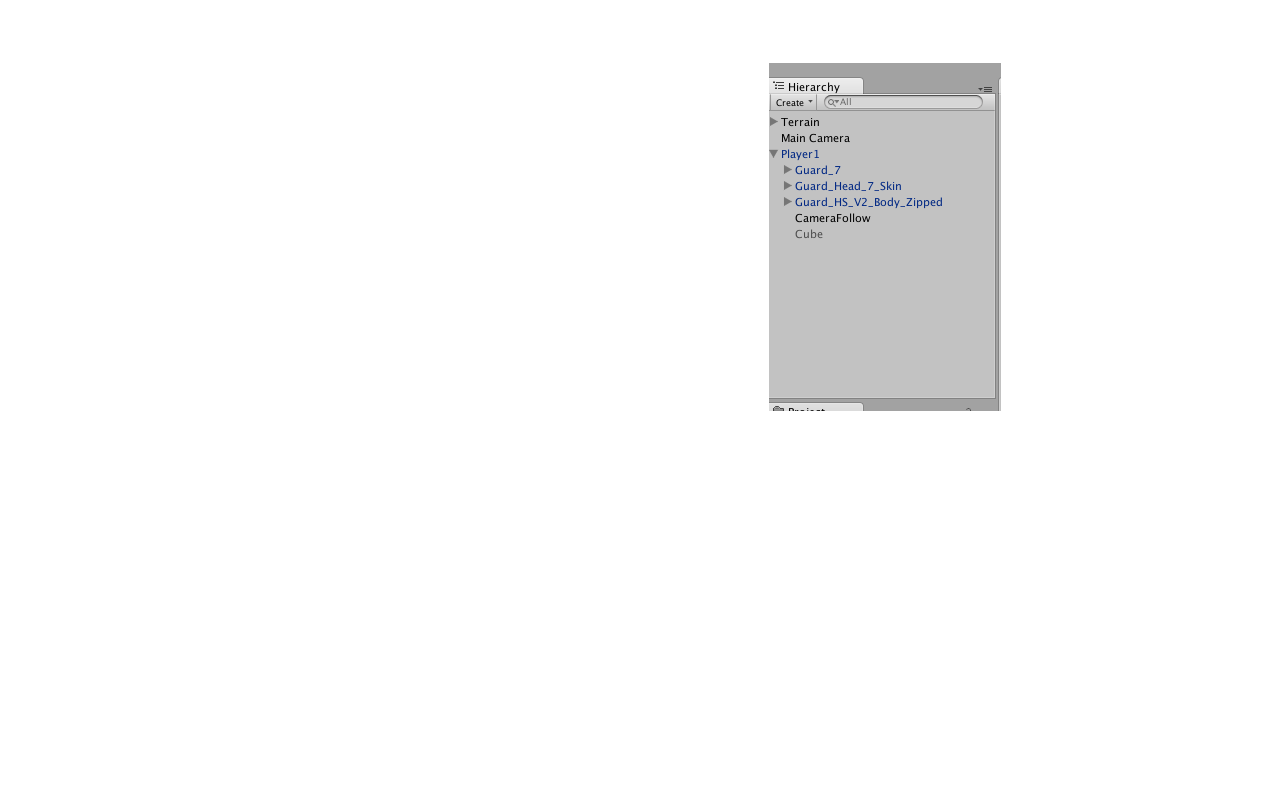
The first picture shows my hierarchy with the player and the Main Camera. The Second picture shows my player script with the MouseLook Script attached to it on the X Axis. The third picture shows the Main Camera pictures with the MouseOrbit script and the Zoom Script.
I removed the Smooth Follow script but haven't tried using the MouseLook Script on the Y axis to see if the Smooth Follow was locking it, ill try it now.
What I am trying to do now it putting a cube in front of the player to see if it will stop the Mouse Orbit Script from revolving all around the player so it will stay behind him and I have control of the x and y axis with it but it is kind of struggling.

From memory, that script has an enum with a value use X and Y, try that. Look where you got the script from, the charctrlr has 2 $$anonymous$$ouseLook scripts. One on the parent with the collider (controls Y), and one on the childed camera (controls X). So set yours to do both, if I'm wrong, add 2 scripts on your camera (for separate X and Y)

I tried to add a mouse and a mouse y script to the main camera and I only controller the mouse x. Do you want me to add the code so you can see it and Im a little confused on what you said in the first sentence
First to clarify: all your zoom script does is (guess) changing the FOV; it does not handle any rotations?
can't get the camera to move on the Y axis, it only moves left and right* : do you mean that you cannot get it to move on the X axis(up/down with mouse, rotates/tilts gameObject on the X)?
I think you need to edit your question with more information on what script is attached to what gameObject in your player prefab, and the parent-child relationships of those gameObjects. A screenshot of your player in the hierarchy and all the children expanded would help.
Edit : derp, forget that!
You have a SmoothFollow script, does this restrict the Height of the camera in relation to the target object? I think the SmoothFollow is overwriting your Look up/ down.
Well here are the pictures that you asked for alucardj (sorry for the bad pictures)
The first picture shows my hierarchy with the player and the $$anonymous$$ain Camera. The Second picture shows my player script with the $$anonymous$$ouseLook Script attached to it on the X Axis. The third picture shows the $$anonymous$$ain Camera pictures with the $$anonymous$$ouseOrbit script and the Zoom Script.
I removed the Smooth Follow script but haven't tried using the $$anonymous$$ouseLook Script on the Y axis to see if the Smooth Follow was locking it, ill try it now.
What I am trying to do now it putting a cube in front of the player to see if it will stop the $$anonymous$$ouse Orbit Script from revolving all around the player so it will stay behind him and I have control of the x and y axis with it but it is kind of struggling.
ok well I figured some stuff out. So what I did is removed the SmoothFollow and only left the MouseOrbit. What I made the MouseOrbit do is always stay behind the player so actually I can move it in each direction, while still looking behind the player, and the zoom script workings fine.
Basically the only problem I am having now is I cant get the head and the upper body to look where it is aiming. I have it so that is plays the aiming animation when I right click but when I move all around the head and upper body don't follow they just face forward.
Any ideas?




