 koobas.hobune.stream


Directional Lightmap "stair stepping"
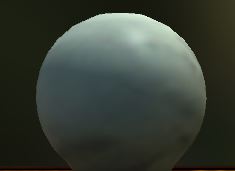
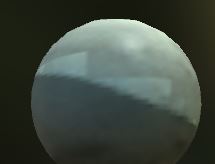
The first picture is a model with a directional lightmap and the specular shader applied. In the second picture, I have changed the shader to bumped specular, and added a flat blue normal map color = (128, 128, 255). I believe that they should look exactly the same. What is causing this "stair step effect"?

Answers to offline questions: - Does this only happen with a directional lightmap? (Yes) - Is this a problem with the importated mesh? (No, this also occurs with a Unity generated sphere)
Best Answer
Answer: Mipmapping in the lightmap scale texture.
To fix this, change the lightmap scale texture type from "Lightmap" to "Advanced" and remove the mipmapping




