
Wayback Machinekoobas.hobune.stream
May JUN Jul
Previous capture 12 Next capture
2021 2022 2023
1 capture
12 Jun 22 - 12 Jun 22
sparklines
Close Help
  • Products
  • Solutions
  • Made with Unity
  • Learning
  • Support & Services
  • Community
  • Asset Store
  • Get Unity

UNITY ACCOUNT

You need a Unity Account to shop in the Online and Asset Stores, participate in the Unity Community and manage your license portfolio. Login Create account
  • Blog
  • Forums
  • Answers
  • Evangelists
  • User Groups
  • Beta Program
  • Advisory Panel

Navigation

  • Home
  • Products
  • Solutions
  • Made with Unity
  • Learning
  • Support & Services
  • Community
    • Blog
    • Forums
    • Answers
    • Evangelists
    • User Groups
    • Beta Program
    • Advisory Panel

Unity account

You need a Unity Account to shop in the Online and Asset Stores, participate in the Unity Community and manage your license portfolio. Login Create account

Language

  • Chinese
  • Spanish
  • Japanese
  • Korean
  • Portuguese
  • Ask a question
  • Spaces
    • Default
    • Help Room
    • META
    • Moderators
    • Topics
    • Questions
    • Users
    • Badges
  • Home /
  • Help Room /
avatar image
1
Question by Seven_P · Sep 10, 2015 at 02:14 PM · graphicscameraslagsspikes

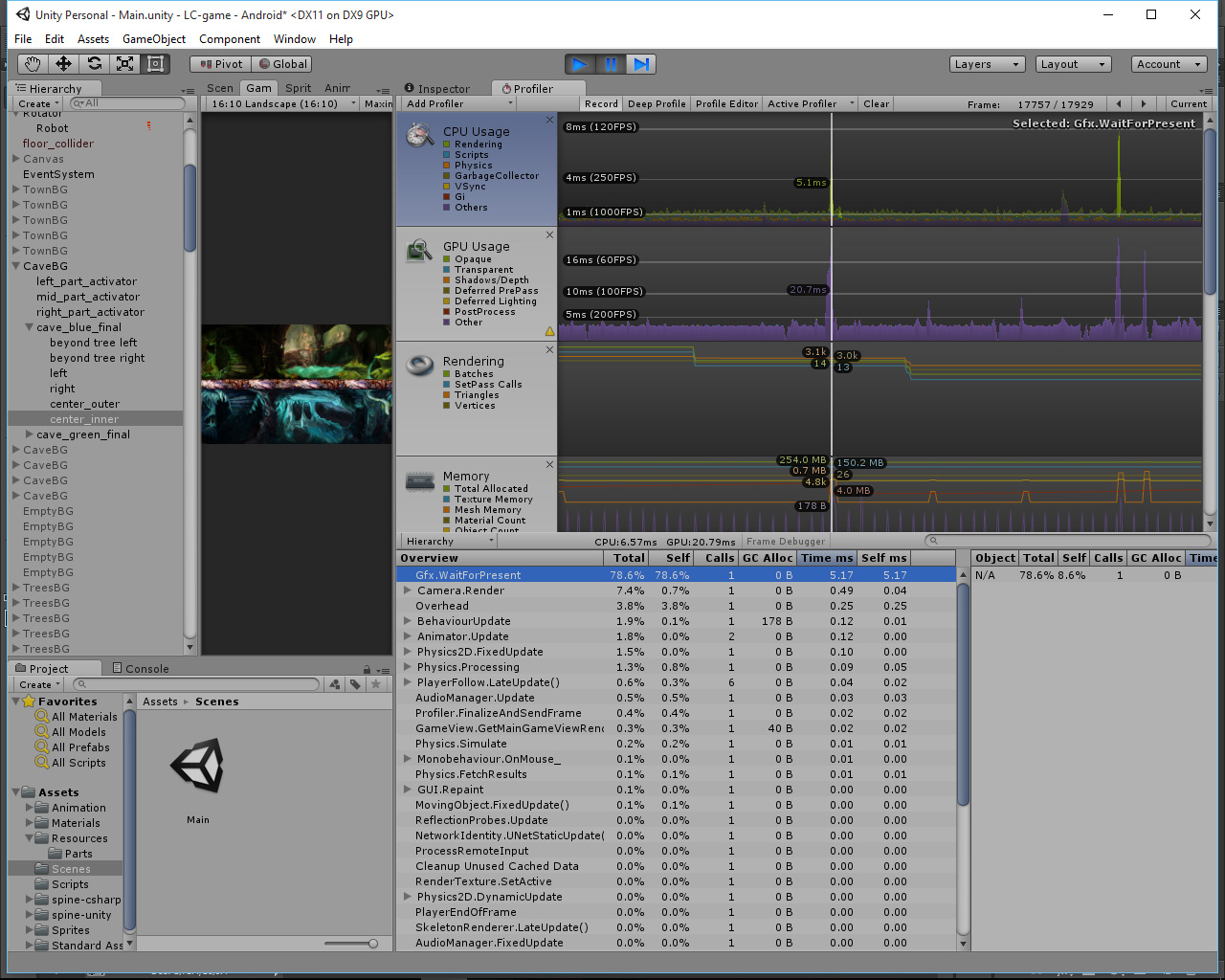
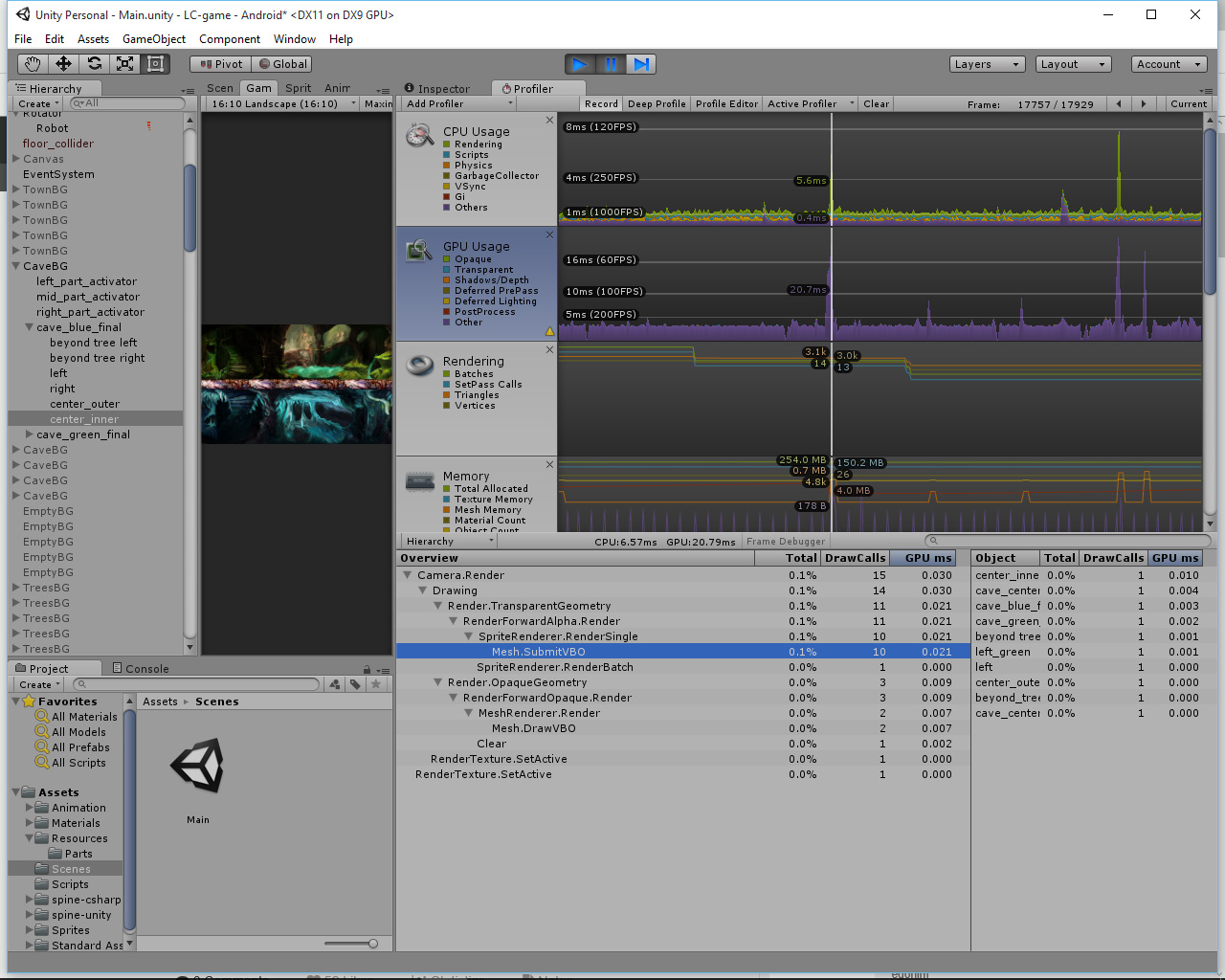
Big Spikes Camera.renderer / Gfx.WaitForPresent

Hi Guys! I got a problem and hope you help me to solve it out. My project is endless 2D platformer and I got annoying spikes every frame or few frames. Same for PC/Android/iOS devices. I adding profilers data, seems like the problem is in Gfx.WaitForPresent in CPU profiler and Camera.renderer in GPU profiler. I tried lot of things, deleted all of my backgrounds, turning of paralaxing, changing player movement system, turning on/off VSync, setting Skybox to solid color etc. but the issue still comes up... I'm still in learning process so if someone could give me some advices I would be very pleased!
alt text alt text

cpuprofiler.jpg (411.1 kB)
gpuprofiler.jpg (370.9 kB)
Comment
Add comment
10 |3000 characters needed characters left characters exceeded
▼
  • Viewable by all users
  • Viewable by moderators
  • Viewable by moderators and the original poster
  • Advanced visibility
Viewable by all users

1 Reply

· Add your reply
  • Sort: 
avatar image
0

Answer by RicochetShooter · Sep 10, 2015 at 10:44 PM

Two main reasons are: you are too fast - refresh rate is 60hz and you are ready after 10ms - 6ms you need to just wait you are slightly too slow - same as before - but you are ready after 20 ms - you will wait 13 ms (up to 33ms = 30 fps)

Try setting Application.targetFrameRate = and see if that helps, also you can turn off V sync in quality settings.

Comment
Add comment · Show 2 · Share
10 |3000 characters needed characters left characters exceeded
▼
  • Viewable by all users
  • Viewable by moderators
  • Viewable by moderators and the original poster
  • Advanced visibility
Viewable by all users
avatar image Seven_P · Sep 12, 2015 at 11:29 AM 0
Share

Thanks played a bit with Vsync options and modified my targetFrameRate script and now everything looks smooth and shiny.

avatar image MartinLyne · Sep 12, 2015 at 05:06 PM 0
Share

In case anyone with a laptop gets here, this also happens when you aren't telling your laptop's geforce to render Unity (using integrated ins$$anonymous$$d). Just add Unity.exe to your nvidia control center apps and set to nvidia.

Your answer

Hint: You can notify a user about this post by typing @username

Up to 2 attachments (including images) can be used with a maximum of 524.3 kB each and 1.0 MB total.

Follow this Question

Answers Answers and Comments

31 People are following this question.

avatar image avatar image avatar image avatar image avatar image avatar image avatar image avatar image avatar image avatar image avatar image avatar image avatar image avatar image avatar image avatar image avatar image avatar image avatar image avatar image avatar image avatar image avatar image avatar image avatar image avatar image avatar image avatar image avatar image avatar image avatar image

Related Questions

Graphic issues on Android device Unity 5.2 1 Answer

Game lags with high resolution 1 Answer

Huge Physics Spikes (In empty scene and populated scene) 6 Answers

HDRP - How do I make one volume which only affects UI, and another which affects the scene? 1 Answer

How can i solve the spikes on my empty project ? 0 Answers


Enterprise
Social Q&A

Social
Subscribe on YouTube social-youtube Follow on LinkedIn social-linkedin Follow on Twitter social-twitter Follow on Facebook social-facebook Follow on Instagram social-instagram

Footer

  • Purchase
    • Products
    • Subscription
    • Asset Store
    • Unity Gear
    • Resellers
  • Education
    • Students
    • Educators
    • Certification
    • Learn
    • Center of Excellence
  • Download
    • Unity
    • Beta Program
  • Unity Labs
    • Labs
    • Publications
  • Resources
    • Learn platform
    • Community
    • Documentation
    • Unity QA
    • FAQ
    • Services Status
    • Connect
  • About Unity
    • About Us
    • Blog
    • Events
    • Careers
    • Contact
    • Press
    • Partners
    • Affiliates
    • Security
Copyright © 2020 Unity Technologies
  • Legal
  • Privacy Policy
  • Cookies
  • Do Not Sell My Personal Information
  • Cookies Settings
"Unity", Unity logos, and other Unity trademarks are trademarks or registered trademarks of Unity Technologies or its affiliates in the U.S. and elsewhere (more info here). Other names or brands are trademarks of their respective owners.
  • Anonymous
  • Sign in
  • Create
  • Ask a question
  • Spaces
  • Default
  • Help Room
  • META
  • Moderators
  • Explore
  • Topics
  • Questions
  • Users
  • Badges
