 koobas.hobune.stream


Designing a dialogbox that displays message, returns a custom object and waits for user response
I am trying to design a custom dialogbox in unity for runtime on all platforms (in my case for Android and webplayer).
I have succeeded in displaying a dialog and get the user response and updating this response. But I'm lost on how to call display the dialog box and wait before it returns a value when using it externally from some other method / class.
This is my code to display the dialogbox:
             public void ShowDialogBox(string title, string message, DialogBoxButtons buttons)
             {
                 StartCoroutine(ShowDialogBoxHelper(title, message, buttons));
             }

             public void ShowDialogBox(string title, string message)
             {
                 StartCoroutine(ShowDialogBoxHelper(title, message, DialogBoxButtons.OK));
             }

             public IEnumerator ShowDialogBoxHelper (string title, string message, DialogBoxButtons buttons)
             {
                 Response = DialogResponse.NONE;

                 Title.text = title;
                 Message.text = message;

                 ButtonSet = buttons;
                 HandleButtonSet(ButtonSet);

                 _canvasGroup.alpha = 1;
                 _canvasGroup.interactable = true;
                 transform.SetAsLastSibling();

                 _apprearenceMode = ApprearenceMode.Shown;

                  yield return StartCoroutine(WaitForButtonResponse());

                 Debug.Log("user response : " + Response);

             }
The Coroutine "WaitForButtonResponse()" is declared so:
 IEnumerator WaitForButtonResponse()
             {
                 Debug.Log("waiting in the enumerator, responded: " + Response);

                 yield return new waitForUserAction(() => Response != DialogResponse.NONE);

                 Debug.Log("done waiting in the enumerator, responded: " + Response);

             }
And the "waitForUserAction()" coroutine is a custom one, inheriting from CustomYieldInstruction
 [System.Serializable]
     class waitForUserAction : CustomYieldInstruction
     {
         Func<bool> m_Predicate;

         public override bool keepWaiting { get { return !m_Predicate(); } }

         public waitForUserAction(Func<bool> predicate) { m_Predicate = predicate; }
     }
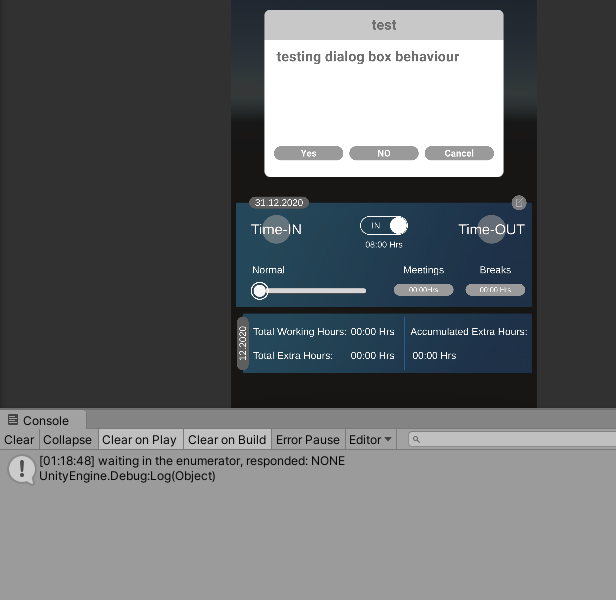
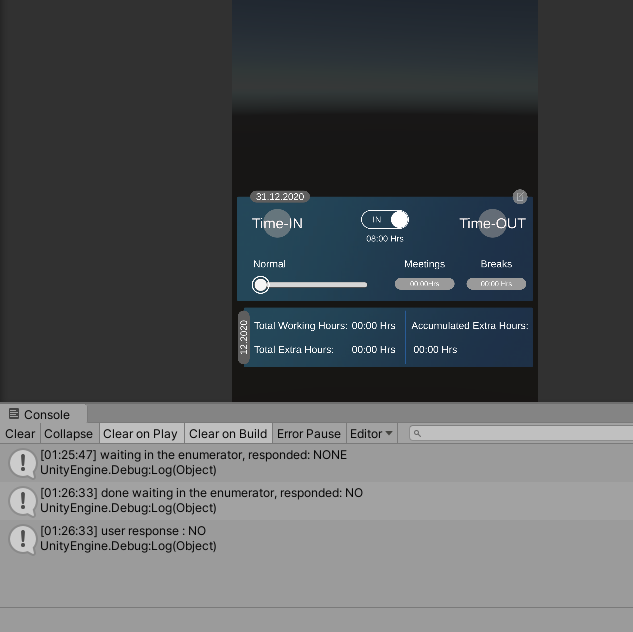
When I call the ShowDialogBox method, the dialogbox appears as expected and when I click on one of the options, the response is correctly updated. But, If I want the ShowDialogBox to return a response and wait till the user has clicked on a dialog button before returning, how can I achieve it?
Desired behaviour:
  public DialogResponse ShowDialogBox(string title, string message, DialogBoxButtons buttons)
             {
                 StartCoroutine(ShowDialogBoxHelper(title, message, buttons));
                 return Response;
             }
and usage like this:
  if (ShowDialogBox("test", "testing dialog box behaviour", DialogBoxButtons.YES_NO_CANCEL) == DialogResponse.YES)
                 {
                     //do something
                 }
The problem now is that, "return Response;" does not wait for the "StartCoroutine(ShowDialogBoxHelper(title, message, buttons));" to update the user's choice and returns the old value of Response rather than what the user currently chooses.
Thank you in advance for any help in this regard!
Cheers,
Ani
,I am trying to design a custom dialogbox in unity for runtime on all platforms (in my case for Android and webplayer).
I have succeeded in displaying a dialog and get the user response and updating this response. But I'm lost on how to call display the dialog box and wait before it returns a value when using it externally from some other method / class.
This is my code to display the dialogbox:
             public void ShowDialogBox(string title, string message, DialogBoxButtons buttons)
             {
                 StartCoroutine(ShowDialogBoxHelper(title, message, buttons));
             }

             public void ShowDialogBox(string title, string message)
             {
                 StartCoroutine(ShowDialogBoxHelper(title, message, DialogBoxButtons.OK));
             }

             public IEnumerator ShowDialogBoxHelper (string title, string message, DialogBoxButtons buttons)
             {
                 Response = DialogResponse.NONE;

                 Title.text = title;
                 Message.text = message;

                 ButtonSet = buttons;
                 HandleButtonSet(ButtonSet);

                 _canvasGroup.alpha = 1;
                 _canvasGroup.interactable = true;
                 transform.SetAsLastSibling();

                 _apprearenceMode = ApprearenceMode.Shown;

                  yield return StartCoroutine(WaitForButtonResponse());

                 Debug.Log("user response : " + Response);

             }
The Coroutine "WaitForButtonResponse()" is declared so:
 IEnumerator WaitForButtonResponse()
             {
                 Debug.Log("waiting in the enumerator, responded: " + Response);

                 yield return new waitForUserAction(() => Response != DialogResponse.NONE);

                 Debug.Log("done waiting in the enumerator, responded: " + Response);

             }
And the "waitForUserAction()" coroutine is a custom one, inheriting from CustomYieldInstruction
 [System.Serializable]
     class waitForUserAction : CustomYieldInstruction
     {
         Func<bool> m_Predicate;

         public override bool keepWaiting { get { return !m_Predicate(); } }

         public waitForUserAction(Func<bool> predicate) { m_Predicate = predicate; }
     }
When I call the ShowDialogBox method, the dialogbox appears as expected and when I click on one of the options, the response is correctly updated. But, If I want the ShowDialogBox to return a response and wait till the user has clicked on a dialog button before returning, how can I achieve it?
Desired behaviour:
  public DialogResponse ShowDialogBox(string title, string message, DialogBoxButtons buttons)
             {
                 StartCoroutine(ShowDialogBoxHelper(title, message, buttons));
                 return Response;
             }
and usage like this:
  if (ShowDialogBox("test", "testing dialog box behaviour", DialogBoxButtons.YES_NO_CANCEL) == DialogResponse.YES)
                 {
                     //do something
                 }
The problem now is that, "return Response;" does not wait for the "StartCoroutine(ShowDialogBoxHelper(title, message, buttons));" to update the user's choice and returns the old value of Response rather than what the user currently chooses.
Thank you in advance for any help in this regard!
Cheers,
Ani




