 koobas.hobune.stream


Ball getting stuck on going sideways.
My ball is getting stuck on going sideways quite often, I'm wondering which would be best way to fix this:
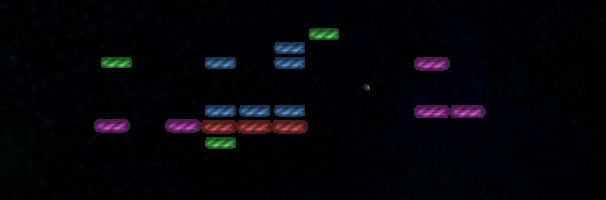
It just keeps going from one side to other.
So would the best way to prevent this from happening be that I apply little bit force for down all the time?

Without playing the game, it is hard to figure out what solution will look the best. I'm assuming you are playing on the XY plane. Start with something like this on the ball:
 if (Mathf.Abs(rigidbody.velocity.normalized.x) > 0.99) {
     rigidbody.AddForce(Vector3.up * Mathf.Sign(rigidbody.velocity.y) * someSmallValue);
 }
You may need to adjust the 0.99 value. You may only want to make this correction when you detect a collision with the wall. There are other ways to fix this problem if this one is not right.

This works perfect, thank you.
I got one question still, what's wrong with this script:
     void OnCollisionEnter ( Collision col ) {
         hitPoints--;
         if ( hitPoints <= 0 ) {
             Die();
         }
         if (col.gameObject.tag == "Ball")
             Debug.Log ("Particles!");
         Instantiate(particlesPrefab, transform.position, Quaternion.identity);
         Destroy (gameObject);
     }
As it won't delete those particle systems that it instantiates.

I would have to see more code. Nothing here destroys the particle system, so I'm not sure how you want this to be have. In addition since you do a Destory(gameObject), you are destroying this script, so any later code that would have destroyed the particle system won't be run . Often this kind of problem is handled by doing:
 GameObject go =  Instantiate(particlesPrefab, transform.position, Quaternion.identity) as GameObject;
 Destory(go, 2.5f);
This will destroy the particle system 2.5 seconds after the Destory() call.
Note it is best to ask new, unrelated questions as a new Unity Answers question. It is the way UA is designed, and you will have a much greater chance of getting an answer.
I thought that was going to be a simple problem so didnt make a new question for it but no.. Now it gives me:
"Cannot implicitly convert type 'UnityEngine.Object' to 'UnityEngine.GameObject'. An explicit conversion exists (are you missing a cast?)
"The best overloaded method match for 'UnityEngine.Object.Destroy(UnityEngine.Object, float)' has some invalid arguments"
"Argument '#2' cannot convert 'double' expression to type 'float'"
Here's the full code:
 using UnityEngine;
 using System.Collections;

 public class BrickScript : $$anonymous$$onoBehaviour {

     static int numBricks = 0;
     public int pointValue = 1;
     public int currentLvl = 0;
     public int hitPoints = 1;
     public int powerUpChance = 3;

     public Transform particlesPrefab;

     public GameObject[] powerUpPrefabs;

     public AudioClip[] hitaudio;

     // Use this for initialization
     void Start () {
         numBricks++;
     }

     // Update is called once per frame
     void Update () {
     if ( currentLvl == 4) {
             Application.LoadLevel("GameOver");
         }

     }

     void OnCollisionEnter ( Collision col ) {
         hitPoints--;
         if ( hitPoints <= 0 ) {
             Die();
         }
         if (col.gameObject.tag == "Ball")
             Debug.Log ("Particles!");
        GameObject go = Instantiate(particlesPrefab, transform.position, Quaternion.identity);
         Destroy (go, 2.5);
     }

     void Die() {
     Destroy ( gameObject );
         BallScript ball1Script= GameObject.FindGameObjectWithTag ("Ball").GetComponent<BallScript>();
         PaddleScript paddleScript= GameObject.Find ("Paddle").GetComponent<PaddleScript>();
         paddleScript.AddPoint(pointValue * (int)ball1Script.curspeed);

         numBricks--;

         Debug.Log (numBricks);

         if ( Random.Range(0, powerUpChance) == 0 ) {
         Instantiate( powerUpPrefabs[ Random.Range(0, powerUpPrefabs.Length) ] , transform.position, Quaternion.identity );
          }

         if ( numBricks <= 0 ) {
             //Load Next Level
         Application.LoadLevel(currentLvl+1);
         if(currentLvl == 1){
         GJAPIHelper.Trophies.ShowTrophyUnlockNotification (4086);
         }
         if(currentLvl == 2){
         GJAPIHelper.Trophies.ShowTrophyUnlockNotification (4087);
         }
         }
     }
 }
Sorry, I forgot a cast. You need "as GameObject" on the end of the Instantiate. I've edited my comment.
Changes you made gives errors:
"The best overloaded mathod match for 'UnityEngine.Object.Destroy(UnityEngine.Object, float)' has some invalid arguments"
"Argument '#2' cannot convert 'double' expression to type 'float'"



