 koobas.hobune.stream


OnTriggerEnter doesn't work
ok Bullet tip is Character controller (Small size) as it cannot be X size large but only global Y size that's why it's 1, 1, 1 scale The tail follows the tip and scales acordinantly I checked Tail is 2 frames inside bodies and nothing is reported.
75% of the time Tail Does trigger the Body but it doesn't work every time.
any Idea why?
The Bullet that passes through 2 bodies 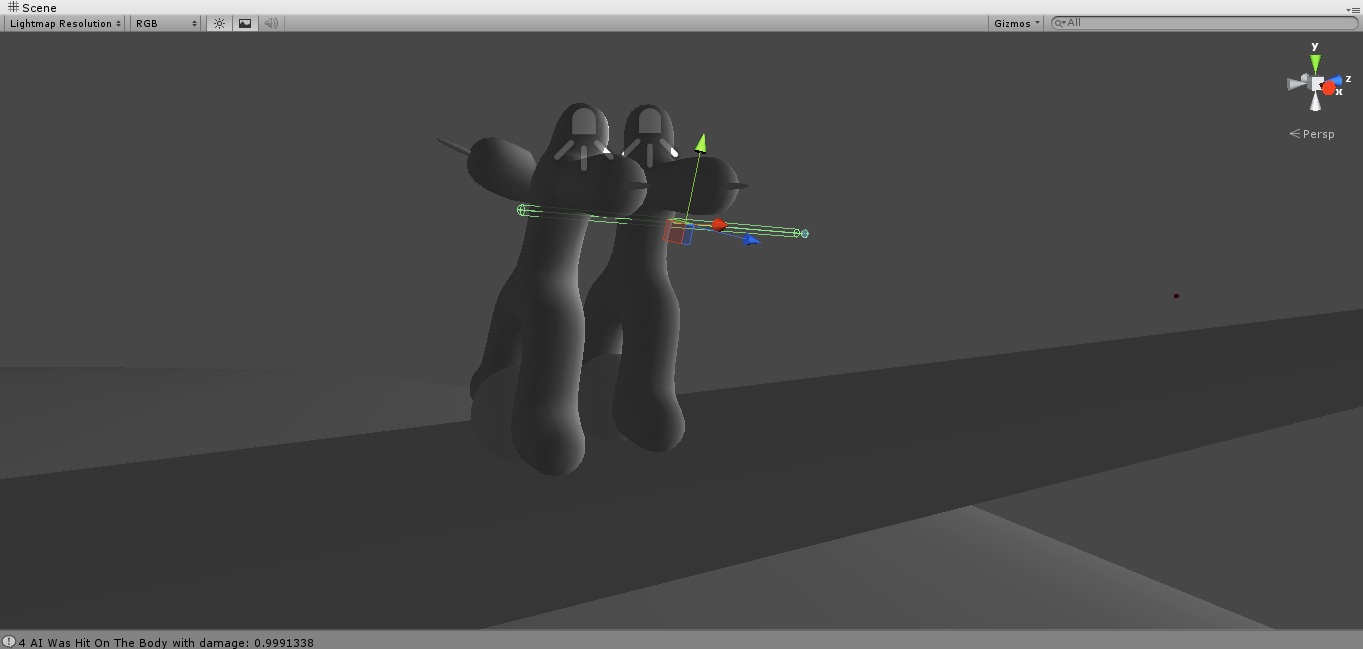
here's the BodyRecognizing bullet script:
 using UnityEngine;
 using System.Collections;

 public class BodyPartHitDetection : MonoBehaviour {
     public float BodyVulnerability = 1;
     public Stats StatsScript;
     private Spawner SpawnerScript;
     private ProjectileStats PrStatsScript;


     static int Debugint = 0;
     void Start(){
         SpawnerScript = GameObject.FindGameObjectWithTag("Spawner").GetComponent("Spawner") as Spawner;
     }

     void OnTriggerEnter(Collider Other){
         if (Other.tag == "Projectile"){
             Debugint ++;
             // get component from the parent
             if (Other.name != "Tail"){    PrStatsScript = Other.GetComponent<ProjectileStats>();                    Debug.Log(Debugint + "Tail");}
             else {                        PrStatsScript = Other.transform.parent.GetComponent<ProjectileStats>();    Debug.Log(Debugint + "Head");}
             // so we don't hit our self
             if (PrStatsScript.IgnoreObject != gameObject){
                 Debug.Log(Debugint + " " + StatsScript.name + " Was Hit On The " + transform.name + " with damage: " + PrStatsScript.Speed*PrStatsScript.Weight*BodyVulnerability);
                 // we remove some health
                 StatsScript.Health -= PrStatsScript.Speed * PrStatsScript.Weight * BodyVulnerability;
                 // we Deactivate the bullet so it won't hurt us any longer
                 SpawnerScript.DeactivateMeF(Other.gameObject);
             }
         }
     }
 }
here's the Bullet Tip && tail Script:
 using UnityEngine;
 using System.Collections;

 public class ProjectileStats : MonoBehaviour {
     // all 3 needed when land on enemy so he knows how to calculate the damage
     public Transform Tail;
     public GameObject IgnoreObject;
     public float TimeFiered = 0;
     public float Speed = 0;
     public float Weight = 0.1f;

     private Vector3 Pos = Vector3.zero;
     private MathFunctions MF;
     private Spawner SpawnerScript;

     // Tail
     private Vector3 LastProjectileTipPosition = Vector3.zero;
     private Vector3 BeforeLastPosition = Vector3.zero;

     private int FRQ = 0;
     void OnEnable(){
         FRQ = 0;
     }
     public void Setup(float CurrentTime, float ProjectileWeight, float TopProjectileSpeed, Transform FieredFrom , GameObject ObjectToIgnore, Spawner _SpawnerScript){
         FRQ = 0;
         SpawnerScript = _SpawnerScript;
         TimeFiered = CurrentTime;
         Weight = ProjectileWeight;

         LastProjectileTipPosition = FieredFrom.position;
         BeforeLastPosition = FieredFrom.position;
         UpdateTailPositionF();
         IgnoreObject = ObjectToIgnore;
     }
     public void UpdateTailPositionF (){
 ScaleAndPositionFromTo(LastProjectileTipPosition, transform.position, Tail);
         MF.V3ScaleF (BeforeLastPosition, transform.position, Tail, 95f, 0.1f);

         BeforeLastPosition = LastProjectileTipPosition;
         LastProjectileTipPosition = transform.position;
     }
     void ScaleAndPositionFromTo(Vector3 From, Vector3 To, Transform ScaleMe){
         float temp = MF.V3DistanceF(From, To);
         Vector3 v3t = MF.V3DirectionF(From, To);
         ScaleMe.position = From + (v3t * (temp/2) );
         ScaleMe.localScale = new Vector3(1, temp*10, 0);
     }
     void Update(){
         // we calculate speed once per 20 frames
         if (FRQ == 0){
             Pos = transform.position;
         }
         else if (FRQ == 1){
             Speed = MF.V3SpeedPerSecF(Pos, transform.position, Time.deltaTime);
             // we delete the bullet so it won't flow through the space endlessly
             if (TimeFiered + 20 < Time.time){
                 SpawnerScript.DeactivateMeF(gameObject);
             }
 //            Debug.Log(Speed);
         }
         // let's check again
         else if (FRQ == 20){
             FRQ = -1;
         }
         FRQ ++;
     }
 }
and some MathFunctions I've got:
 using UnityEngine;
 using System.Collections;

 public struct MathFunctions {
     // always positive
     public float PositiveF (float FloatToChange){
         if (FloatToChange < 0){
             return (FloatToChange * (-1) );
         }
         return FloatToChange;
     }
     // always negative
     public float NegativeF (float FloatToChange){
         return PositiveF(FloatToChange) * -1;
     }
     // V3 Distance
     public float V3DistanceF (Vector3 From, Vector3 To){
         float TempX = From.x - To.x; TempX *= TempX;
         float TempY = From.y - To.y; TempY *= TempY;
         float TempZ = From.z - To.z; TempZ *= TempZ;
         return Mathf.Sqrt(TempX + TempY + TempZ);
     }
     // Direction
     public Vector3 V3DirectionF (Vector3 From, Vector3 To){
         return (To - From).normalized;
     }
     // Distance / sec
     public float V3SpeedPerSecF (Vector3 From, Vector3 To, float InTime){
         return (V3DistanceF(From, To) ) / InTime;
     }
     // V3 Point
     public Vector3 V3DirectionDistancePointF (Vector3 From, Vector3 To, float Length){
         return (From + (To.normalized * Length) );
     }
     // V3 Scale
     public void V3ScaleF (Vector3 From, Vector3 To, Transform ScaleMe/*, Vector3 WitchAxis*/, float PercentScale, float LocalScaleSize){
         float TempDistance = V3DistanceF(From, To);
         ScaleMe.position = From + (V3DirectionF(From, To) * (TempDistance/2) );
         From = ScaleMe.localScale;
 //        if (WitchAxis.x > 0){From.x = 10 * TempDistance * PercentScale;}
 //        if (WitchAxis.y > 0){From.y = 10 * TempDistance * PercentScale;}
 //        if (WitchAxis.z > 0){From.z = 10 * TempDistance * PercentScale;}
         From.y = ( (TempDistance / LocalScaleSize) / 100 ) * PercentScale;
         ScaleMe.localScale = From;
         ScaleMe.LookAt(To);
     }
     // V2 Angle
     public float V2AngleF (Vector2 From, Vector2 To){

 //        float DotProduct = From.x * To.x + From.y * To.y;
 //        float MagnA = From.x * From.x + From.y * From.y;
 //        float MagnB = To.x * To.x + To.y * To.y;
 //        MagnA = Mathf.Sqrt(MagnA);
 //        MagnB = Mathf.Sqrt(MagnB);


         Vector3 Cross = Vector3.Cross(From, To);

         float ang = Vector2.Angle(From, To);//Mathf.Acos( (DotProduct / (MagnA*MagnB) )  ) * Mathf.Rad2Deg;
         if (Cross.z > 0){
             ang = 360 - ang;
         }
         return ang;
     }
 }
what bugges me the most is bullet tail is 2 frames inside the body as it's 2 times longer than 1 frame distance
and if speed is slow enough like 50m(points)/s it always works mostly with the head tip
OH and the Body Trigger Collider 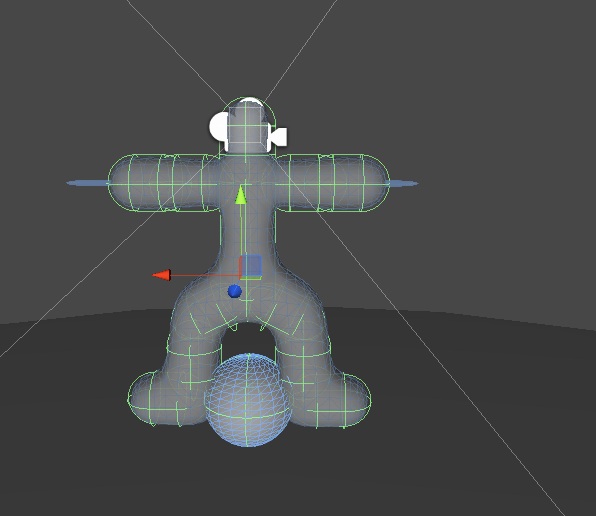 s:
s:

The problem seems to be that because your bullet is so small the physics engine doesn't detect collisions. OnTriggerEnter only works when an object hits the collider but it doesn't perform any additional detection when object is inside your collider. That's why when the bullet is moving slowly that the physics engine detects the collision.
A common solution to this common problem is to use a Raycast to detect that if between this frame and the next "would" the bullet have collided with something. This acts as an aid to the physics engine that regularly misses small colliders.

raycast doesn't work on the triggers That body is set of triggers not colliders
I did a bullet to size of 5 and it still works same
does detection even work properly if I resize the collider?

It should work but it really depends on the speed of the bullet. Go to Edit->Project Settings->Physics and set "Raycasts Hit Triggers" to true so you can use raycasts.
thanks you are my life Savior :)
for my solution for walking around the plannet only thing that was left was only triggers now, ...
IF you add that in to your question I'll thumb A up too




