 koobas.hobune.stream


A Box Collider 2D does not align completely with a cube's rotation
I have a cube in between 2 sprites. It is scaling to stretch between them and I'm using Transform.LookAt() to set it's rotation so it is always in the correct position.
I've now added a Box Collider 2D to this, but the rotation of the collider isn't matching the rotation of the cube.
When one sprite moves around the other sprite, the box collider 2D is aligned to the cube for exactly half of the movement. For the other half, the collider has a different rotation. See the gif below (using a clock face as an example, the collider is aligned from 12-6 but misaligned from 6-12):
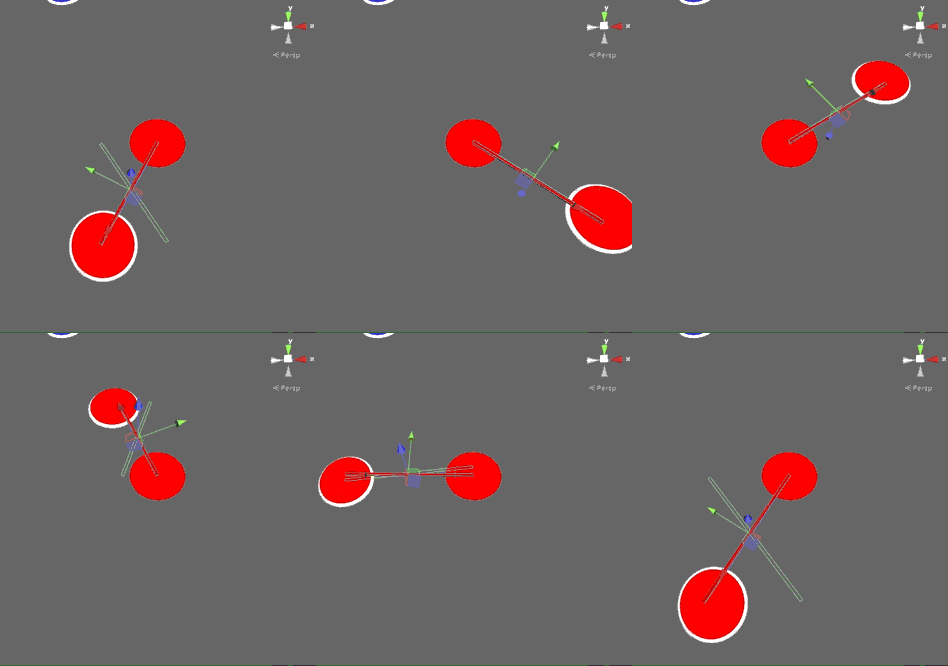
I've attached a zipped example project so you can see what's going on.
Many thanks in advance.

What Unity version were you creating this in? I opened it in Unity 5.0.0f4, upgrading the project and it works there.

I was using 4.3, I think. I've just upgraded to 5.0.2 and you're right, it's working!
This appears to have been caused by a bug in 4.3. If anyone else has this issue, try upgrading to the latest version of Unity, it worked for me!
Thanks @hexagonius for the tip!



