
Wayback Machinekoobas.hobune.stream
May JUN Jul
Previous capture 13 Next capture
2021 2022 2023
1 capture
13 Jun 22 - 13 Jun 22
sparklines
Close Help
  • Products
  • Solutions
  • Made with Unity
  • Learning
  • Support & Services
  • Community
  • Asset Store
  • Get Unity

UNITY ACCOUNT

You need a Unity Account to shop in the Online and Asset Stores, participate in the Unity Community and manage your license portfolio. Login Create account
  • Blog
  • Forums
  • Answers
  • Evangelists
  • User Groups
  • Beta Program
  • Advisory Panel

Navigation

  • Home
  • Products
  • Solutions
  • Made with Unity
  • Learning
  • Support & Services
  • Community
    • Blog
    • Forums
    • Answers
    • Evangelists
    • User Groups
    • Beta Program
    • Advisory Panel

Unity account

You need a Unity Account to shop in the Online and Asset Stores, participate in the Unity Community and manage your license portfolio. Login Create account

Language

  • Chinese
  • Spanish
  • Japanese
  • Korean
  • Portuguese
  • Ask a question
  • Spaces
    • Default
    • Help Room
    • META
    • Moderators
    • Topics
    • Questions
    • Users
    • Badges
  • Home /
avatar image
0
Question by Dex7er · Jun 06, 2014 at 09:56 AM · lightingdirectional lightbloom

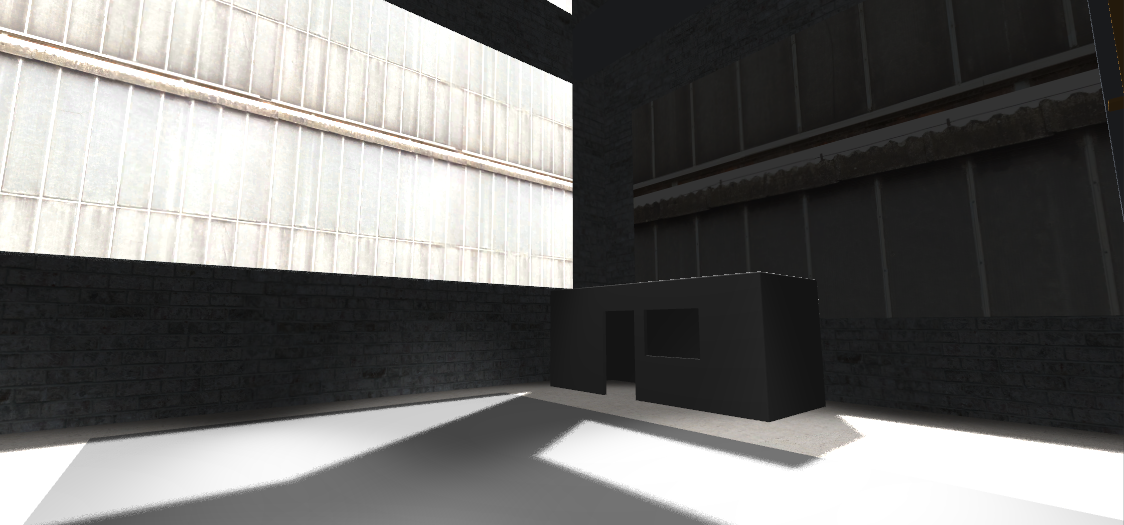
Directional light leaves transparent window dark as it passes directly through it

I'm relatively new in using Unity and have stumbled upon a problem regarding the lighting of "windows" while trying to create a warehouse.

The sun/directional light is supposed to shine from the direction of the dark window at the right wall, yet despite having light projected through it on the ground it does remain dark while I get a shine on the window right near to it, as well as the one on the opposite wall: alt text
This is how it looks from the outside: alt text
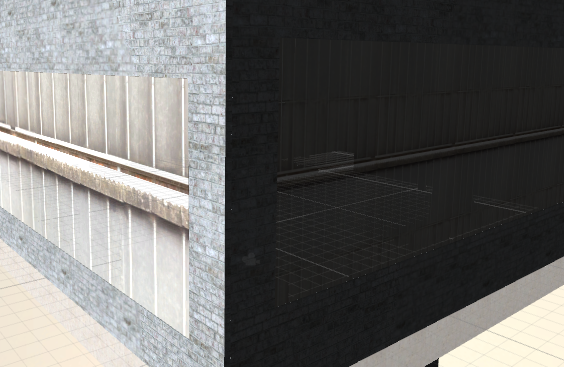
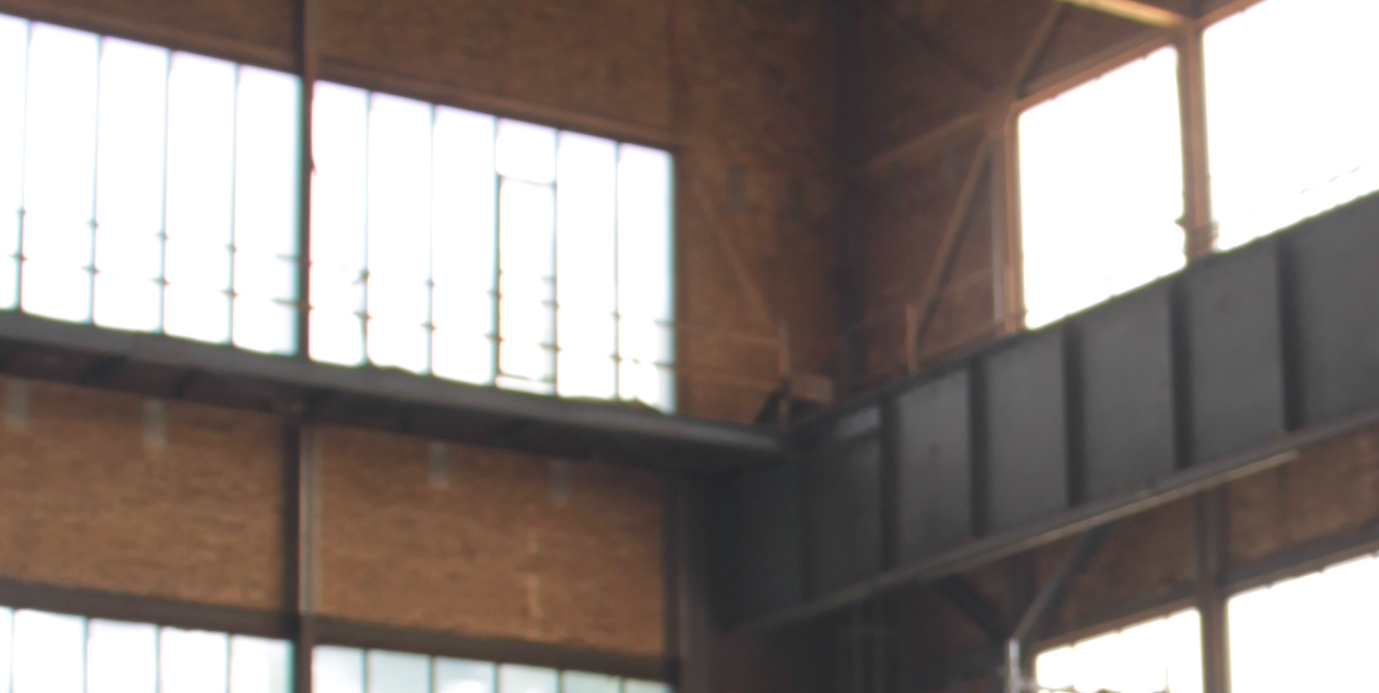
The windows are assigned a Transparent/Diffuse Shader and that's a placeholder texture. When this is how it would look in real life and how I'd like it to look in Unity, in fact all windows seem to be "shiny" no matter what direction they are during the day since the sun is so strong, but no matter what Intensity I give the directional light in Unity (to the point that the window on the left becomes entirely transparent/white) the one on the right remains entirely dark: alt text
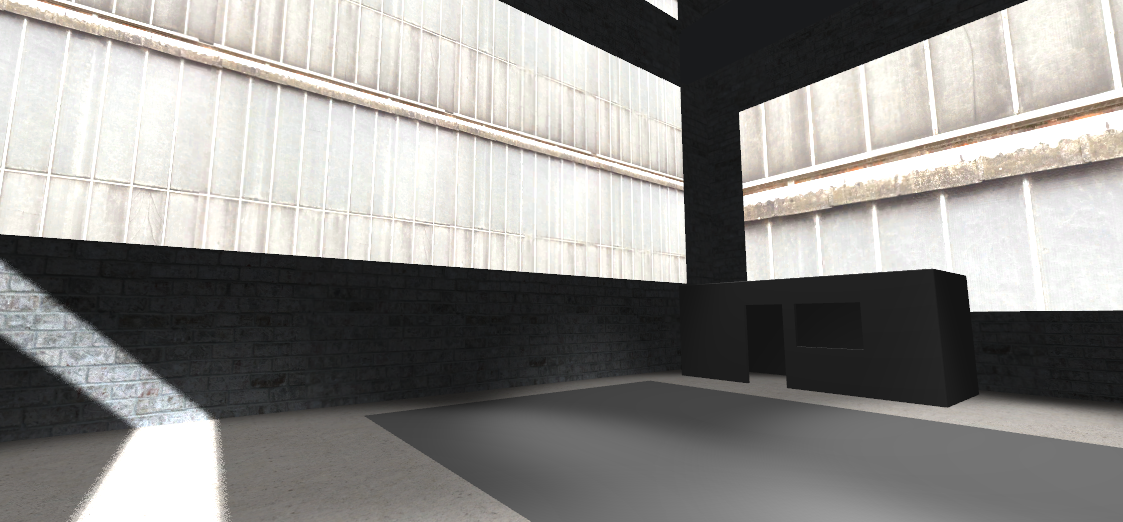
If I change the direction the sun/directional light by rotating it 180° to shine from behind the window lights up, but the lighting on the ground and the shadows are coming from the wrong direction and the windows on the opposite wall become dark: alt text
Basically, how do I fix this?

And maybe another related question regarding how I could get a slight Bloom/glowing effect over the windows and lamp lights in the warehouse like on the picture above so I don't get such hard edges without it affecting the entire scene and every object in it. Is there a way to apply Bloom or that slight "glow" only to/around specific objects instead of the entire camera rendering out and having to disable Alpha on everything?

Comment
Add comment
10 |3000 characters needed characters left characters exceeded
▼
  • Viewable by all users
  • Viewable by moderators
  • Viewable by moderators and the original poster
  • Advanced visibility
Viewable by all users

1 Reply

· Add your reply
  • Sort: 
avatar image
0

Answer by Dex7er · Aug 04, 2014 at 03:26 PM

They are still darker from outside, but setting "Alpha from Grayscale" and "Alpha is Transparent" on the Window Texture at least fixed this issue somewhat and made the windows actually see-through.

Probably a common "Newbie mistake" thinking that just adding a Transparent Shader to a Material will actually give it Transparent properties without the need of an Alpha Texture.

As for the glowing effect, I ended up using a slight Image Effect/Glow over the Main Camera while setting the Alpha for all other Materials but the windows and lamps to 0.

Comment
Add comment · Share
10 |3000 characters needed characters left characters exceeded
▼
  • Viewable by all users
  • Viewable by moderators
  • Viewable by moderators and the original poster
  • Advanced visibility
Viewable by all users

Your answer

Hint: You can notify a user about this post by typing @username

Up to 2 attachments (including images) can be used with a maximum of 524.3 kB each and 1.0 MB total.

Follow this Question

Answers Answers and Comments

21 People are following this question.

avatar image avatar image avatar image avatar image avatar image avatar image avatar image avatar image avatar image avatar image avatar image avatar image avatar image avatar image avatar image avatar image avatar image avatar image avatar image avatar image avatar image

Related Questions

Unity 5 Lens flares 1 Answer

Unity 5: Bloom causes artifacts on Terrain 2 Answers

Directional light leaking into indoor areas 0 Answers

The wall turn completly dark when not facing light. 2 Answers

How to use the new Post processing to make a SPECIFIC sprite in the scene bloom (from Unity 2019.2) ? 3 Answers


Enterprise
Social Q&A

Social
Subscribe on YouTube social-youtube Follow on LinkedIn social-linkedin Follow on Twitter social-twitter Follow on Facebook social-facebook Follow on Instagram social-instagram

Footer

  • Purchase
    • Products
    • Subscription
    • Asset Store
    • Unity Gear
    • Resellers
  • Education
    • Students
    • Educators
    • Certification
    • Learn
    • Center of Excellence
  • Download
    • Unity
    • Beta Program
  • Unity Labs
    • Labs
    • Publications
  • Resources
    • Learn platform
    • Community
    • Documentation
    • Unity QA
    • FAQ
    • Services Status
    • Connect
  • About Unity
    • About Us
    • Blog
    • Events
    • Careers
    • Contact
    • Press
    • Partners
    • Affiliates
    • Security
Copyright © 2020 Unity Technologies
  • Legal
  • Privacy Policy
  • Cookies
  • Do Not Sell My Personal Information
  • Cookies Settings
"Unity", Unity logos, and other Unity trademarks are trademarks or registered trademarks of Unity Technologies or its affiliates in the U.S. and elsewhere (more info here). Other names or brands are trademarks of their respective owners.
  • Anonymous
  • Sign in
  • Create
  • Ask a question
  • Spaces
  • Default
  • Help Room
  • META
  • Moderators
  • Explore
  • Topics
  • Questions
  • Users
  • Badges
