 koobas.hobune.stream


Cylinder deformed when using NavMesh
Hi there.
I've just started to use the Navigation system and I'm having a curious problem that I cannot resolve.
I've created a baked area over a plane (just the plane, not the child objects). Then I've added a cylinder as a plane's child:
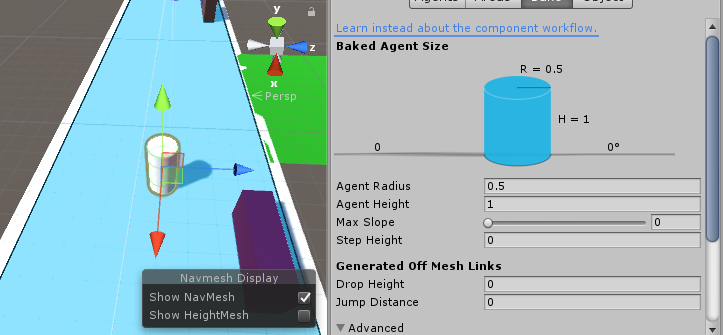
But when I press Play, the Cylinder gets deformed when it begins to move towards the destination:
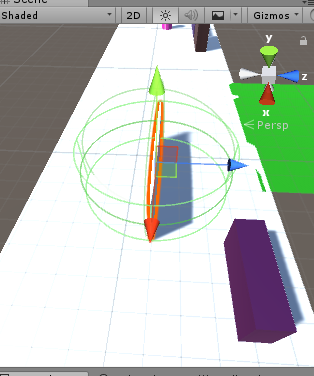
I have tweaked with Agent Radius in both Agents and Bake menus, but the cylinder still gets deformed when I play the scene.
Any help would be appreciated!

This looks like the issue of non-uniform scaling:
- https://answers.unity.com/questions/222018/rotating-an-object-distorts-it.html
Does your cylinder or any of its parent game objects have all the same values in the scale of their Transform component? E.g. (1, 1, 1), or (2, 2, 2), or even (3.1415, 3.1415, 3.1415). If not, upon rotating the object it will get distorted.
Btw, it is unrelated to navmeshes. As Bunny83 explains in a comment, it is due to distortion of space.

ps: This is not a "Unity issue" but a simple fact about linear transformation and parent-child relations. When you distort space don't be suprised to get something distorted ^^.

O$$anonymous$$, thanks for the explanation. I will update the answer to reflect this.

Hi guys, thanks for your answers.
These are the Transform values I'm managing:
World (parent object): 1, 1, 1 Street (first child): 6, 0.8, 1 NPC (cylinder, second child): 1.6666, 1.25, 1
But why it only gets distorted when following a Nav$$anonymous$$esh path? If I remove all navigation system, it looks fine.
Because it deforms when you start rotating, and the NavmeshAgent rotates your object when moving. You can check that this happens if you manually rotate your object.
$$anonymous$$y recommendation is to make the NPC have a scale of (1, 1, 1), and create a model that fits the size (1.666, 1.25, 1).


