 koobas.hobune.stream


How do I lock an orthographic camera?
I made on orthographic camera with a rotation of 30 45 0 to imitate the isometric view. My goal is to make a 2.5D game like Farmville but i can't find any solution on how to lock the camera on left/right, up/down, I will put the code on how i move the camera:
  void Update () {
     if((Input.GetKey(KeyCode.LeftArrow)))
     {
         transform.Translate((Vector3.left* cameraVelocity) * Time.deltaTime);
     }
     if((Input.GetKey(KeyCode.RightArrow)))
     {
         transform.Translate((Vector3.right * cameraVelocity) * Time.deltaTime);
     }
     if((Input.GetKey(KeyCode.UpArrow)))
     {
         transform.Translate((Vector3.up * cameraVelocity) * Time.deltaTime);
     }
     if(Input.GetKey(KeyCode.DownArrow))
     {
         transform.Translate((Vector3.down * cameraVelocity) * Time.deltaTime);
     }
 }
I want to limit the camera on this box. 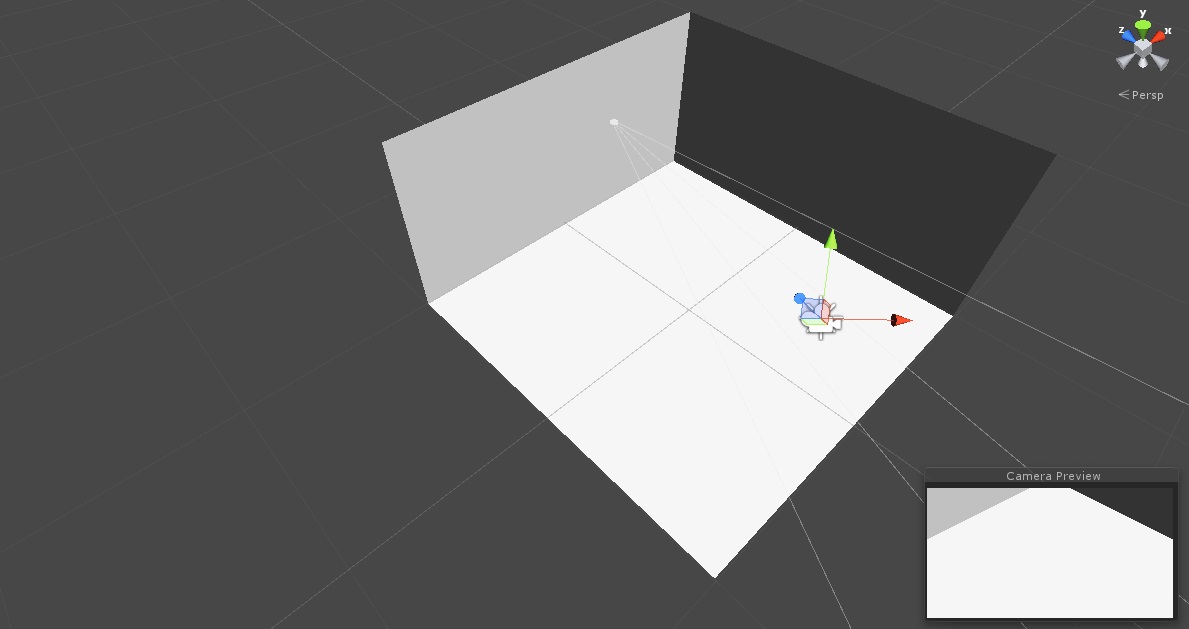

so you want to put like border limits to how far the camera can move left right top and bottom ? if i understood correctly


This small piece of code should keep the camera in the bounds you can define in the inspector. After you have moved the object, this code makes sure that the position on each axis is between the bounds (Mathf.Clamp).
Instead of using the Bounds class, you could also assign an object which defines bounds and get it from there; a Collider or a Renderer for example.
The function "OnDrawGizmos" is used to visualize the bounds that will be used by this script.
 using UnityEngine;

 public class Example : MonoBehaviour
 {
     [SerializeField]//Makes a private field show up in the inspector.
     private float cameraVelocity=0;

     [SerializeField]
     private Bounds bounds;

     public void Update ()
     {
         //Your code that is currently placed in Update.

         Bounds = bounds.bounds;
         Vector3 position = this.transform.position;
         position.x = Mathf.Clamp(position.x, bounds.min.x, bounds.max.x);
         position.y = Mathf.Clamp(position.y, bounds.min.y, bounds.max.y);
         position.z = Mathf.Clamp(position.z, bounds.min.z, bounds.max.z);
         this.transform.position = position;
     }

     public void OnDrawGizmos()
     {
         Gizmos.DrawWireCube(bounds.center, bounds.size);
     }
 }
thanks for the reply, I've tried your code. It worked but I can't get it to work like I need to anyway it's been a great help, now I have a starting point. I'm still having problems on locking it to the cube's bounds. I have no ideea how to fix that :( .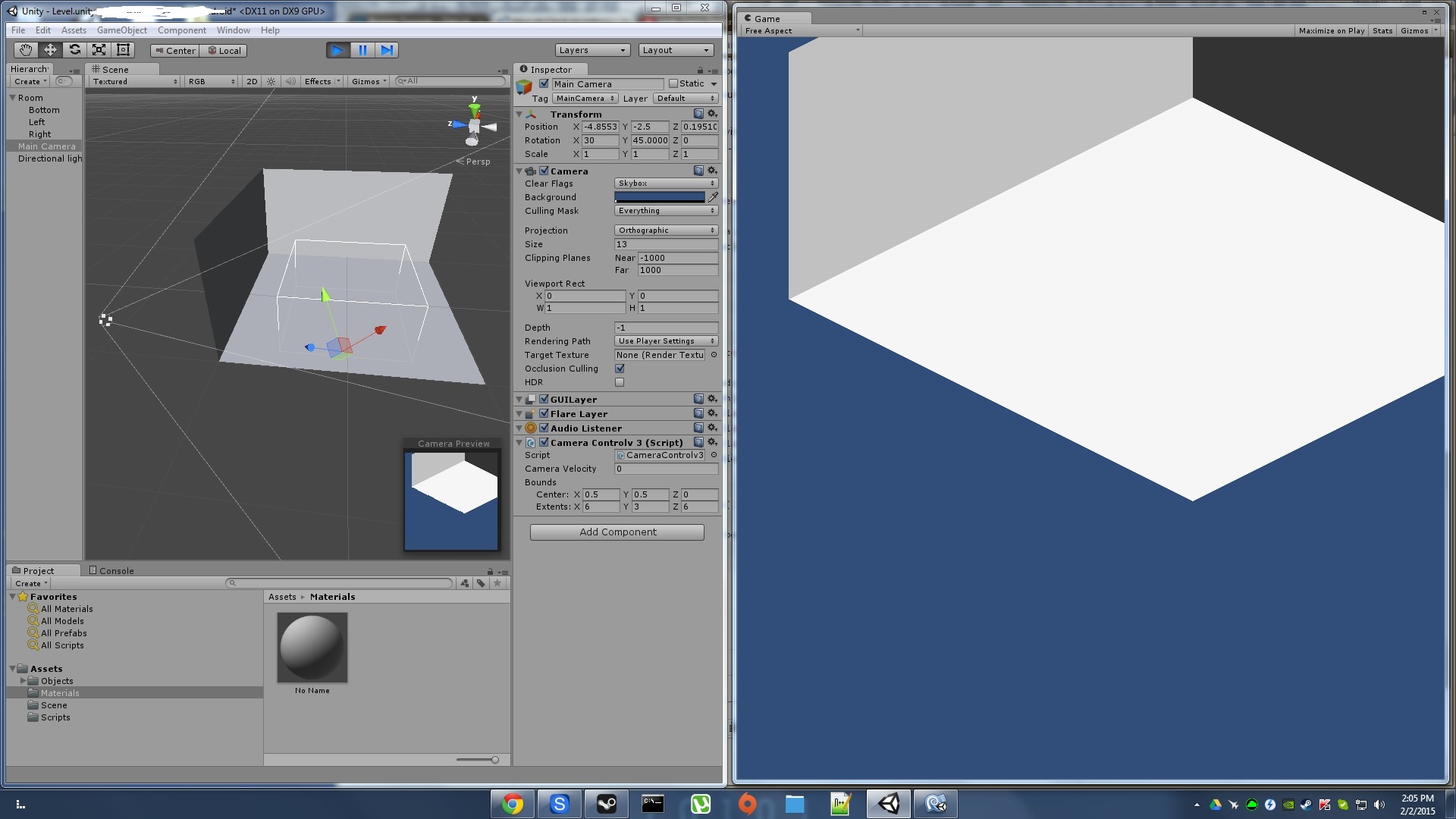
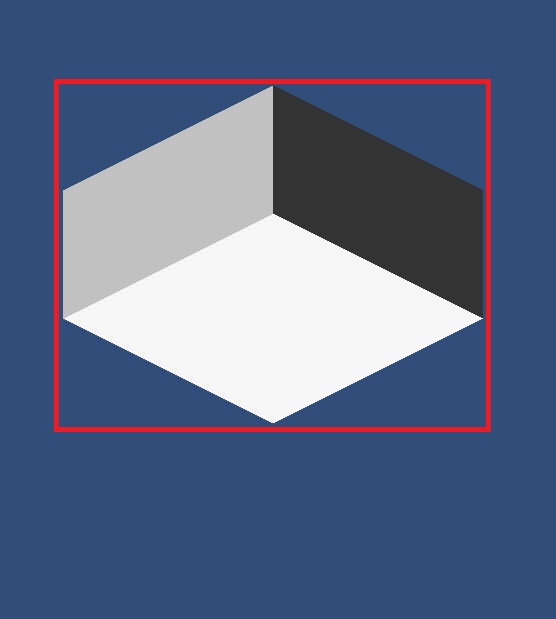
this is how i intend to lock the camera 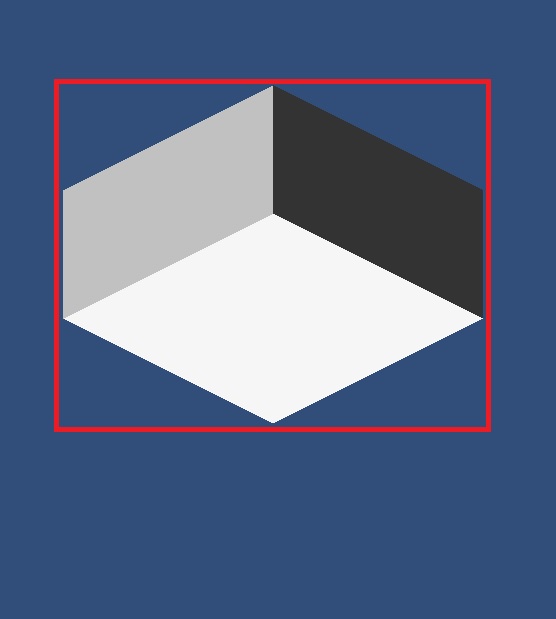

After trying some things myself, I would suggest some slight alterations to the original code and the way the scene is setup. $$anonymous$$ake the camera a child of an empty GameObject with isometric rotation and set the rotation of the Camera to (0,0,0). This should basically look the same as it just did.
Then apply the following changes to your script. Now you need to tweak 4 values, opposed to 6. As for the settings, just tweak until you get it about right. $$anonymous$$y advice is that if you increase a value, you reduce the coresponding value by the same amount (for example: corner1.X +1; corner2.X -1). From here on it is mostly tweaking your values, something where I cannot really help. So I wish you best of luck.
 [SerializeField]//$$anonymous$$akes a private field show up in the inspector.
 private float cameraVelocity=0;

 [SerializeField]
 private Vector2 corner1, corner2;

 void Update ()
 {
     Vector3 position = this.transform.localPosition;
     if((Input.Get$$anonymous$$ey($$anonymous$$eyCode.LeftArrow)))
     {
         position.x -= cameraVelocity * Time.deltaTime;
     }
     if((Input.Get$$anonymous$$ey($$anonymous$$eyCode.RightArrow)))
     {
         position.x += cameraVelocity * Time.deltaTime;
     }
     if((Input.Get$$anonymous$$ey($$anonymous$$eyCode.UpArrow)))
     {
         position.y += cameraVelocity * Time.deltaTime;
     }
     if(Input.Get$$anonymous$$ey($$anonymous$$eyCode.DownArrow))
     {
         position.y -= cameraVelocity * Time.deltaTime;
     }
     position.x = $$anonymous$$athf.Clamp(position.x, corner1.x, corner2.x);
     position.y = $$anonymous$$athf.Clamp(position.y, corner1.y, corner2.y);
     this.transform.localPosition = position;
 }
By making and empty gameobject you mean bind the camera with a rotation of 0, 0, 0 to it right? And add the script to the object not on the camera. I also need to rework everything to match my mouse control script and zoo$$anonymous$$g, anything that I should be aware of when doing that ?
Here is an image with the settings which I was talking about. It should hopefully make things clearer. 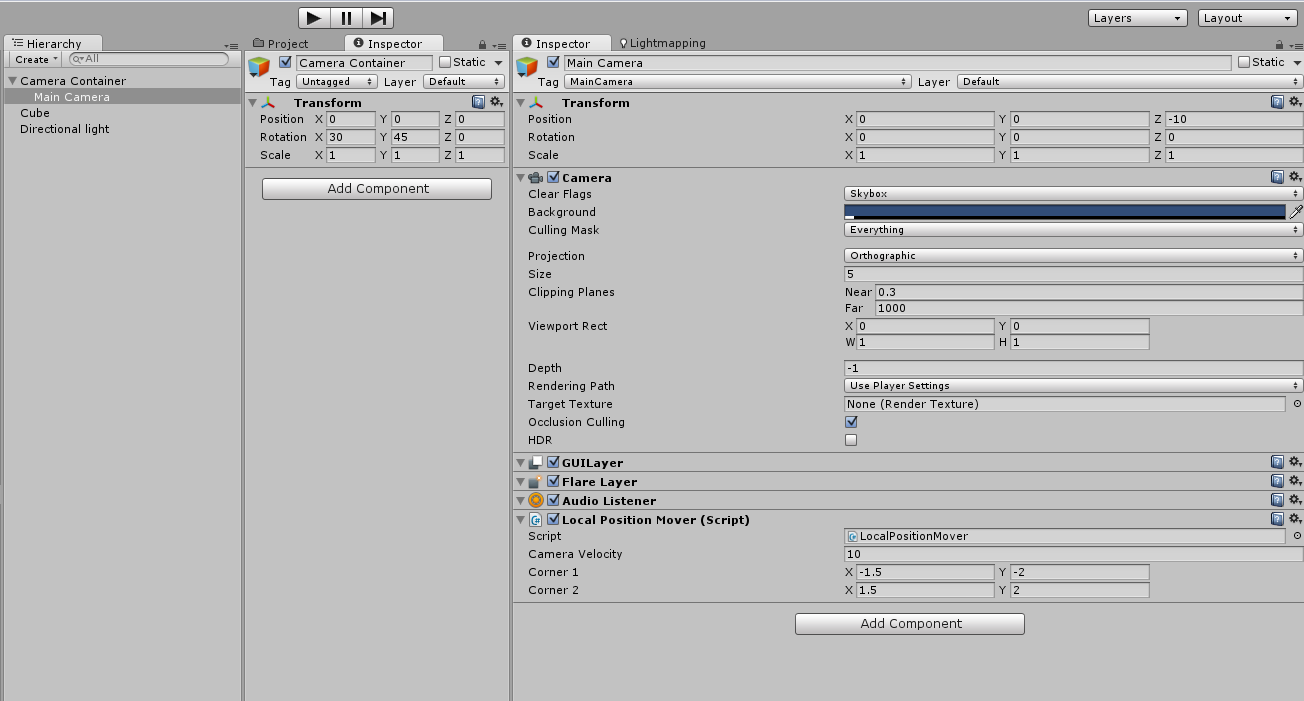
Oh, I should be able to make this work, thanks. $$anonymous$$y script is updating the position in the mouse if's but i will make just a variable update in the if and update the position in the end with $$anonymous$$athf.Clamp just like you told me. Thanks again. I will come with an update later on.





