 koobas.hobune.stream


Play multiple videos on Android OculusGo using Resources - crash the app
Hello all,
Before I've asked what is better asset bundles or resources. I've implemented them both, but ended using resources. However the video crash each time. My solution is to lower the video file size and I've made it that 3 out of 4 videos play together. The file size went from 35MB to 9MB and the application still crash when forth video is about to play.
video codec is: WebM, VP8 -> for transparacy aka. alpha is enabled. all videos where transcoded in unity for Android to VP8 (again). All videos play on material with a shader: GoogleVR/Unlit/TransparentOverlay Videos start to play one after another and finish all together - meaning all four are playing together.
My progress so far: 1. Streaming Assets: Worked on one video. didn't work with two videos
Script for StreamingAssets thanks to this post:
     public VideoPlayer videoPlayer;
     public string videoName;

     private void Start()
     {
         StartCoroutine(LoadMovie());
     }

     IEnumerator LoadMovie()
     {
          if (Application.platform == RuntimePlatform.Android)
         {
             string urlAndroid = "jar:file://" + Application.dataPath + "!/assets/" + videoName + ".webm";

             using (var www = new WWW(urlAndroid))
             {
                 yield return www;
                 videoPlayer.url = urlAndroid;
                 videoPlayer.Play();
             }
         }
     }
AssetBundle
After reading this forum discussion and trying to understand this git thread I've tried the asset bundle script from this GIT repository
and using this same repository switched to using resources.
However I think my problem is that the render thread is over the main thread and then the app crashes. And I really wonder if 4 videos playing together is so costly even if each of them is ~9MB?!!!!!
I wonder if I have a rendering issue, or whether my graphic setting in the projects are wrong.
Of course I used the logcat from adb to understand when it's crashing, and it's crashing when forth video is preparing. And when the app dies I have this print in the terminal: 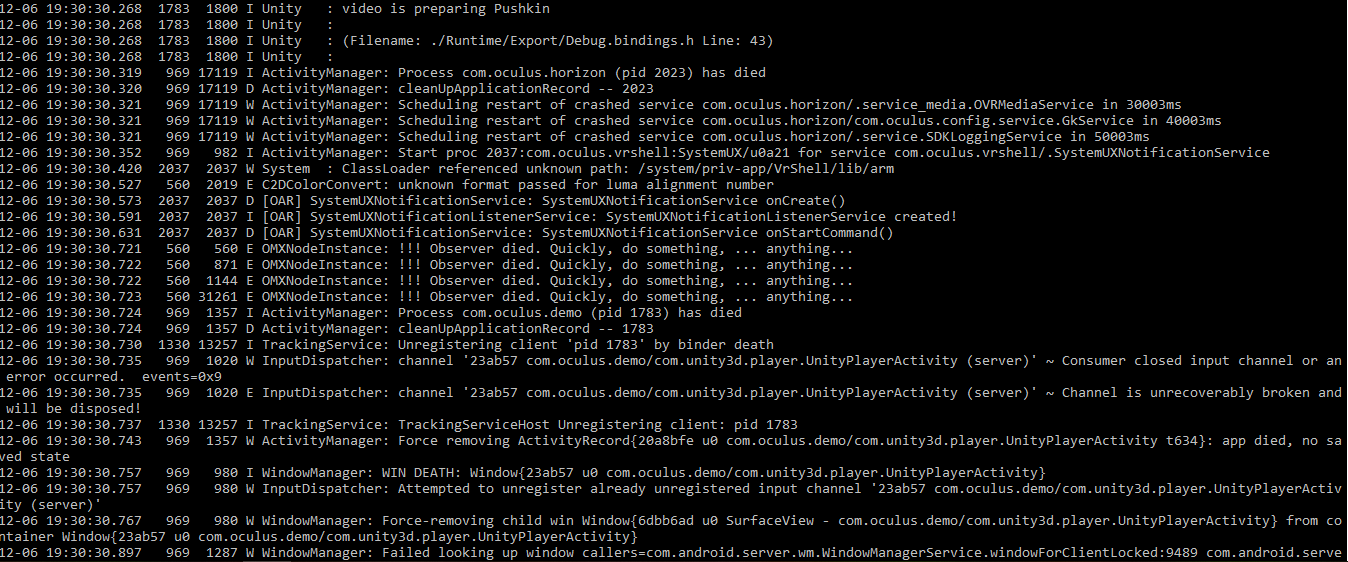
And when the video is loading and playing and the app is not crashing (YET) I have this print in the terminal:
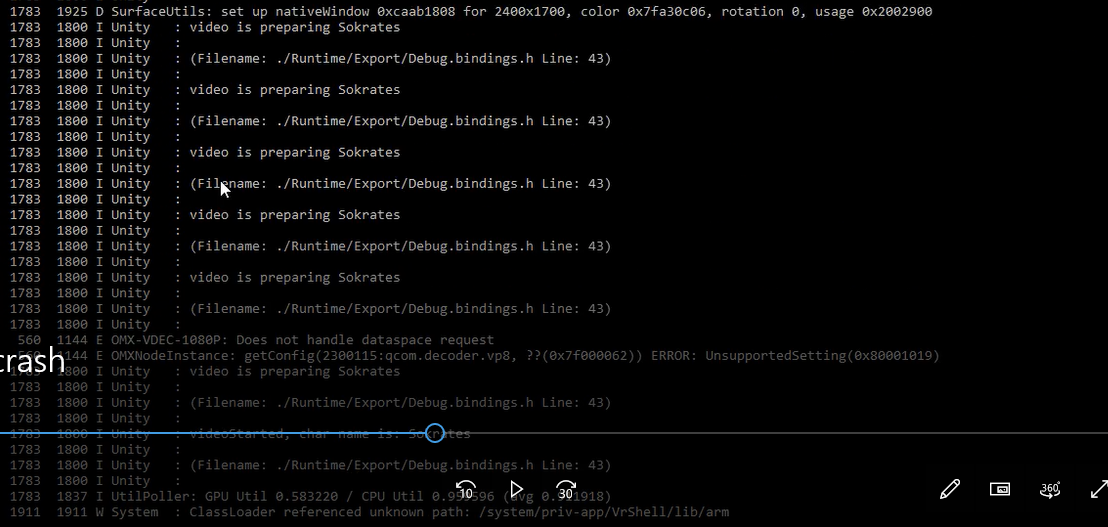
and for some weird reason I feel like even when the video does play something is already wrong and it's just playing because it somehow can, but the terminal says something is wrong
Mainly because of these two lines (of a playing video - second pic): 1. omx-vdec-1080p: Does not handle dataspace request 2.omxNodeInstance: getConfig (2300115:qcom.decoder.vp8, ?? (0x7f000062)) ERROR: UnsupportedSetting (0x80001019)
Long post.... but I really hope this answer will help those who struggle in the future.. as I'm already two weeks on this thing
Also I read somewhere that maybe its better to write a java plugin + disable the "Autographics API" in players setting and then place OpenGLES2 above OpenGLES3
Cheers!
so after a long month I'm going to post the answer to this question and I don't think it's a solution people don't know about and yet I'll call this solution 'the "L" method' (L for lovely)
You take one video, made of 4 videos. You place 4 raw images in your scene and you adjust the material of each raw image accordingly. **and I used all of the above - resources and player settings
There you have it!


