 koobas.hobune.stream


light from lightsaber?
I made a lightsaber with line renderer like this:

and I'm currently trying to make the light actually emitted from it. like this: 
see that yello light? that is what I want. First I add 2~3 point lights to lightsaber, but it looks not good when the lightsaber penetrate things.
see: there is blue light
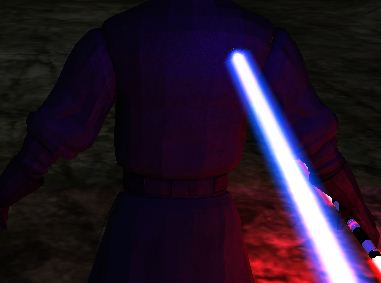
and now: there is no light
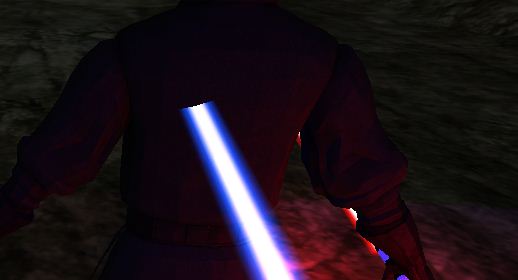
so what should I do? I don't want to be messy with ten point lights in one lightsaber. And there is no 'convenient cylinder shape light'. Please help me, masters of the Unity!

This comment may sound a bit odd, but, does it really matter? Unless that particular effect is the cornerstone of your game, I'd say let it slid. Or just move the light closer to the handle. A lot of games make all kinds of cheats to give the illusion of a fully dynamic world. I'm not trying to convince you to drop the idea and I fully respect if you need that working, but a lot of real life games simplify problems by not providing a true solution. In many cases a "good enough" solution is accepted.

thanks, it seems that I was too attached to that glowing thing. well in this particular moment I'm trying to create a PERFECT lightsaber...anyway I'll keep in $$anonymous$$d your words.

Hi this is what i need, this lightsaber, can u share it with me? i'll be greatfull.. Thanks

You could attach a simple light to saber gameobject and child it, that would be the simplest solution. Or you could write a shader, but that is a bit more advanced, but i think you could find ir for free using mother google.
It looks like that this game used simple point light, which is the simplest solution.
Hmmm thanks,but will there be no performance drop by attach several point light to saber? If there is no drop, then I will take it.

Couple of point lights wont really harm any performace, and by couple i mean tens of them. Dont be afraid to test stuff, add hundred point light and see what are the stats.
Well that blowed away my worries. Thanks a lot! now I can proceed to adjusting reflecting vector XD

Humph, i was thinking about this for a while before answering it: Obviously a point light is the simplest solution but that doesn't provide an even distribution of light around the object (in this case a lightsaber).. You could use a spot light with a small light cone but thats still a bit iffy. As Young said there are plenty of solutions in the world of shading (check out Strumpy's wonderful tool on the asset store if your not familiar with writing shaders) but as I see it now, the easiest solution is simply a Point Light as a child objet, is cheap as long as you use no more than 2 (the less the better) and make sure you place them/it close to the middle of the object for best distribution. Also consider adjusting the light distance and brightness properly. Also avoid allowing the light to cast shadows (if using Pro).
I actually meant spot light, not point light, mistypo




