 koobas.hobune.stream


8 Directional sprite in 3d world, how to retrieve angle?
I'm trying to do an 8 directional sprite in a 3d world like Doom. I managed to get it almost wworking, but my script is not very precise as ti try to retrieve absolute angles, and if the player move too fast sometime it skips part of the code, this is my actual script:
UPDATED With Professor Snake solution and Zeh suggestions:
 using UnityEngine;
 using System.Collections;

 public class LookDirection : MonoBehaviour {

     Transform player;
     public float angle;
     Vector3 direction;

     public Renderer spriteObj;

     public Material[] mat;

     void Awake () {player = GameObject.FindWithTag("Player").transform;}

     void Update () {

         direction = player.transform.position - transform.position;
         angle = Mathf.Atan2(direction.x,direction.z) * Mathf.Rad2Deg;
         ChangeDirection ();

     }

     void ChangeDirection () {
         if (angle < 0) angle += 360; // Just in case
         spriteObj.renderer.sharedMaterial = mat[(int)Mathf.Round(angle / 360f * mat.Length) % mat.Length];
     }
 }
Consider that the public Material variables are just for testing now to see if it changes properly.
So as you see in the coroutine I just send the angle as string with the first 2 digits only on the overload method of the function ChangeDirection. And the switch check when the angle reach a certain angle, but is not that precise and sometime as I saied before it skips the angle strings.
Any suggestion on a better approach to get a precise angle reference?
Screenshot of what I'm doing: 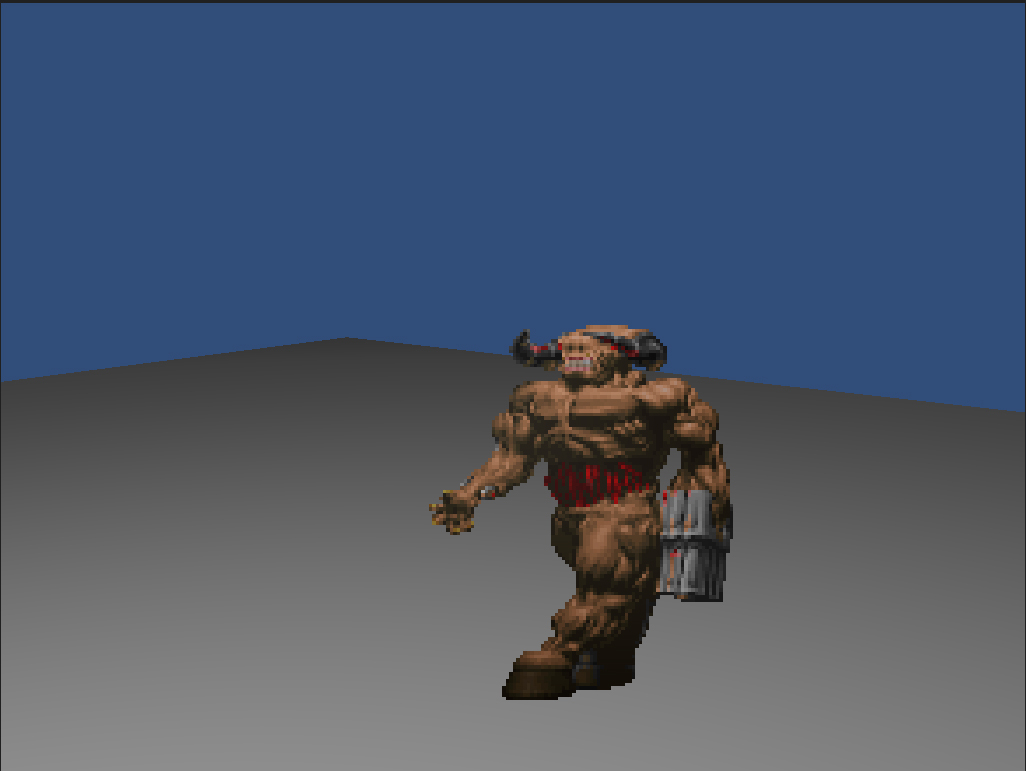

Just a question, perhaps it is a misunderstanding on my end. You said that you are sending only the first two digits of the angle? Wouldn't that make an angle such as 145 appear as 14? Because if so, then it might be the source of your problem.

Whops, I feel dumb now, yeah you are right, but still the problem persist as with 3 digits now skips the 2 digits one. I guess I'm totally using the worst approach to this, but I'm out of ideas on that. I tried also parsing the angle float to a string, but couldn't get anything working.

Just as a tip, never write 1 liners with more than 1, short function call It's good practice to allways use {} :)
I wonder why you are parsing it to a String. You could simply just use the floats themselves. I also think i know what your issue is. If the gameobject changes rotation too fast, the rotation variable may jump values from one frame to another. So, ins$$anonymous$$d of a simple case x, have a case (angle < y&& angle > x). (Which would only be viable if you are using the floats)
Then try using a lot of "if" statements with the comparison method i proposed above. It might not look pretty but hey, whatever works.

Then what about a short yet clever algorithm? You could store the the different textures for the objects in an array, and then in every frame, you could use:
spriteObj.renderer.sharedMaterial=array[(((int)angle+180)/45)];
Untested, but it should work, assuming the angles go from 0 to 360.
(if angle<45, int.Parse(((int)angle+180)/45) should equal 0, if it's between 45 and 90, int.Parse(angle/45) will equal 1 etc etc)

You're testing for the right angles but not for the ranges the player can be in. At the very least, you'd need a numerical comparison of ranges. So you should never try that kind of comparison as strings.
But similarly to what ProfessorSnake said, because this is a sequence (of angle ranges) that maps to another sequence (of materials), you should just need an array of your angles and then calculate accordingly.
 // Initialize the list of materials somewhere else
 Material[] materials = new Material[8] {F, FR, R, BR, B, BL, L, FL};

 // When you need to set the material depending on the angle
 if (angle < 0) angle += 360; // Just in case
 spriteObj.renderer.sharedMaterial = materials[Math.round(angle / 360f * array.Length) % array.Length];
The above code assumes 0" is front, and that rotation goes clockwise. If not, you'll have to adjust the order of the array accordingly.
Also, are you sure you need StartCoroutine and yield? Your code can be vastly simplified by removing that.
If you take a closer look at the comments section of the question, you will see that the string method is not used anymore. The answer was a converted comment that only makes complete sense when read in context with the rest of the comments. Although i do agree about StartCoroutine and yield.
I've updated the question with Professor Snake solution. I'm using a coroutine for this as I have to know the angle always and I though would be less performance demanding to use a coroutine ins$$anonymous$$d of putting it on Update as I will need many of those sprites in a scene. The yield is there to prevent a crashing of Unity, I think it goes in loop and just freeze. So what would you suggest to use for getting the angle without a Coroutine?
Also posted a screenshot of what I'm doing, obiviously the Cyberdemon is there just for test.

Just update the angle once on Update(). That function will get called once per frame, so that's what you want to do to change the material. Your whole code can be simplified to a couple of lines without additional functions.
If you will need many of those sprites in a scene and you want to avoid calling the material changing code too many times (which is a good idea), you can cache the array index of the material you used last (the number inside array[] on Professor Snake's code) and only re-apply the material if the index changes. That'd be the best, nay, correct solution performance-wise.
I'm not sure why you have the infinite while() loop there. But you shouldn't need it in your code, since Update() is continuously called. Same with the StartCoroutine() and yield: in reality, there are very very few reasons why you need either of those in any realistic code.
Updated the code with your suggestion, so far without caching the index on over 50 sprites the fps are really stable, even better than before, so thank you zeh.



