 koobas.hobune.stream


Texture very low quality after import
Hi,
Ive made a model in cinema 4d and imported it into unity. Ive used fbx version 7.3. For some reason the texture of this model is of extremely poor quality. Ive checked all the texture settings and they appear to be fine.
This is what it looks like in c4d 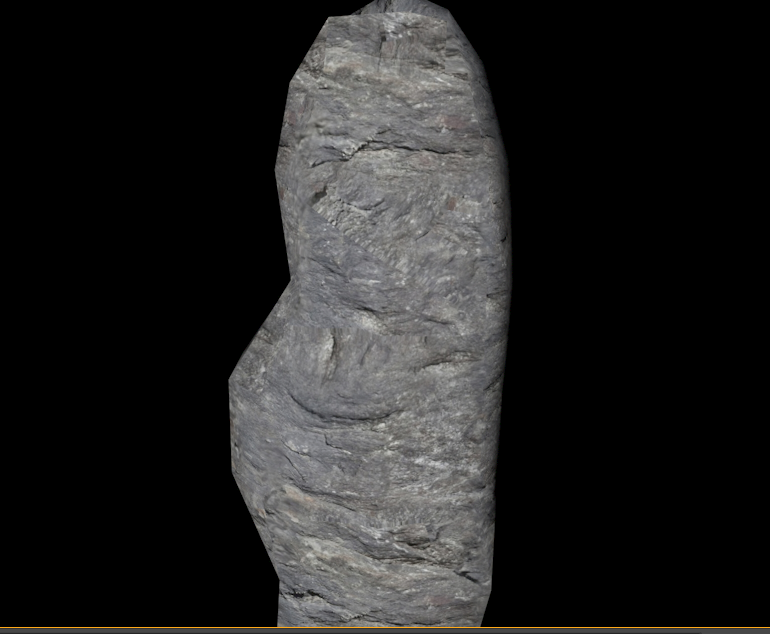
And this is ingame: 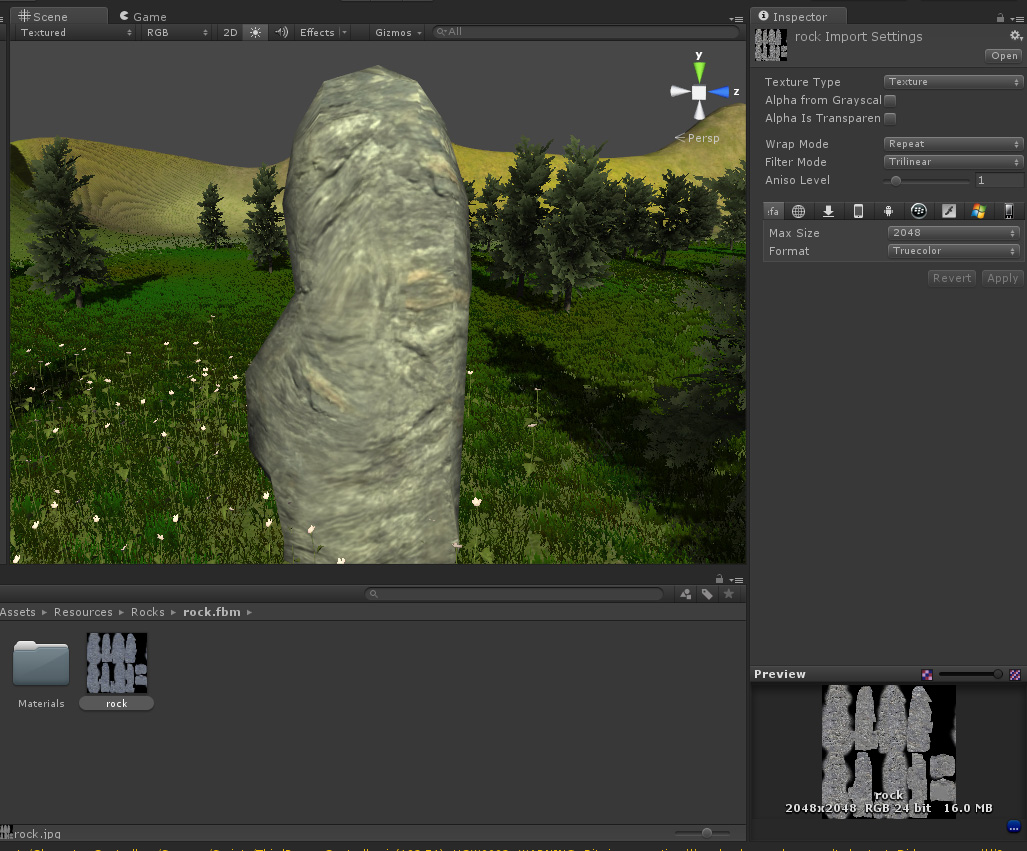
It looked just as poor as when the texture was 1024x1024 so I tried to crank up the texture size but it had no effect.
I am all out of ideas as to what is going on here.


Go to preferences and check "Compress Assets on Import" see if thats what you're looking for.

Alright i have replaced the current texture with a checkerboard texture. It seems the texture is just stretched so its a cinema4d issue. Ill go and find out whats wrong with it. Thanks for all the help !

and 9 years later, this trick worked for me,
Thanks Comrade :D

Try changing editor quality or disable texture filtering and mipmaps.

That is surely because the lighting in the game isn't setup properly ... check the shadows drop down list in the inspector and set the shadows type to soft shadows and the quality to very high .. this should resolve the problem ... and also the directional light u are using has a yellowish tint i suppose .. that's causing the rock yo more gloomy than it really is
Thanks for responding. Ive removed the yellow tint from the lighting but the fact remains that the texture resolution appears very low. It seems like it a 128x128 texture rather than a 2048 texture. This is what it looks like now:
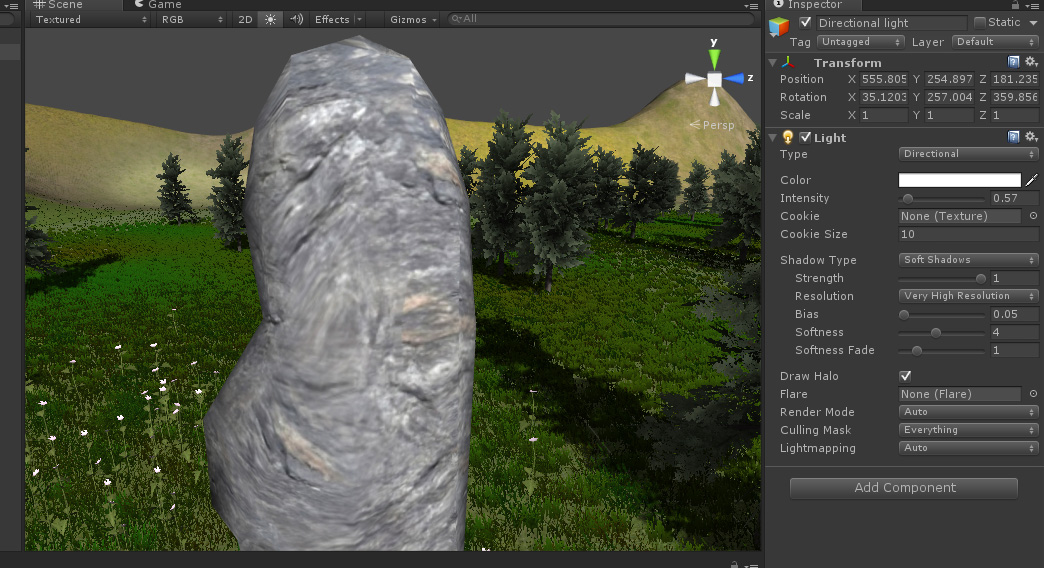

try using a diffuse and bump map .. and apply the same texture to bump ... and also check the import options on th clicking the texture at the right bottom corner u can set the quality level and also the resolution check it may
It seems that the model in unity, looks very similar to the model in cinema 4d as it appears in the preview mode rather than render mode. Heres an image:

I guess this is a cinema 4d issue then. Any c4d folks out there who could give me some advice how to fix this? I had been using c4d years ago for this purpose as well. Never ran into any trouble before.
I just painted my texture in bodyPaint and tried to export the texture both baked and non baked into unity. Both had the same result.





