 koobas.hobune.stream


[CLOSED] how can i get the 'e' key to work on every press?
i have Power boxes that are connected to lights in my game, when i stand at a box and Press the 'E' key it works; it turns them on and off. but there is a horrible delay between them if i keep pressing the key.
it's like the key works, but doesn't work.
what i want to do is make it to where i can click 'e' as many times as i want (with very very little delay as possible)
bare in mind here... this is an example of what happens. the "E" is me actually pressing the button in a fast manner. and the (on) and (off) are the lights.
E-E-E-E-E (on) E- (off) E-E-E (on) E-E-E-E-E-E-E-E-E-E (off) ect.
it's like i'm doing morse code, and my game is communicating through the lights...
this is what they look like, the power boxes are on walls.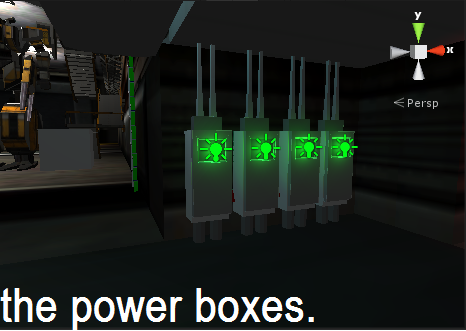
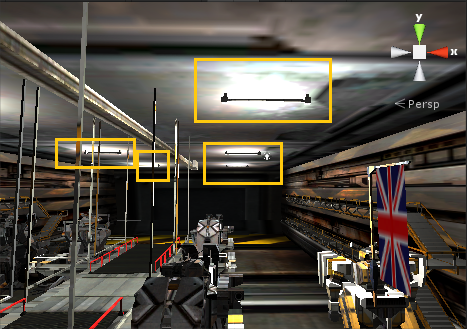
they are marked as trigger, with the " function OnTriggerStay() " only way i could get it to work, without clicking accross the room. then this one is the lights the boxes control. the lights are the ones with the squares around them.
here is the code i use for the light boxes.
CODE: var linkedLight : Light;
 function OnTriggerStay()
  {
         if(Input.GetKeyDown("e"))

         {
             linkedLight.enabled = !linkedLight.enabled;
            }

 }

 function LightOff (){
  linkedLight.enabled = false;
 }
i don't know where the problem is, i looked over other unity3D questions couldn't find anything that matched right.
if anyone could help, that would be great.
Thanks.
-Ownerfate.
After a few months of teaching my self and looking on unity and youtube about scripting i have come to one way of doing this. (Not the original way i wanted to)
but the script is something close to this.
 var lights : GameObject; // this is actually the Empty game object that the light is attached to.

 function OnTirggerStay (){

 if(Input.GetKeyDown(KeyCode.E)){

 lights.active = !lights.active; // it's the same has the original code i posted a while back, but instead of using the light, it uses the EmptyGameObject.

 }

 }

since this post, i have ditched the light boxes, but may use them in another part of my game. ( which i have done. )


