 koobas.hobune.stream


Resetting RaycastHit normals in code?
I'm working with someone on designing a game that utilizes bouncing shots off of walls, instantiated separately as blocks. The idea is that you're in a grid, taking turns firing at each other and utilizing the walls to bounce shots to hit the opponent.
The previous version of this game utilized the Physics Colliders to bounce shots off of the walls, but I'm utilizing RaycastHit now, utilizing the snippet of code derived from another question(http://answers.unity3d.com/questions/31050/bullet-reflected), but I'm still encountering some problems.
I've taken some screenshots to demonstrate.
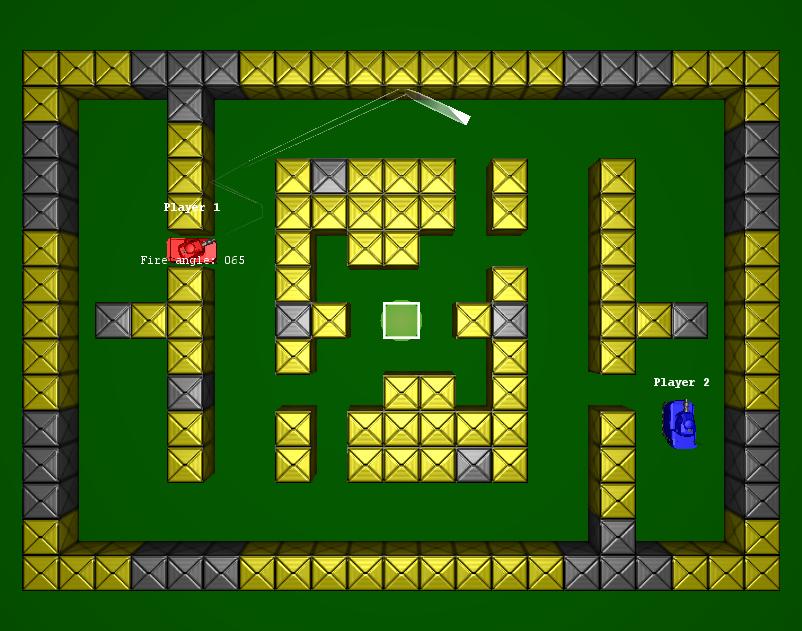 Now, in the first screenshot, you can see with the bullet trail that it bounces off of the walls somewhat properly.
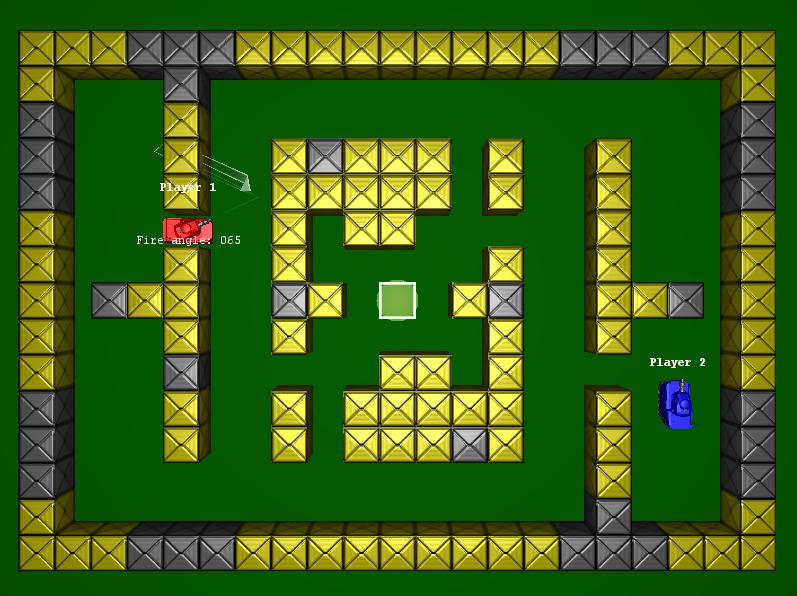 In the second one... I can identify what's going wrong, but not how to fix it.
The problem is that it's identifying one normal properly, but will only stick to that normal until it is reset(somehow). If the normal is (1, 0, 0), it will not count a normal of (-1, 0, 0), for instance. It'll take a normal on another axis, such as (0, 1, 0), but won't take any other normals on that regard.
Here's the code if anyone was curious:
if(Physics.Raycast(transform.position, transform.forward, raycastTarget, 0.5) && raycastTarget.transform != transform && raycastTarget.transform.name == "WallYellow(Clone)") { Debug.DrawRay(raycastTarget.point, raycastTarget.normal * 10, Color.red); incidenceAngle = raycastTarget.point - transform.position; Debug.DrawRay(raycastTarget.point, -incidenceAngle* 10, Color.yellow); reflectionAngle = Vector3.Reflect(incidenceAngle, raycastTarget.normal); Debug.DrawRay(raycastTarget.point, reflectionAngle * 10,Color.green);
 bounce += 1;
 if(Tracer == false) {
     AudioSource.PlayClipAtPoint(bounced, transform.position);
 }
 if(bounce >= maxBounces)
     life=0;

 print("Normal: "+raycastTarget.normal+" Oh, and I'm supposed to bounce! Bounces left: "+(maxBounces-bounce));

 if(raycastTarget.normal.x != 0) {
     raycastTarget.normal.x = -raycastTarget.normal.x;
     rigidbody.velocity.x = -rigidbody.velocity.x;
 }
 else if(raycastTarget.normal.z != 0) {
     raycastTarget.normal.z = -raycastTarget.normal.z;
     rigidbody.velocity.z = -rigidbody.velocity.z;
 }
 print("Normal after bounce: "+raycastTarget.normal);
}
My question is, how do you make the normals identify itself more... dynamically, and not keep it confined to one normal at a time? I thought forcing the normals to reverse themselves through the code would work, but it still only recognizes the same normal on the appropriate axis(i.e. [1,0,0]) no matter what.

A 'normal' is the direction a polygon is facing... from your wording it seems you're trying to use them some way they're not supposed to be used. If the thing is raycasting to the "right" it will only hit polygons whose normals are pointed at least slightly "left"; perhaps that is your problem?

The thing is meant to raycast based on the "raycastTarget" variable, which I thought was dynamic.
The problem I'm describing is regarding the cubes. Yes, I realize what normals are - a cube has 6 normals facing outward.
The way the problem is now only recognizes 3 of these.
Sorry if I sounded hostile earlier anyway. I'm just getting frustrated at the code not exactly working. I did forget to mention that I had another method that I was playing around to work with this, but that utilized something different... but I thought the above code snippet was the easiest way to approach things.

Just out of curiosity, what game is that and how do I play it, if I can? It looks amazing :)
Nevermind! Through some scrutiny there were some errors with how the code handled the normals to begin with, which means the fault was more in the code's structure and not in the RaycastHit or Raycast.
It mainly had to deal with the transform.forward defined in the Raycast if statement not updating after a bounce.

