
Wayback Machinekoobas.hobune.stream
May JUN Jul
Previous capture 13 Next capture
2021 2022 2023
1 capture
13 Jun 22 - 13 Jun 22
sparklines
Close Help
  • Products
  • Solutions
  • Made with Unity
  • Learning
  • Support & Services
  • Community
  • Asset Store
  • Get Unity

UNITY ACCOUNT

You need a Unity Account to shop in the Online and Asset Stores, participate in the Unity Community and manage your license portfolio. Login Create account
  • Blog
  • Forums
  • Answers
  • Evangelists
  • User Groups
  • Beta Program
  • Advisory Panel

Navigation

  • Home
  • Products
  • Solutions
  • Made with Unity
  • Learning
  • Support & Services
  • Community
    • Blog
    • Forums
    • Answers
    • Evangelists
    • User Groups
    • Beta Program
    • Advisory Panel

Unity account

You need a Unity Account to shop in the Online and Asset Stores, participate in the Unity Community and manage your license portfolio. Login Create account

Language

  • Chinese
  • Spanish
  • Japanese
  • Korean
  • Portuguese
  • Ask a question
  • Spaces
    • Default
    • Help Room
    • META
    • Moderators
    • Topics
    • Questions
    • Users
    • Badges
  • Home /
avatar image
1
Question by DimensionU · Jan 21, 2015 at 03:49 PM · webglchromenacl

Is there ANY way to target a Chromebook with Unity?

I'm not sure if there is a better forum to ask this question. If there is, please let me know...

I'm trying to find a solution to target an ARM based Chromebook with Unity. Here's what I've tried...

  1. Using Unity 4.2.2, I created a VERY simple Hello World app: One GameObject with one script attached using OnGUI to print "Hello NaCl" to the screen and built to the Google Native Client target. Result: did not work on ARM based Chromebook (see screenshot) alt text
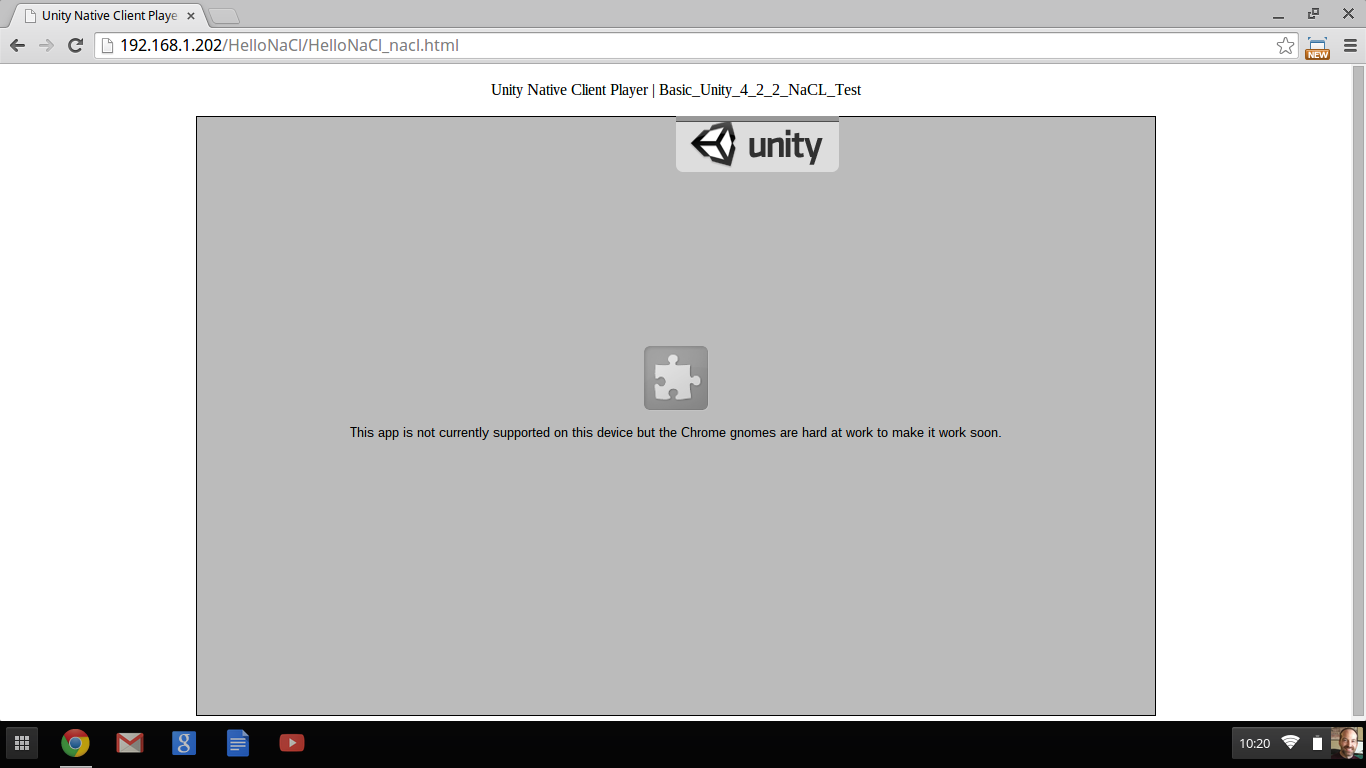
  2. Using the Unity 5 beta 18, I created a VERY simple Hello World app: New Unity UI consisting of a single panel and a single UI Label with "Hello WebGL" printed to the screen and build to the WebGL target. Result: worked, but painfully slow to simply load. Based on Unity blog posts, etc., I'm not hopeful this will be a viable option for ARM based Chromebooks for quite a while.

  3. Using Unity 4.6.1, I built a simple "Hello Android" app using the same OnGUI approach as with the NaCl test. Then, I ran the APK through chromeos-apk to package it up for use with Google's (in development - App Runtime for Chrome). Result: the app starts to launch and then just dumps. I haven't yet been able to find a good way to debug to try to see what's failing. (see screenshot) alt text

So none of the above appear to be viable solutions for targeting a Chromebook with Unity. I realize that there are some Intel powered Chromebooks and the WebGL option might become viable for those Chromebooks, but our games are played in K-12 schools and schools are buying ARM based Chromebooks. Is there - or will there be an option to target these machines with Unity or do I need to find a non-Unity based solution?

screenshot 2015-01-21 at 10.20.06 am.png (43.4 kB)
app_runtime_for_chrome.png (18.5 kB)
Comment
Add comment
10 |3000 characters needed characters left characters exceeded
▼
  • Viewable by all users
  • Viewable by moderators
  • Viewable by moderators and the original poster
  • Advanced visibility
Viewable by all users

2 Replies

· Add your reply
  • Sort: 
avatar image
0

Answer by jonas-echterhoff · Jan 29, 2015 at 02:27 PM

NaCl in Unity 4.2 only ever worked on intel CPUs, so it is not an option. I think that WebGL is probably the most promising option you have, though the ARM chromebooks, are probably indeed on the lower end of specs for Unity WebGL content. I have an old Samsung intel Chromebook, which is also pretty slow compared to modern desktops (I think 1.3 Ghz Celeron). It runs simple Unity WebGL content acceptably fast, though not great. What is the performance like on the ARM Chromebook after loading and running the content for a few seconds? Does it become acceptable once the JIT catches up? If not, your only hope would be for Chrome to improve JS performance (possibly with the upcoming v8-turbofan JIT).

Comment
Add comment · Show 1 · Share
10 |3000 characters needed characters left characters exceeded
▼
  • Viewable by all users
  • Viewable by moderators
  • Viewable by moderators and the original poster
  • Advanced visibility
Viewable by all users
avatar image DimensionU · Jan 29, 2015 at 09:00 PM 0
Share

Hi Jonas,

Thanks for your response. It leaves me hopeful, but I will have to run some more tests before I'll be able to deter$$anonymous$$e whether or not WebGL will be an option. I have a really simple GUI test WebGL build running on the AR$$anonymous$$ ChromeBook and it does perform fine once it loads. $$anonymous$$y existing project won't run ( I get the aw snap screen) on the ChromeBook. Not yet sure why. Once I do some more tests, I'll comment further and either mark your answer as the accepted answer or tell you why I believe it won't work. Thanks again.

avatar image
0

Answer by DimensionU · Jun 12, 2015 at 07:44 PM

Hi Jonas,

No, after further research and testing, it appears it will be quite some time before WebGL will be a viable option. I've created a feature request (feedback ticket) here: http://feedback.unity3d.com/suggestions/work-with-google-to-make-unity-built-apks-work-with-arc-welder hoping that ARC could be a viable solution in the meantime.

Comment
Add comment · Share
10 |3000 characters needed characters left characters exceeded
▼
  • Viewable by all users
  • Viewable by moderators
  • Viewable by moderators and the original poster
  • Advanced visibility
Viewable by all users

Your answer

Hint: You can notify a user about this post by typing @username

Up to 2 attachments (including images) can be used with a maximum of 524.3 kB each and 1.0 MB total.

Follow this Question

Answers Answers and Comments

26 People are following this question.

avatar image avatar image avatar image avatar image avatar image avatar image avatar image avatar image avatar image avatar image avatar image avatar image avatar image avatar image avatar image avatar image avatar image avatar image avatar image avatar image avatar image avatar image avatar image avatar image avatar image avatar image

Related Questions

Unity plugin for chromebook 3 Answers

NACL Does it work on chromebooks? 1 Answer

How to check for pressed keys in WebGL? 1 Answer

Chrome Memory Problem 0 Answers

WebGL Fast Left Mouse Click issues (Sometimes they are not recognized in Chrome) 0 Answers


Enterprise
Social Q&A

Social
Subscribe on YouTube social-youtube Follow on LinkedIn social-linkedin Follow on Twitter social-twitter Follow on Facebook social-facebook Follow on Instagram social-instagram

Footer

  • Purchase
    • Products
    • Subscription
    • Asset Store
    • Unity Gear
    • Resellers
  • Education
    • Students
    • Educators
    • Certification
    • Learn
    • Center of Excellence
  • Download
    • Unity
    • Beta Program
  • Unity Labs
    • Labs
    • Publications
  • Resources
    • Learn platform
    • Community
    • Documentation
    • Unity QA
    • FAQ
    • Services Status
    • Connect
  • About Unity
    • About Us
    • Blog
    • Events
    • Careers
    • Contact
    • Press
    • Partners
    • Affiliates
    • Security
Copyright © 2020 Unity Technologies
  • Legal
  • Privacy Policy
  • Cookies
  • Do Not Sell My Personal Information
  • Cookies Settings
"Unity", Unity logos, and other Unity trademarks are trademarks or registered trademarks of Unity Technologies or its affiliates in the U.S. and elsewhere (more info here). Other names or brands are trademarks of their respective owners.
  • Anonymous
  • Sign in
  • Create
  • Ask a question
  • Spaces
  • Default
  • Help Room
  • META
  • Moderators
  • Explore
  • Topics
  • Questions
  • Users
  • Badges