 koobas.hobune.stream


Textures gets one colored, blurry ?
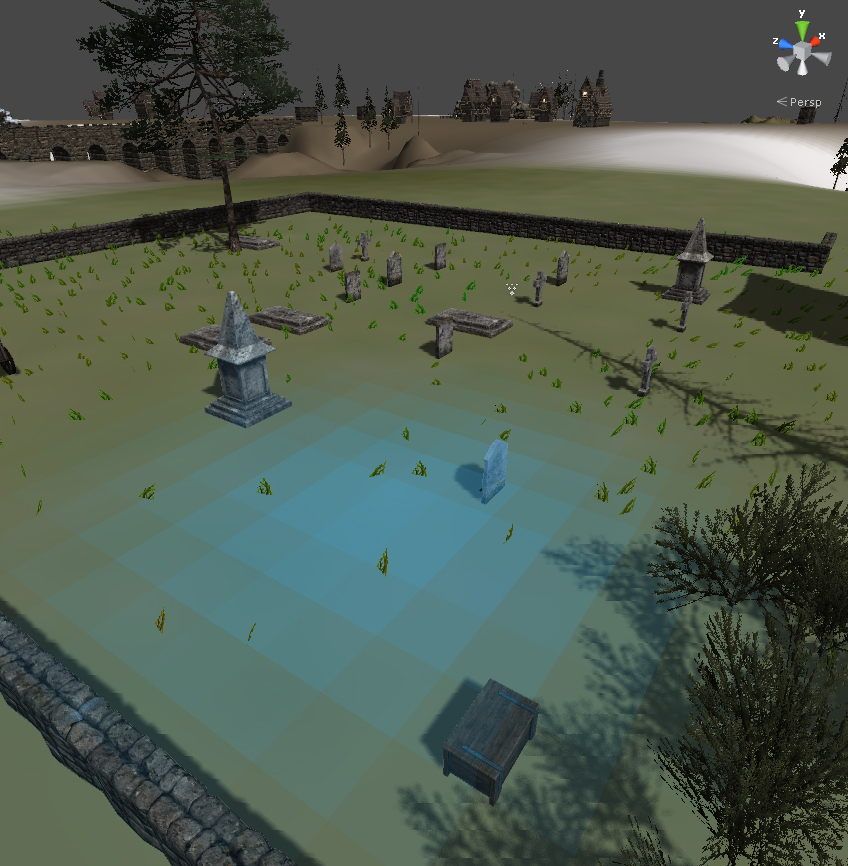
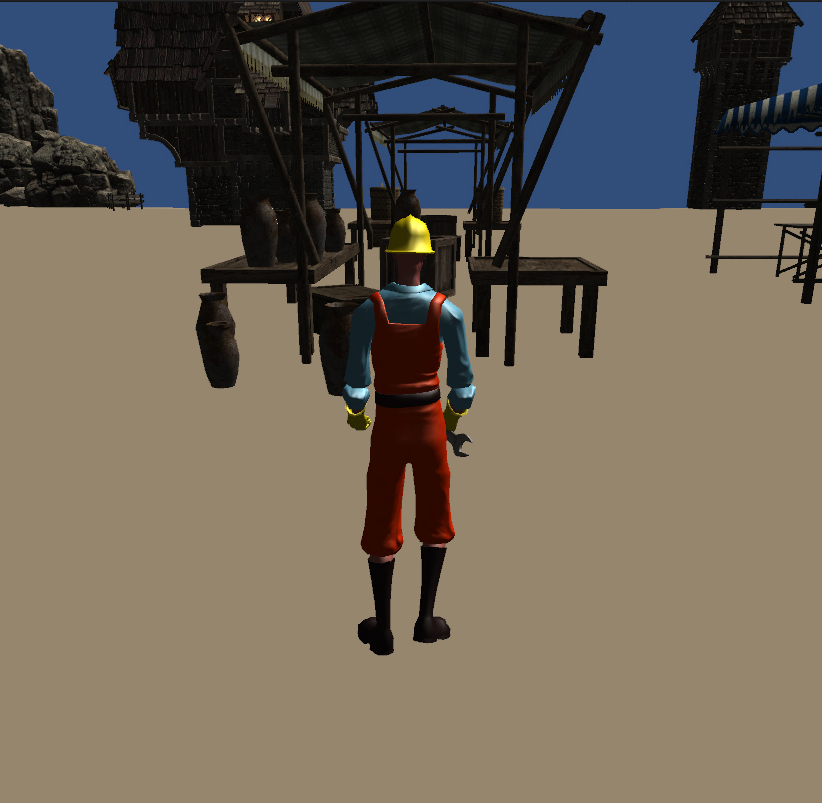
I upgraded from free version to pro, and bought some assets from the assets store (Medieval Environment Pack and Xffect Editor Pro, they gave me some warnings, at first I ignored the warnings, some time after updated some of the scripts, this was after I had gotten blurry terrain, however does not seem that any of the warnings have anything to do with this).
I open up new project and tried to use textures there (without loading too many of the assets), same result, very weird, I have tried with and without terrain toolkit (that I used in the pictures) no difference there.
Turned pixel error up and down, turned base map distance up and down, turned of cast shadows on terrain, I did try Tree and Detail objects, tried to make main camera distance closer and more far, seems noting helps. I also tried the emulate graphics option (and these pictures are of what is the best graphic quality settings)
Edit:
Well after going back to an earlier backup (I keep 2 extra backups of this level) seems that about half of the textures are working again (grass and snow among them).

I had this problem too. Removing the tri-planar terrain shaders let me view my old stuff normally... but I kind of want to know if there's a way to fix it so that the two can co-exist. The bug you are experiencing comes from the Medieval Environments pack. If you find a folder in that pack called Shaders / TriPlanarTerrain and just delete it you won't have the problem with your terrain anymore, but I don't know yet what effect that will have on the content in that pack. I recommend backing up the folder just in case. If I find a fix for it I'll try and post it up.


Was a solution ever found for this? I'm having the issue right now
Sorry late with responds there. As VoodooSpecter said the only solution was to delete the Tri-Planer Shaders folder. At least that is only way that worked for me.

file: DesaturateEffect.cs
using UnityEngine;
[ExecuteInEditMode]
[AddComponentMenu("Image Effects/Desaturate")]
public class DesaturateEffect : ImageEffectBase {
 public float desaturateAmount;
 public Texture textureRamp;
 public float rampOffsetR;
 public float rampOffsetG;
 public float rampOffsetB;

 // Called by camera to apply image effect
 void OnRenderImage (RenderTexture source, RenderTexture destination) {
     material.SetTexture("_RampTex", textureRamp);
     material.SetFloat("_Desat", desaturateAmount);
     material.SetVector("RampOffset",new Vector4(rampOffsetR,rampOffsetG, rampOffsetB, 0));
// replace this line--> ImageEffects.BlitWithMaterial(material, source, destination);
/ with this -->/ Graphics.Blit (source, destination, material);
}
}
file ThirdPersonController.js
// Pick speed modifier
// replace this --> if (Input.GetKey (KeyCode.LeftShift) | Input.GetKey (KeyCode.RightShift))
/ Line: 193 with this --> / if (Input.GetKey (KeyCode.LeftShift) || Input.GetKey (KeyCode.RightShift))
file: triPlanarTerrain.shader
         struct Input {
             float2    uv_Control;
             float3    worldPos;
             float3    worldNormal;
             float3    lightDir;
             float3    viewDir;
         };

         void vert(inout appdata_full v, out Input o) {
/ Add Line: 48 / o.uv_Control = 0; // init the structure
             o.worldPos = mul(_Object2World, v.vertex).xyz;
             o.worldNormal = mul(_Object2World, float4(v.normal, 0.0)).xyz;
             o.lightDir = normalize(ObjSpaceLightDir(v.vertex));
             o.viewDir = normalize(ObjSpaceViewDir(v.vertex));
         }
file: triPlanarTerrainAddPass.shader
         struct Input {
             float2    uv_Control;
             float3    worldPos;
             float3    worldNormal;
             float3    lightDir;
             float3    viewDir;
         };

         void vert(inout appdata_full v, out Input o) {
/ Add Line: 45 / o.uv_Control = 0; // init the struct
             o.worldPos = mul(_Object2World, v.vertex).xyz;
             o.worldNormal = mul(_Object2World, float4(v.normal, 0.0)).xyz;
             o.lightDir = normalize(ObjSpaceLightDir(v.vertex));
             o.viewDir = normalize(ObjSpaceViewDir(v.vertex));
         }
file: AntialiasingAsPostEffect.js
// change all occurences of Destroy with DestroyImmediate
 function OnDisable()
 {
     if(materialFXAAPreset2)
         DestroyImmediate(materialFXAAPreset2);
     if(materialFXAAPreset3)
         DestroyImmediate(materialFXAAPreset3);
     if(materialFXAAII)
         DestroyImmediate(materialFXAAII);
     if(materialFXAAIII)
         DestroyImmediate(materialFXAAIII);
     if(nfaa)
         DestroyImmediate(nfaa);
     if(ssaa)
         DestroyImmediate(ssaa);
     if(dlaa)
         DestroyImmediate(dlaa);
 }
Blank screen...
try1: delete the existing FP Controller, replace with Unity FPC
try2: Antialiasing, colorcorrrection are causing the FPC to misbehave, turn them off??
try3: MainCamera->Antialiasing as post effect-> AA technique = FXAA3Console or DLAA or??




