 koobas.hobune.stream


Character slightly moves into the wall
I have the problem that my character model slitghly glitchs into the wall, whil holdin down the movement key. If I let go of the key, I get pushed out of the wall. While I am pretty sure, it has something to do with the "transform.position" command, I do not know/understand how to replace it with something like "AddForce".
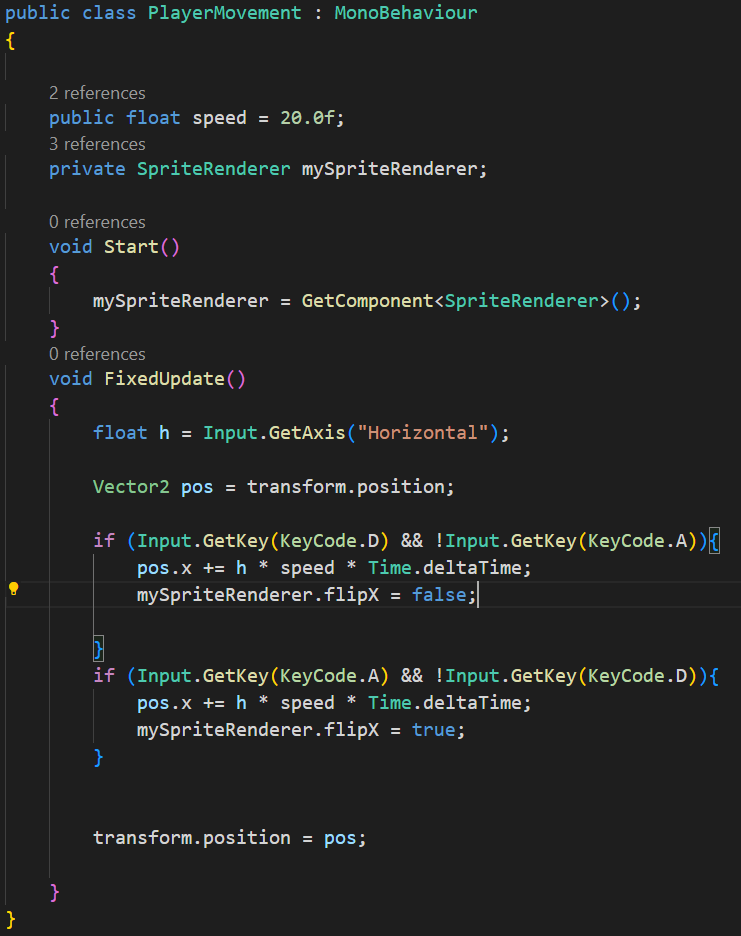

@ WE_ELI
To avoid character glitching into wall, set the character(Rigid Body) collision detection to Continuous.
AddForce() will add the force to Rigid Body continuously. But, in your case, the force is to be applied only when key is down. For that, we can use the boolean isForceApplied.
In start method, set bool isForceApplied to false. Add force only when the bool is false. In the Fixed update, check for bool to true and when it is true, set velocity to zero and make bool false.
 public class PlayerMovement : MonoBehaviour
 {
     // Start is called before the first frame update
     public float speed = 10f;
     public SpriteRenderer sr;
     Rigidbody2D rb;
     bool force = false;
     void Start()
     {
         sr = GetComponent<SpriteRenderer>();
         rb = sr.GetComponent<Rigidbody2D>();
     }
 // Update is called once per frame
 void FixedUpdate()
 {
     if (force)
     {
         rb.velocity = Vector2.zero;
         rb.angularVelocity = 0; // for circular sprites
         force = false;
     }
     if (Input.GetKey(KeyCode.D) && !Input.GetKey(KeyCode.A) && !force)
     {
         rb.AddForce(new Vector2(speed, 0),ForceMode2D.Impulse);
         force = true;
         sr.flipX = false;
     }
     if (!Input.GetKey(KeyCode.D) && Input.GetKey(KeyCode.A) && !force)
     {
         rb.AddForce(new Vector2(-speed, 0), ForceMode2D.Impulse);
         force = true;
         sr.flipX = true;
     }

 }
 }



