 koobas.hobune.stream


HingeJoint2D(and maybe other joints in 2D) Not properly Rotating. Let us Solve this Together
Hello Everybody.
I am trying to fix a Bug of Unity since a few days now, or at least find a solution for a simple explicite Case.
Simple:
If you want to rotate a 2D Graphic/Sprite in Horizontal or Vertical you can simple set the rotation in the Transform (rotation 180° on y for example flips the picture/sprite from left to right and the other way around)
This works totally fine for single pictures or groups of pictures.
if you have a gameobject with x children and each child is a sprite, rotating will work perfectly fine, however attached components may be buggy.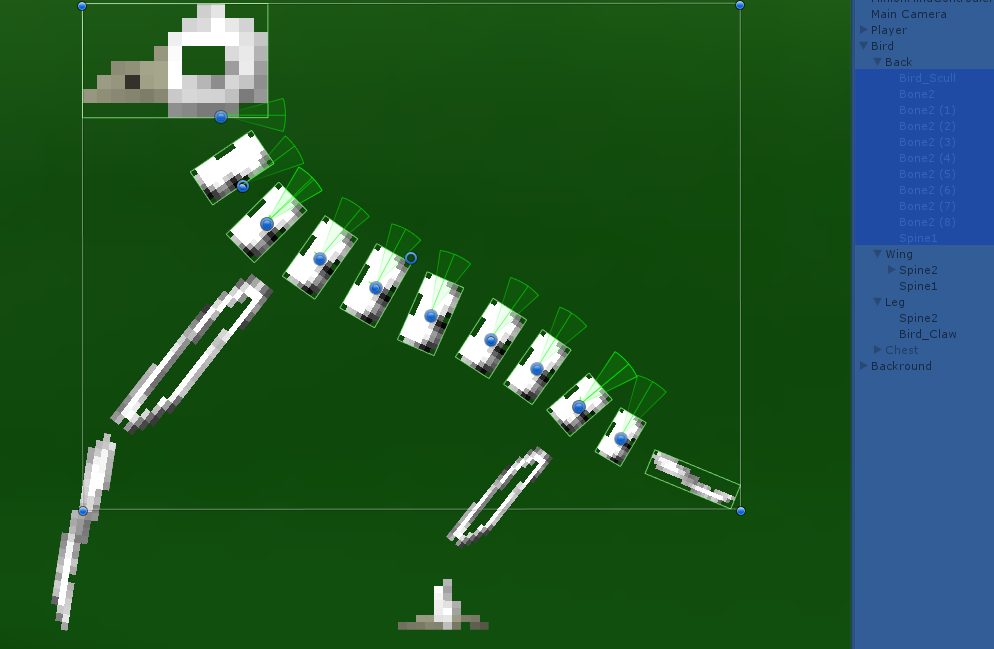 (this is while running and paused which is why the hierarchy at the right side is blue)
 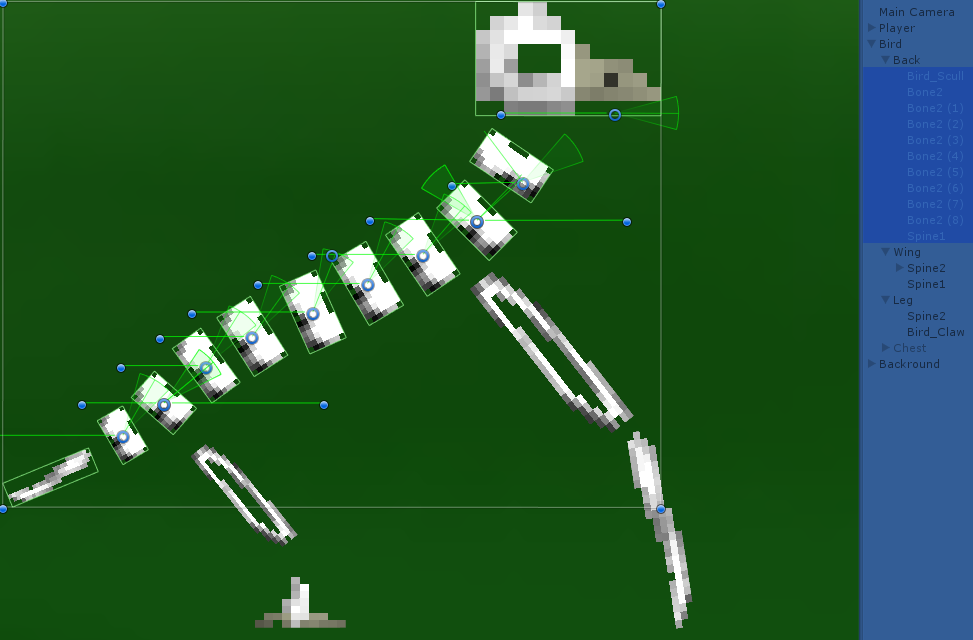 (it wont let me upload a third image, but the unpaused version is not really more than just randomly overlapping parts of the already seen pictures)
The most simplified explanation i've found so far:
if a component uses the transform of the Gameobject its connected to, every changes via parents won't be recognized. the joints contain an anchor on the GameObject they are connected to and one for the jointed part. Both are relative coordinates to each Game objects Transform including position and rotation. Thes anchors are not correctly. I have tested different solutions including Quaternion mathematics but all that stuff becomes really confusing really fast even if you're used to complex numbers and i get the feeling that the problem with the kinda "Frozen" transform isn't the only thing. I recognized that i am not the only one with that problem, and that joints are supposed to be moved by physics, but not having the option to unfreeze the transform(or not that i've found) is a problem i'd like to address and need to solve for the project i am currently creating.
*frozen means that the x and y coordinates still point in the same direction which is relative to the original state of the sprite and not the current state of the sprite or globally seen.
Symbol explanation: The Symbols inside the pictures are the visual helping gizmos vanilla unity makes to show where the joints are anchored, which angles are free and which angle it currently has. the circles are the anchors relative to the sprites they're attach to(on this picture they're always on the sprite they belong). the dots are the anchors relative to the connected gameobject which are the following bones below(always the closest bone below in this case) and 2 additional which are supposed to be connected to the legs. the lines are showing which anchors belong together, the pie charts are the possible angles and the lines , which are as long as the radius of the pie charts and you sometimes see inside, are supposed to show the current angle of the hinge joints.(they are supposed to stay inside the pie charts.) the somewhat random relocation of those pie charts should show another problem or another part of the current problem, which i am currently not fully understanding.
I am thankful for every help i get and willing to help with every problem someone might have to understand this explanation


