 koobas.hobune.stream


streching mesh along the velocity
I make a shader that multiply vertices with velocity but it is not stay along the direction of movement. How was calculation that I need? vertices are in objectspace; Here is my code:
  private void LateUpdate()
     {
         mat.SetVector("_Velocity", transform.InverseTransformVector( strecthK * new Vector3(rb.velocity.x, rb.velocity.y, rb.velocity.z)));
     }

First of all I would recommend using InverseTransformDirection instead. InverseTransformVector expects a 4d vector in homogeneous space. While it should also work this way (since implicitly converting a Vector3 to a Vector4 would make the w component 0), it's cheaper to use InverseTransformDirection.
Second, we don't know how your vertex shader code looks like. The vertex shader is responsible for transforming the vertices from object space to NDC space (-1 to +1). So when you want to stretch / scale your vertices you have to do that before you transform with the MVP matrix.
Finally since you want to "scale" your mesh based on your velocity, it means you need a scaling factor which you use to multiply your vertices with. Usually at 0 velocity you want a scale of 1 while you want an increasing factor when you move faster in a certain direction. Keep in mind that the scaling would happen around the object pivot. So for different objects you may get quite different results depending on where their pivots are located. So how or where do you calculate that scaling factor? Because the _Velocity value is just your velocity that was prescaled by a factor. However it would still be (0,0,0) when you don't move.

I make some stupid tries.Scaling has problems using default a positive scale has problems as you mentioned also negative scale values are problem too.actually I need a plane(cent er of object andlooking velocity direction) side detection and propotional shift for vertices. How can I do this shader side?

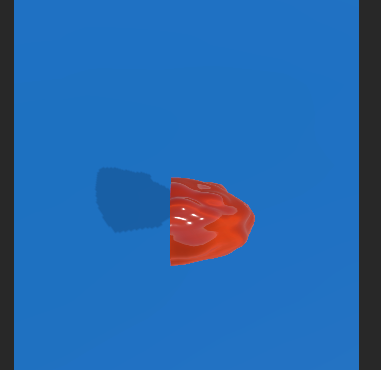
I figured out the stretching part. But not properly updated velocity on material.
 Vector3 temp = strecthK * new Vector3(transform.InverseTransformPoint(transform.position+rb.velocity).x, transform.InverseTransformPoint(transform.position+rb.velocity).z, transform.InverseTransformPoint(transform.position+rb.velocity).y);

         mat.SetVector("_Velocity", temp);




