 koobas.hobune.stream


2D Normal Map White Edge
I tried to do some digging to see why my sprite with a normal map attached is creating hard white edges around portions of the sprite. This is not desired and ruins the "Pixel Perfect" aspect of my sprites. See the attached image.
After playing around with some of the normal map's texture settings, I am able to get the white edges to disappear by enabling "Create from Grayscale" with filtering to "Smooth" while toning down the bumpiness. However, this reduces the normal maps effectiveness with light sources, thus basically making it useless. I suppose I can modify the normal map but that might cause the white edges at a lower scale on bumpiness.
Note: You may have to open the image in a new tab and zoom in to see the edge issues. Also, the normal map is attached to the sprite on the left as a secondary texture with a name of "_NormalMap".
Thanks for any help.
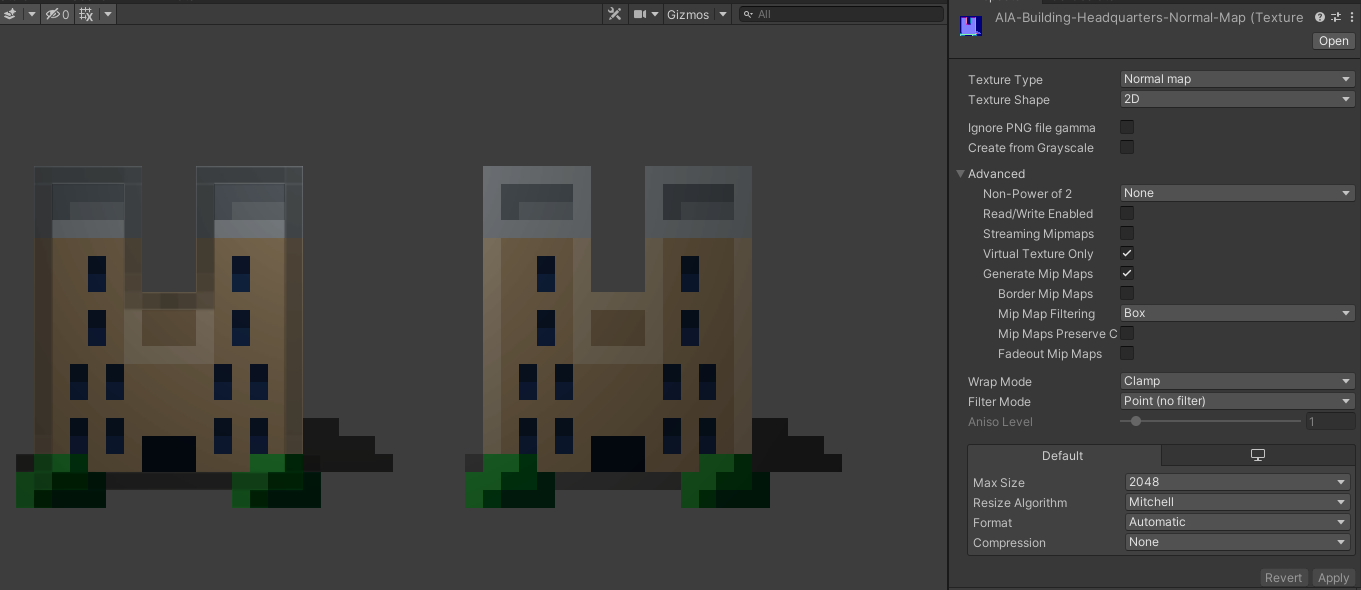 ![alt text][2] [2]: /storage/temp/192573-normal-map-issue.png

Think third dimensionally... when generating the normal map, it first creates a base bump near the edge and moves on to the center of the sprite And because of that bump... it almost feels like it has a rooftop... if you see carefully the left side edge doesn't have the white edge because the light is on the other side... If you still don't understand... watch this video and closely see the edges of the normal map on the top side of the tree - https://www.youtube.com/watch?v=kpt7Ft5y8v4 - It generates the normal map that way to make it feel like it is a 3d object in 2d space LITERALLY and make the light more visible on the 2d object.

You're talking about these edges that are generating to where the light is shining from?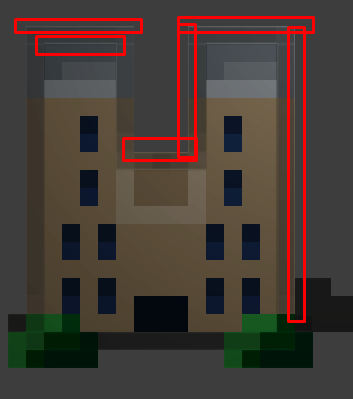
When I look at other implementations of normal maps on small pixel art, they do not have the edges like I do. For example: https://www.youtube.com/watch?v=xpL44Ztyy1Q

Yes exactly... As you can see… When generating the normal map… Sometimes It generates it off the color and the surrounding color as well… If you closely see… Its not actually an error… It is actually a specular reflection. That means when generating the normal map… It took the sprite values as very smooth. watch this video - https://www.youtube.com/watch?v=gUkY8ZoRfuQ - This tool seems promising for manipulating normal maps bump, weight, erosion and smooth values.
Thanks for the information. I will check it out. I've also been able to fix a lot of my shadow problems by disabling "Generate Mip Maps" on my normal map. I'm wondering if since it's such a small piece of art that the Mip Maps were clouding up the sprite in corners of it, as shown in my previous images, thus not representing the proper normal map design.
The new feel of the normal map works much better but again, I will look at the video you posted for manipulating normal maps.


