 koobas.hobune.stream


This question was
closed Mar 03 at 01:02 AM by
jmelendezartist for the following reason:
The question is answered, right answer was accepted

jump animation stays while pressing arrow keys until I release the arrow keys
So I've been playing with these for the passed few days and I just can not figure it out. When I jump and use the left or right arrow keys and hold it as I land on ground the jump animation stays on and it moves back and forth in the jump animation until I release the arrow keys and the run animation or idle takes effect. 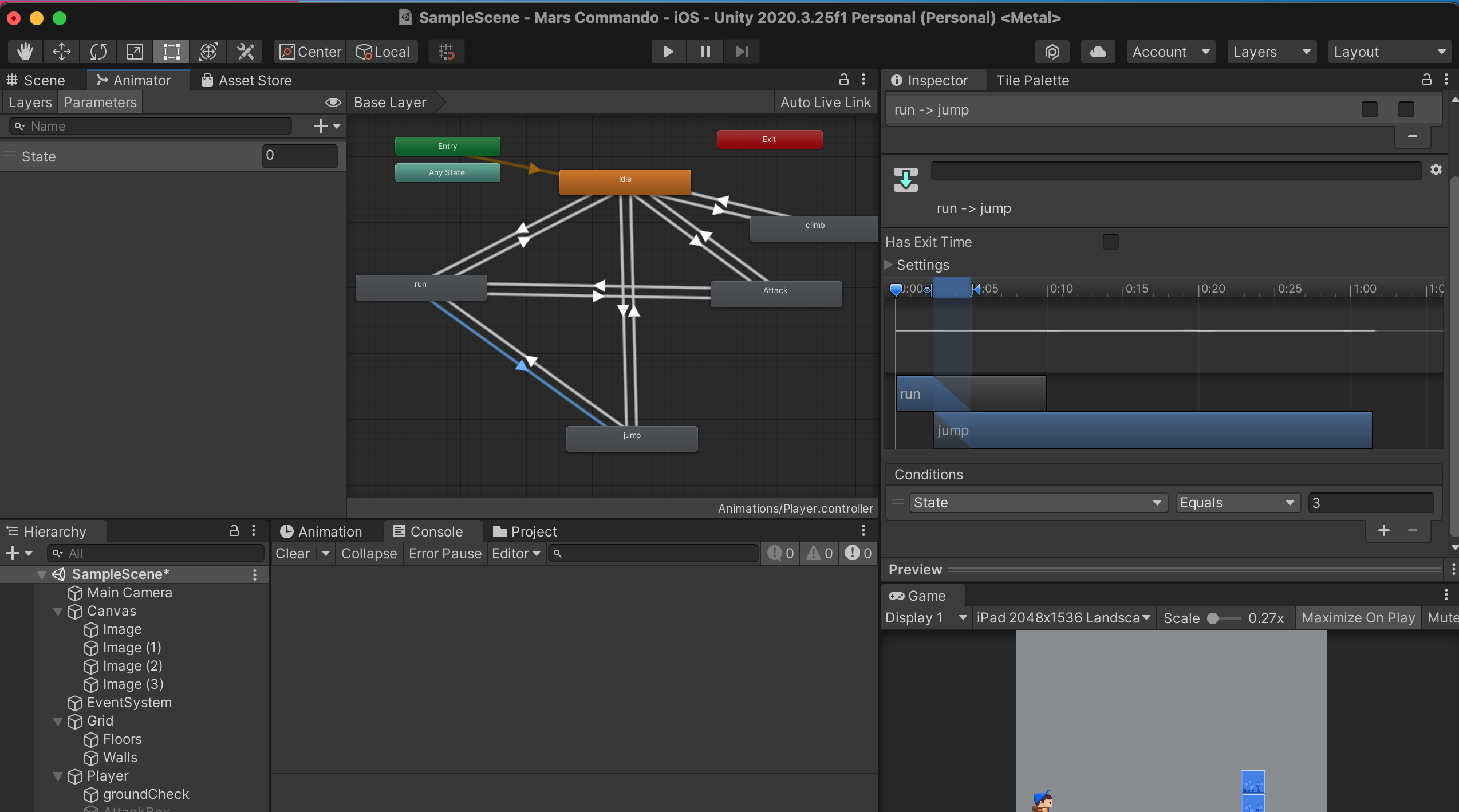
private Rigidbody2D rb; private bool moveLeft; private bool moveRight; private float horizontalMove; public float speed = 15; public float jumpSpeed = 5; public bool isGrounded; bool canDoubleJump; public float delayBeforeDoubleJump; playerControlAI player;
 public  Vector2 left;
 public  Vector2 right;

 public Transform groundCheck;
 public float groundRadius = .2f;
 public LayerMask ground;
 Animator anim;
 public GameObject attackBox;
 public bool attacking;


     // Start is called before the first frame update
     void Start()
     {
         Animator anim = GetComponent<Animator>();
         rb = GetComponent<Rigidbody2D>();

         moveLeft = false;
         moveRight = false;
     }

     //I am pressing the left button
     public void PointerDownLeft()
     {
         moveLeft = true;
     }

     //I am not pressing the left button
     public void PointerUpLeft()
     {
         moveLeft = false;
     }

     //Same thing with the right button
     public void PointerDownRight()
     {
         moveRight = true;
     }

     public void PointerUpRight()
     {
         moveRight = false;
     }
   //Same thing with the right button
     public void PointerDownAttack()
     {
         attacking=true;
        attackBox.SetActive(true);
     }

     public void PointerUpAttack()
     {
          attacking=false;
         attackBox.SetActive(false);
     }

     // Update is called once per frame
     void Update()
     {
         MovementPlayer();
          isGrounded = Physics2D.OverlapCircle(groundCheck.position, groundRadius, ground);

    if (Input.GetKeyDown(KeyCode.LeftArrow)){

              moveLeft = true;
             transform.localScale  = left;

     }
    if (Input.GetKeyUp(KeyCode.LeftArrow)){

            moveLeft = false;
     }
    if (Input.GetKeyDown(KeyCode.RightArrow)){

            transform.localScale  = right;
            moveRight = true;

 }
    if (Input.GetKeyUp(KeyCode.RightArrow)){

              moveRight = false;
 }

    if (Input.GetKeyDown(KeyCode.Space)&& isGrounded){

              jumpButtonDown();
 }

 ///==============================================================

 if(isGrounded == true){

             isGrounded = true;
             canDoubleJump = false;
         }
  if(isGrounded == false){
           anim.SetInteger("State", 3);
  }
  if(attacking == true){
            anim.SetInteger("State", 5);

  }
  if (moveLeft ==true && isGrounded == true)
         {
             anim.SetInteger("State", 2);

         }


  if (moveRight == true && isGrounded == true)
         {
            anim.SetInteger("State", 2);

         }


     }

     //Now let's add the code for moving
     private void MovementPlayer()
     {
          anim=GetComponent<Animator>();
          anim.SetInteger("State", 2);


         //If I press the left button
         if (moveLeft)
         {
             horizontalMove = -speed;


         }

         //if i press the right button
         else if (moveRight)
         {
             horizontalMove = speed;

         }

         //if I am not pressing any button
         else
         {
              anim.SetInteger("State", 0);
             horizontalMove = 0;
         }
     }

     public void jumpButtonDown()
     {
         if(isGrounded)
         {
             isGrounded = false;
             rb.velocity = Vector2.up * jumpSpeed;

             Invoke("EnableDoubleJump", delayBeforeDoubleJump);
         }
         if (canDoubleJump)
         {

             rb.velocity = Vector2.up * jumpSpeed;
             canDoubleJump = false;

         }
     }

     void EnableDoubleJump()
         {
             canDoubleJump = true;

         }

     //add the movement force to the player
     private void FixedUpdate()
     {
         rb.velocity = new Vector2(horizontalMove, rb.velocity.y);
     }
 }
I solved this by switching animation from State to SetBools.



