 koobas.hobune.stream


stop Boxcollider2D from falling over without freezing rotation
Hey, im working on a 2d platformer. The player has a boxcollider2D. The player can slide down slopes. But i dont want the player to ever fall over. How can i achieve that, without freezing the rotation?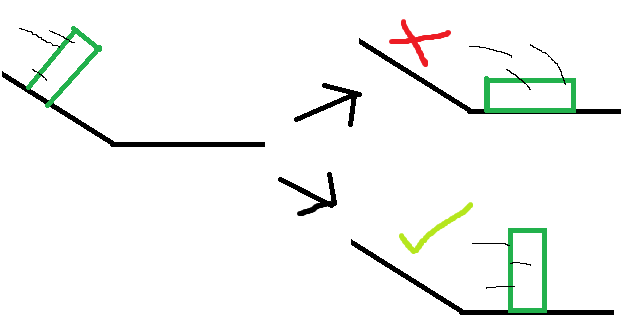

Hi @jppstudio,
you could also use RigidBody.centerOfMass and assign position bellow your character, maybe it will be enough to make himm stable during slide phaze of your game... Personally like using some GameObject attached to player for this instead of Vector3 ( allowing for faster calibration, than just using Vector3)
 [Serializefield] Transform m_playerCenterOfMass;
 [Serializefield] Rigidbody m_rigidBody;

     void Start()
     {
        m_rigidBody.centerOfMass = m_playerCenterOfMass.position;
     }
Hope will do. Let me know!


One way you could do this is by setting the player's rotation to line up with the surface normal of the ground. There are two ways to get the surface normal that I can think of at the top of my head.
The first option is to use OnCollisonStay2D() to get the contact points of the collider. I wouldn't recommend this approach because it would take some extra work to make sure it differentiates ground from like a wall or any other surface you come into contact with.
The second option, the one I would do is using a raycast that checks what is directly under your collider.
Either way once you have the normal you can use Quaternion.FromToRotation or any other method you think of to set the player's rotation to match the ground's. You could maybe see it get a bit choppy especially on transitions between slopes and flat ground, but there are many ways you could smooth that out.
That is what I thought of at least, there may be better ways to do it out there. Hope this at least helped a bit though even if its not what you were looking for.


