 koobas.hobune.stream


Skybox broke my lighting
For whatever reason when I downloaded a free skybox from Unity and set it as my environments skybox it totally messed up my lighting and wont revert back as I change my skybox back to default.
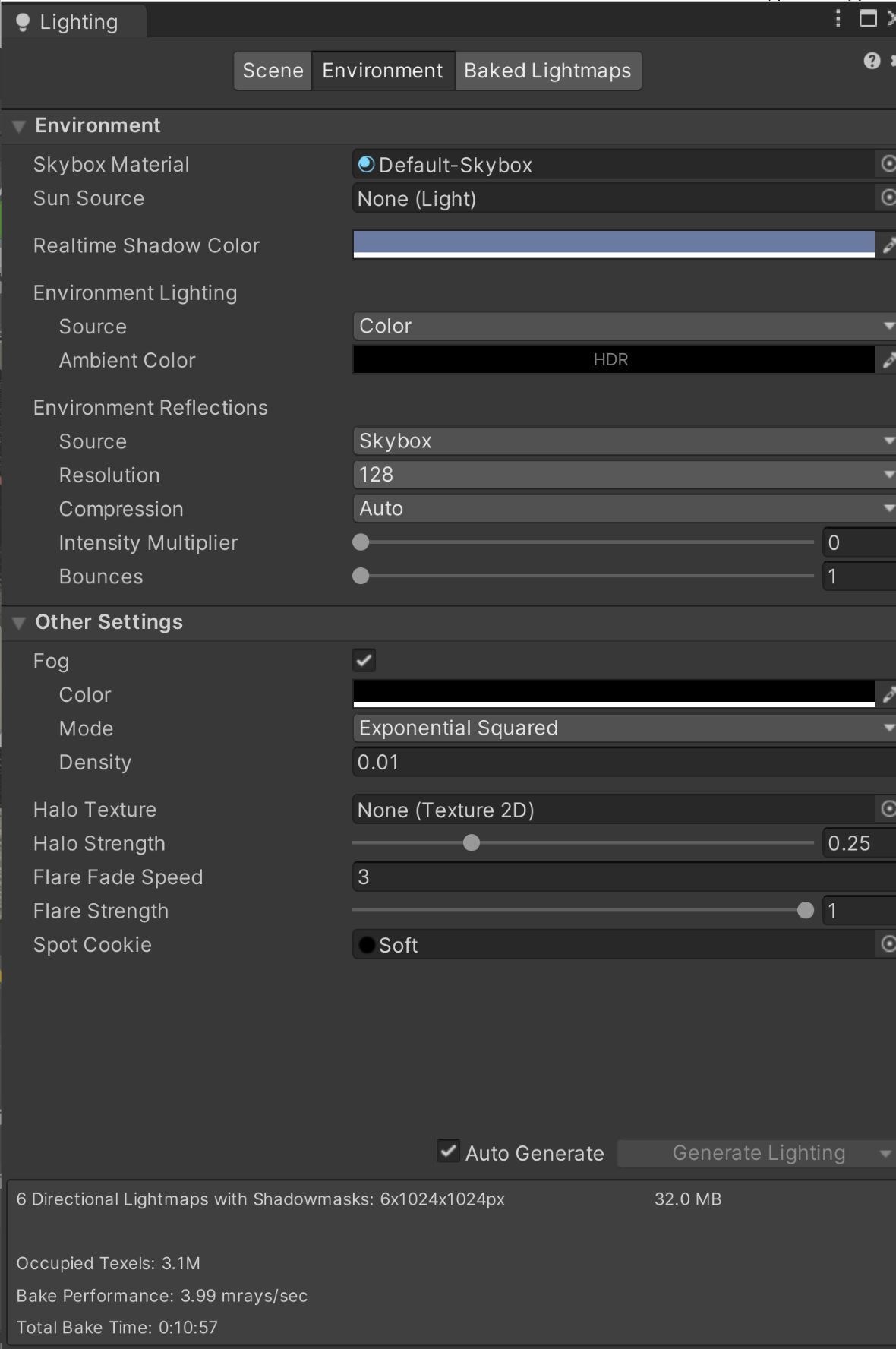
I attached my lighting settings as well as a picture of my scene. In the scene you can scene on the left side the shadows are rendered correctly but on the right side its acting like there's a directional light pointing in that direction. The scene is meant to be totally dark except from lights in the scene.
Unity keeps on sending these kind of messages as well in the console: "Reduced additional punctual light shadows resolution by 8 to make 22 shadow maps fit in the 2048x2048 shadow atlas. To avoid this, increase shadow atlas size, decrease big shadow resolutions, or reduce the number of shadow maps active in the same frame UnityEngine.GUIUtility:ProcessEvent (int,intptr,bool&)"
 .
. 




