 koobas.hobune.stream


Change sound depending health
Hello Unity3d community
I am an absolute beginner and in need of your expertise.
How can I control the music based on my lifebar? I've searched a lot but did not find any working solution.
What I have achieved so far , is that the music starts properly. But it repeats itself over and over again (like an echo) . How can I start an audio in an update only once?
At the end I've would like to have something like this:
Player has 1 or 2 Lives = Play Music A
Player has 3 or 4 Lives = Play Music B
Player has 5 or 6 Lives = Play Music C
Here the code:
 #pragma strict

 var Life12 : AudioClip;

 var Life34 : AudioClip;

 var Life56 : AudioClip;

 function Update () {

 if (GameObject.Find( "Lifebar" ).GetComponent( Lifebar ).life >= 0 && GameObject.Find( "Lifebar" ).GetComponent( Lifebar ).life < 2 )

      Life12Sound();

 if (GameObject.Find( "Lifebar" ).GetComponent( Lifebar ).life >= 3 && GameObject.Find( "Lifebar" ).GetComponent( Lifebar ).life < 4 )

      Life34Sound();

 if (GameObject.Find( "Lifebar" ).GetComponent( Lifebar ).life >= 5 && GameObject.Find( "Lifebar" ).GetComponent( Lifebar ).life < 6 )

      Life56Sound();
 }

 function Life12Sound(){

     yield WaitForSeconds (GetComponent.<AudioSource>().clip.length);
     GetComponent.<AudioSource>().Stop();
     GetComponent.<AudioSource>().PlayOneShot(Life12);
 }

 function Life34Sound(){

     yield WaitForSeconds (GetComponent.<AudioSource>().clip.length);
     GetComponent.<AudioSource>().Stop();
     GetComponent.<AudioSource>().PlayOneShot(Life34);
 }

 function Life56Sound(){

     yield WaitForSeconds (GetComponent.<AudioSource>().clip.length);
     GetComponent.<AudioSource>().Stop();
     GetComponent.<AudioSource>().PlayOneShot(Life56);
 }
I appreciate your support and send friendly greetings from Switzerland


You see I'm definitely a newbie here! :D
Sorry about that, but I think I figured it out how to paste the code.
Better?

you dont need any coroutine ... this just works fine for me:
edit: ohh btw ... its in C#, i just saw you are using unityscript, unityscript solution can be found here: http://pastebin.com/MgrfU0Cv.
edit2: some dont's:
don't call everyframe GetComponent<...>, save it in a variable in your start() method
don't use GameObject.Find("") if you can avoid it
DRY: don't repeat yourself. if you need much copy and paste in your code, you are probably doing something wrong
(don't use unityscript :P - C# is such a beautiful language)
 class AudioTest : MonoBehaviour {
     public AudioClip[] MyClips = new AudioClip[3]; // filled in the editor
     public float[] HealthSoundLimits = {2, 4, 6}; // may be changed in the editor

     public Lifebar Lifebar; // can be filled in the editor

     private int currentClip = -1;
     private AudioSource MySource;

     private void Start() {
         MySource = GetComponent<AudioSource>();
         if (Lifebar == null)
             Lifebar = FindObjectOfType<Lifebar>();
     }


     private void Update() {
         if (Lifebar.life <= 0) {
             MySource.Stop();
             return;
         }
         if(HealthSoundLimits.Length != MyClips.Length) return;
         for (var i = 0; i < HealthSoundLimits.Length; i++) {
             if (Lifebar.life >= HealthSoundLimits[i]) continue;
             MySource.clip = MyClips[i];
             if (!MySource.isPlaying) MySource.Play();
             break;
         }
     }
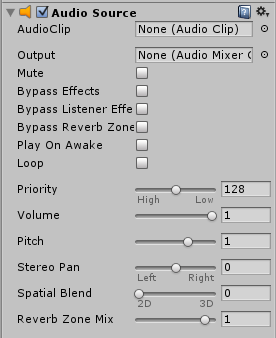
 }
Wow, thanks for that fast reply! I'm very very very thankful!
If I get it right it is a C# Code? I'm only "familiar" to Javascript. I've created a C# Script and pasted your code in ... but it gives me an Error:
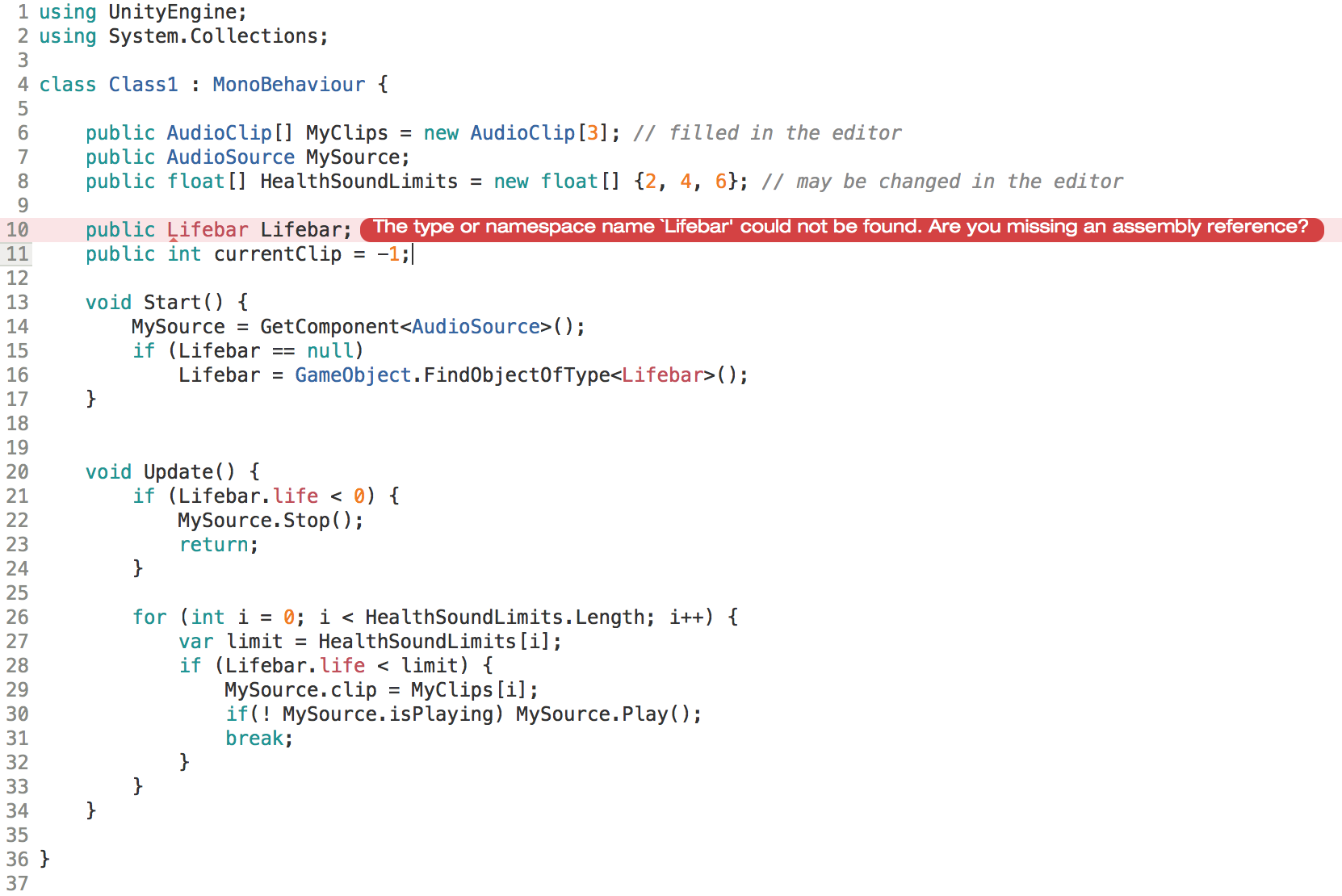
i think it has to do with it being C#. your "lifebar" component is in a javascript file, and can't be referenced by the compiler, which results in this error.
but C# is not that hard to read, it should be not that hard for you to create an equivalent unityscript file. (btw, unityscript is not javascript, it just looks like it)
you need to rename the variable "Lifebar" to "lifebar" because it would conflict with your class Lifebar (i think).
in you start method, do: Lifebar = GameObject.FindObjectOfType( Lifebar );
on the bottom the second last "if"-statement: should be somekind of "if(lifebar.life >= HealthSoundLimits[i] ) continue;"
edit: and im not entirely sure if (in the start method) comparing to null will ever return true in unityscript
I think it's obvious - I'm bad in programming !
No matter what I try, it doesn't works. I thank you from the bottom of my heart for your support and I am sure that we can solve it together ... but I do not want to put any more of your precious time .
If you want to look at it anyway , then here's the code :
 #pragma strict

  var AudioTest : AudioClip;
  var MyClips = new AudioClip[3];
  var HealthSoundLimits = [2, 4, 6];

  var lifebar:float; // can be filled in the editor
      var currentClip = [-1];
      var MySource : AudioSource;


   function Start () {
      MySource = GetComponent.<AudioSource>();
              lifebar = GameObject.Find( "Lifebar" ).GetComponent( Lifebar ).life;
   }

  function Update() {
          if (lifebar >= 3) {
                MySource.Stop();
                return;
           }
  }
           if(HealthSoundLimits.Length != MyClips.Length) return;
           for (var i = 0; i < HealthSoundLimits.Length; i++) {
               if (lifebar >= HealthSoundLimits[i]) continue;
               MySource.clip = MyClips[i];
               if (!MySource.isPlaying) MySource.Play();
               break;
  }
... I needed to change the things you mentioned - but the "FindObjectOfType" did not work, so I left it like it was before. Right now I don't get any error-messages ... that's probably a good sign. But it stills not working ... here the picture of de component:
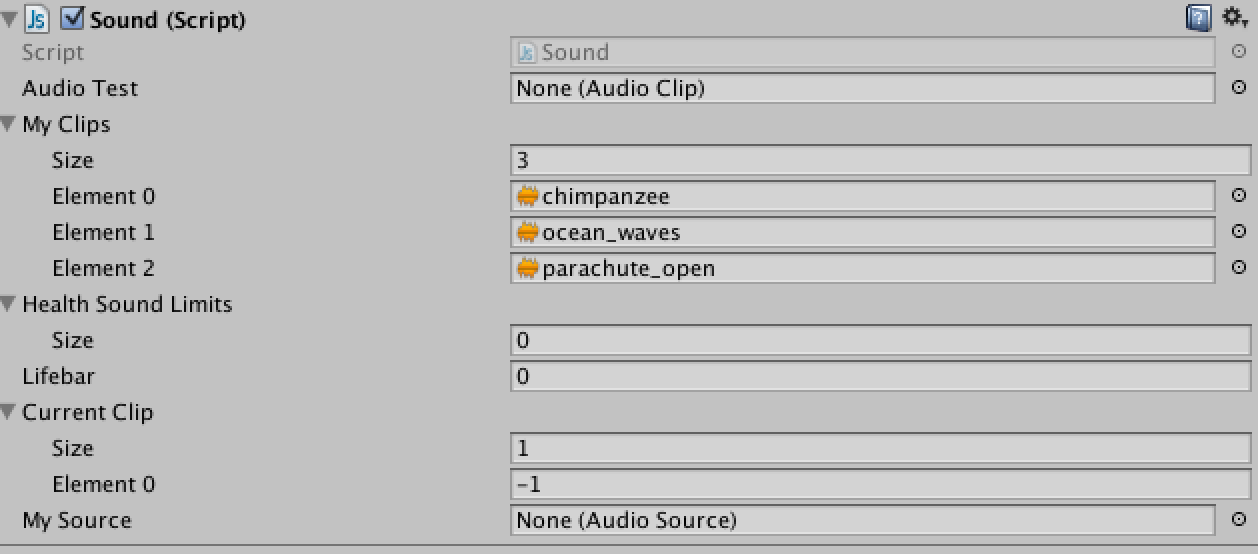
When I start the game, the "lifebar" Section shows the right amount of lives ... but does not update.
I know that I've a lot to learn! Appreciate your time and support!
ok here is the code in unityscript: http://pastebin.com/$$anonymous$$grfU0Cv (and my test-setup is here: http://imgur.com/Blce6x2)
you made some bad mistakes with your bracket placements, half of your code isn't even in your update method.
learn C# it will guide you more ;D i updated my unityscript code to my answer-post
YOU ARE THE BEST!!!!!!! IT WOR$$anonymous$$S!!! THAN$$anonymous$$ YOU THAN$$anonymous$$ YOU THAN$$anonymous$$ YOU!!!
Now I only need to find a way to let the track end before the other starts. But already this is "der Hammer!" like we say in Switzerland!
Thanks, Danke, Gracias, $$anonymous$$erci!
Can I give credits to you? Or is it just with the upvote? I really appreciated your support!
well i would appreciate it, if a correct answer would be the accepted answer to the question. you just accepted an answer with an update of the problem, and a source code which does not work.
and i'm spending time at unity-answers to help people, i do it because i like it, not to get credits or whatever, so you don't have to apologize for asking questions :D and you don't need to worry about s$$anonymous$$ling my time, if it would be to time consu$$anonymous$$g for me, i just would ignore this question and go ahead.
im glad i could help you and i hope you've learned something





