 koobas.hobune.stream


Character animation ghost pixels
I have a character with a move animation. However in some frames there are some pixels that shouldn't be there.
This is an example frame where the glitch occurs. 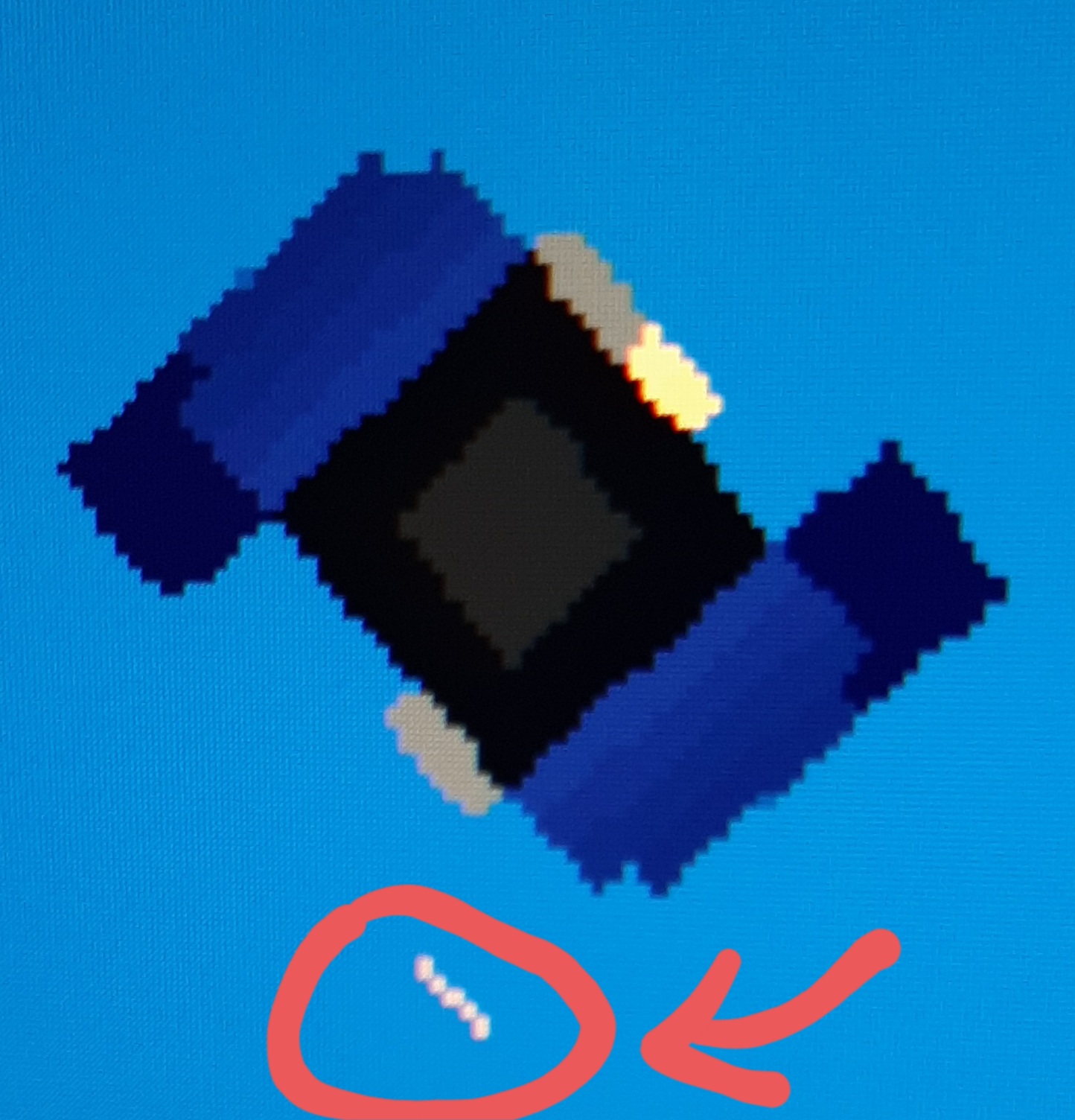
Import settings: everything default except sprite mode = multiple, filter mode = none, default compression = none

I'm not sure if this is the same problem you are having, but I had a very similar (if not the same) problem as you did. This reddit post helped me out: https://www.reddit.com/r/Unity2D/comments/30q5pg/random_flickering_line_appear_on_sprites/ Summary: create a new material for your sprite(s) and change the Shader to be "Sprites/Diffuse", then enabled "Pixel Snap". And finally attach the material to all your sprites.
If this isn't the case for you, then you could try checking your sprites' images and making sure that there are no transparent pixels that might have been left behind.

I set my sprite to have a material with "Sprites/Diffuse" shader on and the flickering pixels seem to have gone away, hoever my character has turned black.
EDIT: It was black because of lighting, I fixed it. The flickering pixels issue is still there though.

In that case don't worry about the Diffuse Material. The problem might be the sprites. I would recommend opening an image editor and check to see if those pixels are there, or just running an eraser over the spot that is flickering with the ghost pixels. The problem is probably that there are a couple pixels that aren't fully erased.
I already checked using Photoshop, and I am pretty sure that there are no pixels there. I might try again though.



