 koobas.hobune.stream


Animation rigging - Transfer motion to skeleton button does not work (is grey).
I created an animation with the animation rigging package. I use multiple constraints for different bones and none I can bake into the animation by pressing on the "Transfer motion to skeleton" button... because it does not click. How can I make sure that it clicks?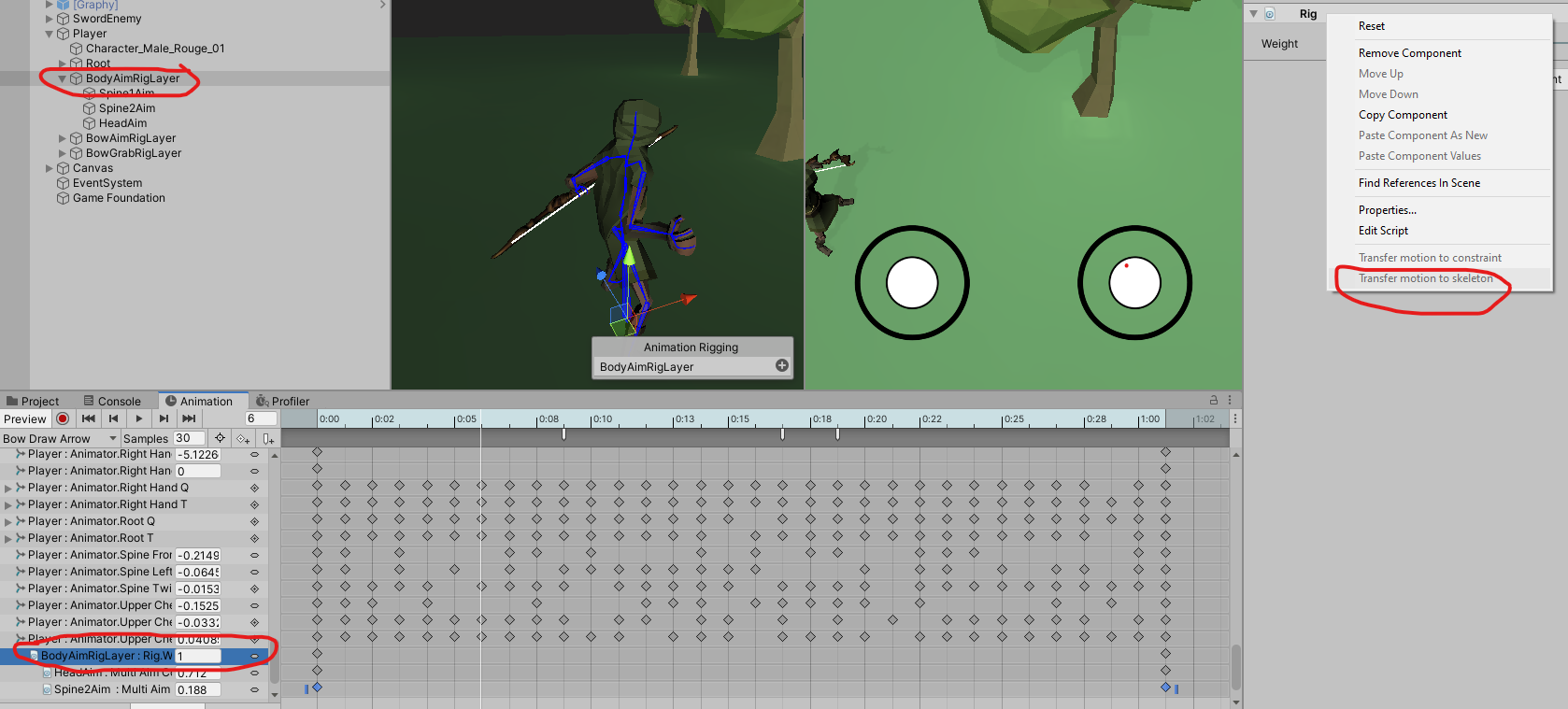

I ran into the exact same problem and figured out a solution, so I'll leave it here for others:
In order to use the Transfer Motion to Skeleton option, the animation type of the model and clip you have selected must be generic. Using mecanim to change the animation type of the model will grey out the ability to Transfer Motion to Skeleton, and even if you force it to trigger, the animation changes will not be visible, as the keyframes of the original animation will take priority over the new keyframes added from transferring motion data.
I'm couldn't find any documentation explicitly stating this, so hopefully, others will know now.
Edit: I also found a workaround to this problem thanks to a post by @simonbz . After you've baked the modifications into your generic rig animation, you can use the Unity Fbx Exporter to reimport it back into Unity and set the new type as humanoid.


