Wayback Machinekoobas.hobune.stream
May JUN Jul
Previous capture 12 Next capture
2021 2022 2023
1 capture
12 Jun 22 - 12 Jun 22
sparklines
Close Help
  • Products
  • Solutions
  • Made with Unity
  • Learning
  • Support & Services
  • Community
  • Asset Store
  • Get Unity

UNITY ACCOUNT

You need a Unity Account to shop in the Online and Asset Stores, participate in the Unity Community and manage your license portfolio. Login Create account
  • Blog
  • Forums
  • Answers
  • Evangelists
  • User Groups
  • Beta Program
  • Advisory Panel

Navigation

  • Home
  • Products
  • Solutions
  • Made with Unity
  • Learning
  • Support & Services
  • Community
    • Blog
    • Forums
    • Answers
    • Evangelists
    • User Groups
    • Beta Program
    • Advisory Panel

Unity account

You need a Unity Account to shop in the Online and Asset Stores, participate in the Unity Community and manage your license portfolio. Login Create account

Language

  • Chinese
  • Spanish
  • Japanese
  • Korean
  • Portuguese
  • Ask a question
  • Spaces
    • Default
    • Help Room
    • META
    • Moderators
    • Topics
    • Questions
    • Users
    • Badges
  • Home /
  • Help Room /
avatar image
0
Question by Unity_Models · Sep 10, 2018 at 12:53 AM · particlesystem

Sub Emitter spawning too high

I'm working on a blood effect, but I'm making a splash on death, however the particles spawn to high. Any ideas? Thanks!alt text
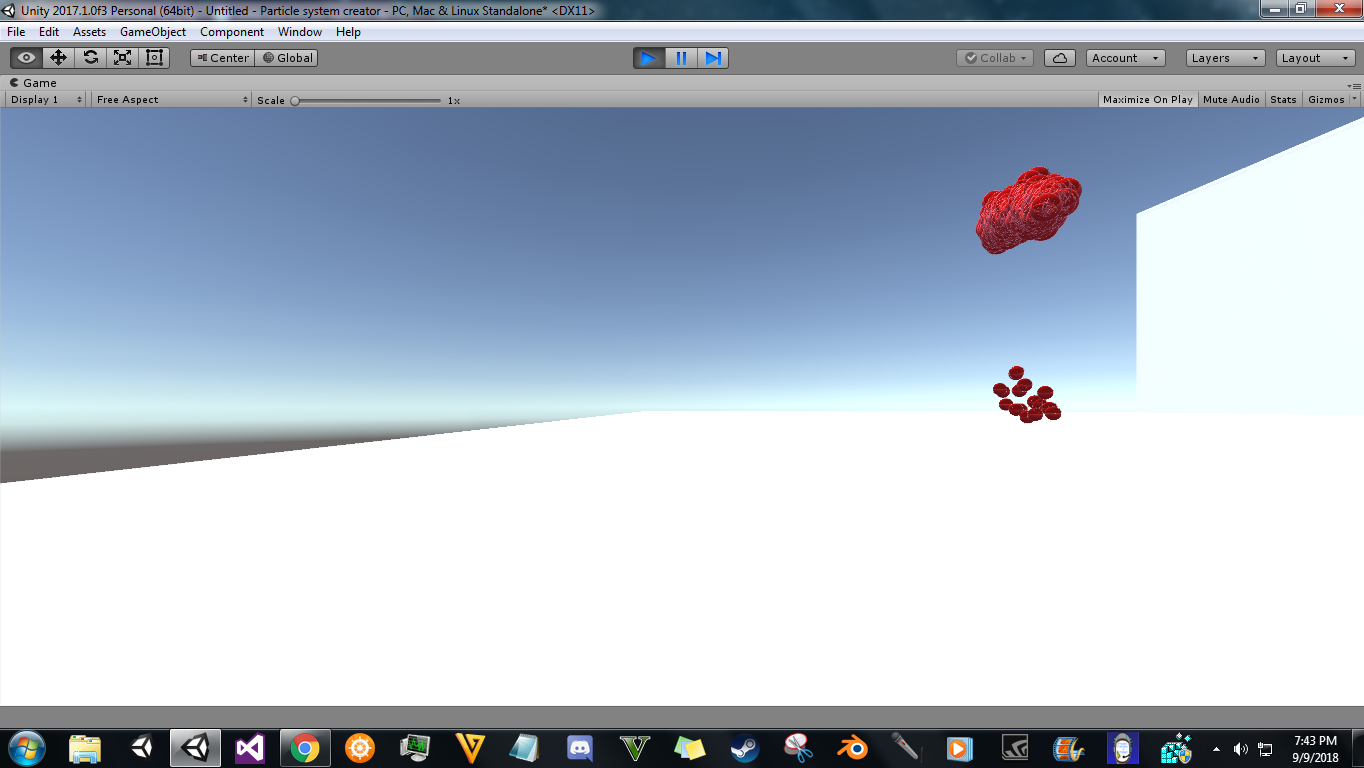
desktop-screenshot-20180909-19434332.png (267.4 kB)
Comment
Add comment · Show 16
10 |3000 characters needed characters left characters exceeded
▼
  • Viewable by all users
  • Viewable by moderators
  • Viewable by moderators and the original poster
  • Advanced visibility
Viewable by all users
avatar image ifurkend · Sep 10, 2018 at 01:14 AM 0
Share

It would be more helpful if you show the full settings of your particle systems (both spawning and sub emitters), but check the position values of both transform component and shape module of the sub emitter first.

avatar image Unity_Models ifurkend · Sep 10, 2018 at 08:59 PM 0
Share

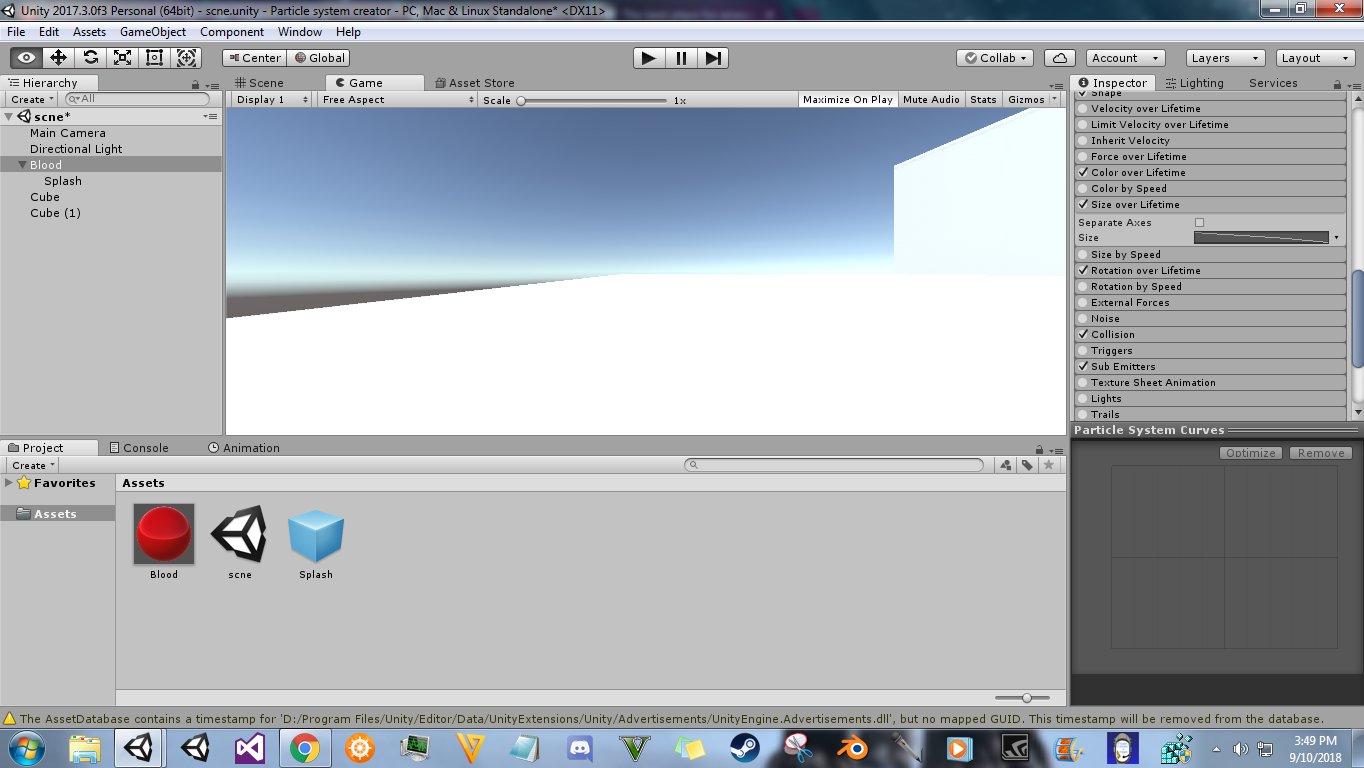
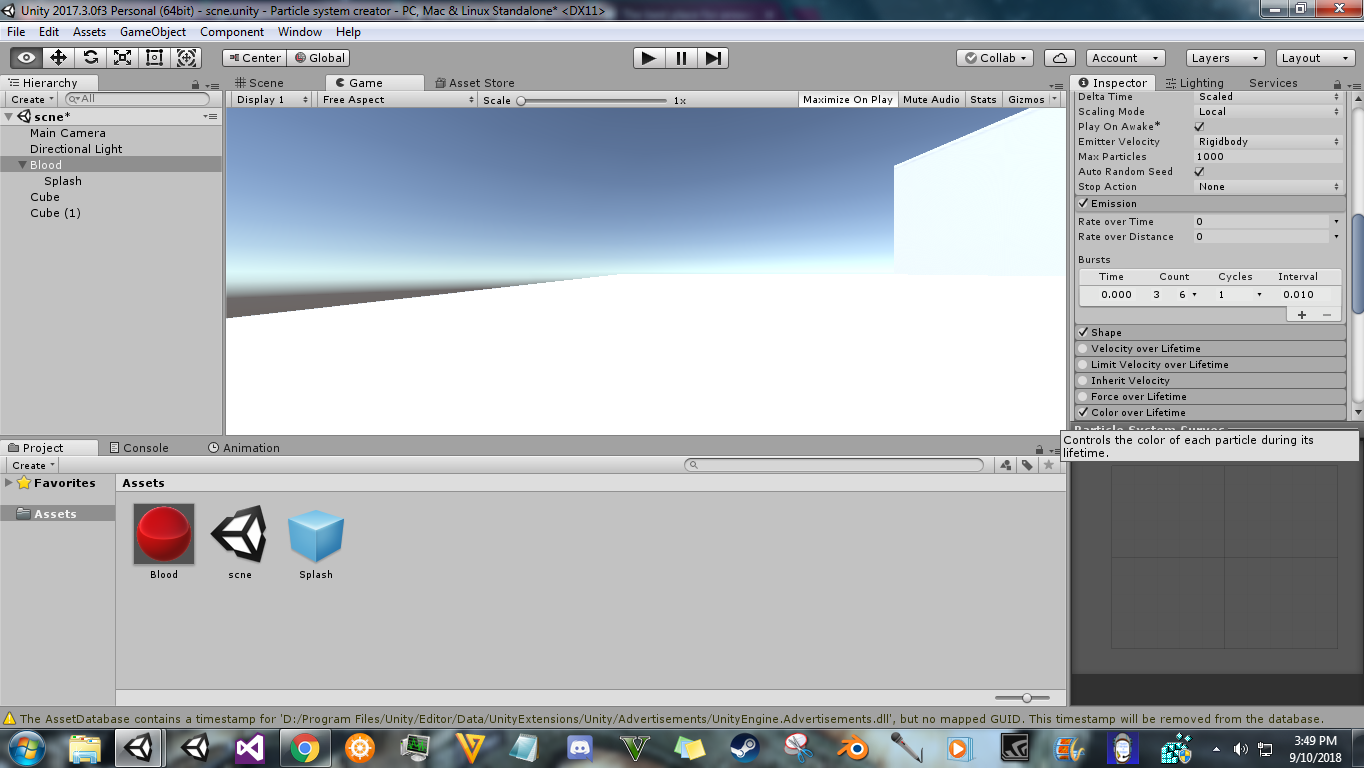
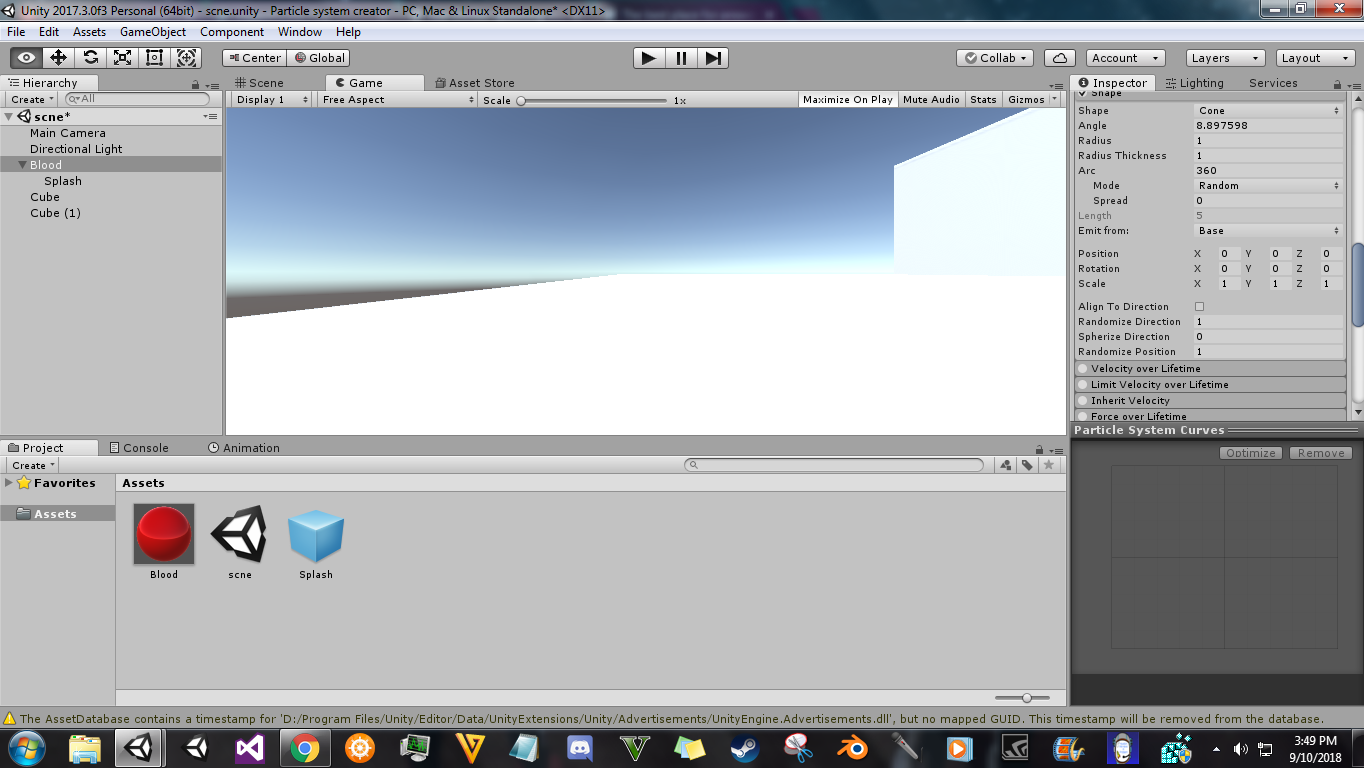
Thank you for the reply, I currently have the sub-emitter set to the location of the parent. Here are the settings: alt text
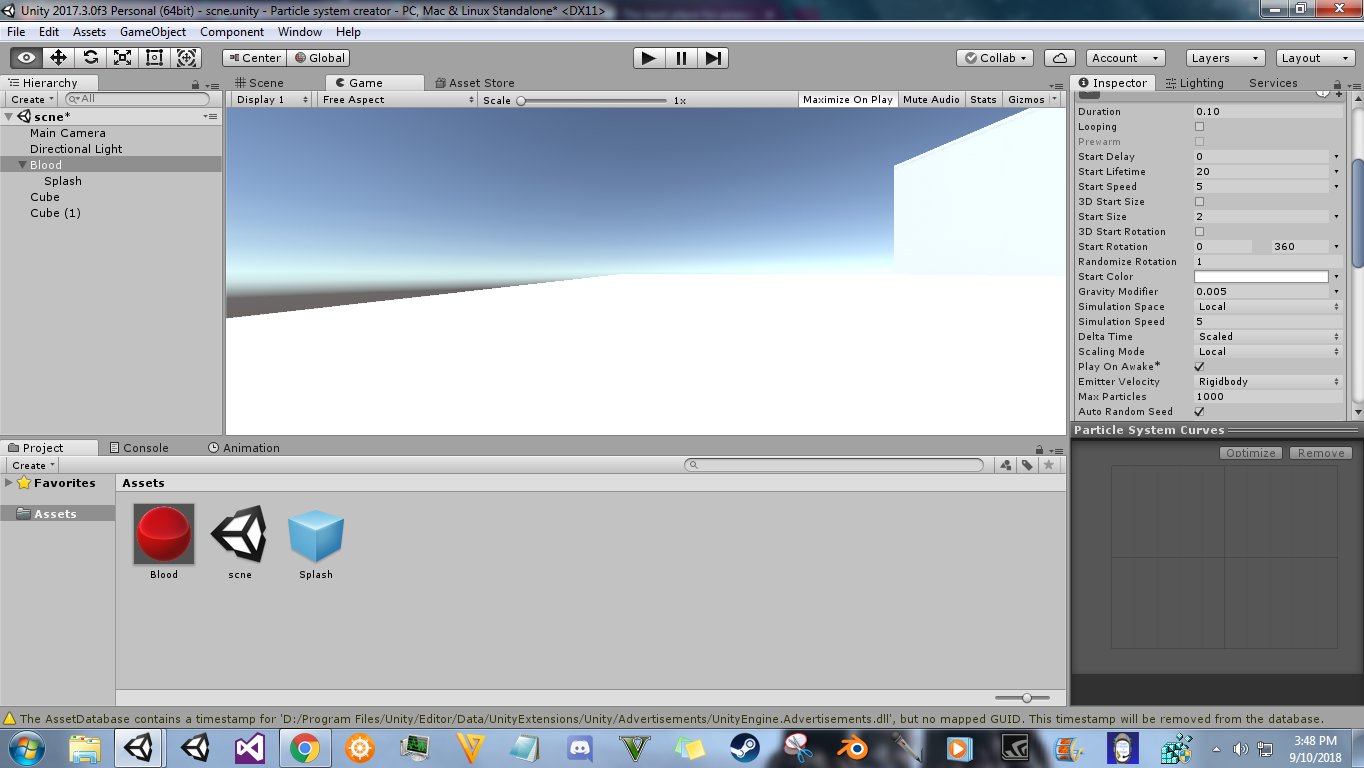
desktop-screenshot-20180910-15485764.png (280.6 kB)
avatar image Unity_Models Unity_Models · Sep 10, 2018 at 09:04 PM 0
Share

alt text

desktop-screenshot-20180910-15495941.png (279.3 kB)
avatar image Unity_Models ifurkend · Sep 10, 2018 at 08:59 PM 0
Share

alt text

desktop-screenshot-20180910-15493631.png (309.8 kB)
avatar image Unity_Models ifurkend · Sep 10, 2018 at 09:03 PM 0
Share

alt text

desktop-screenshot-20180910-15494616.png (271.2 kB)
Show more comments
avatar image ifurkend · Sep 10, 2018 at 10:09 PM 0
Share

I think the issue is from that collision module for having zero bounce value which could trigger some weird bug, you can try adding a tiny bit bounce like 0.01. Still I am not entirely sure what kind of effect you want to achieve which I want a bit more detail to help.

avatar image Unity_Models ifurkend · Sep 10, 2018 at 10:54 PM 0
Share

The effect I am working on is, basically: I want to make once the blood hits the ground, it makes the splash (sub-emitter) spawn at it's location for a cool little combat game. Thanks for the reply, I will try the bounce technique.

Edit: Sadly, that didn't work.

avatar image ifurkend · Sep 11, 2018 at 01:47 AM 1
Share

If no bug is involved (even though I would still recommend you to upgrade your Unity to either 2017.4 or 2018.2), one issue I notice is that you spawn the sub particles on "Death", normally you should do it on "Collision", unless you give value "1" to the "lifetime loss" in the Collision module. Also you should set much smaller "Radius Scale" of the Collision module, maybe 0.1. You haven't shown me about your sub emitter yet, but if you have enabled its Shape module, disable it.

From Unity 2018.1, you can use the on "Trigger" spawning condition which is cheaper than on Collision. You can disable the Collision module but enable Trigger module, set smaller Radius Scale, assign the collider (e.g. your ground plane collider) for callback, maybe "kill" while enter and "ignore" for the rest.

avatar image Unity_Models ifurkend · Sep 11, 2018 at 01:56 AM 0
Share

Okay, thanks! That's probably my problem I do as a matter of fact have the sub emitter shape component enabled. The problem with upgrading is I have really slow internet speed, so it takes a real long time to upgrade, but I'll probably do that sometime.

avatar image Unity_Models ifurkend · Sep 11, 2018 at 02:00 AM 0
Share

Oh, LOL my problem was it had collider component enabled, now it works great. I never would of thought of that. Thank you so much for your help!

0 Replies

· Add your reply
  • Sort: 

Your answer

Hint: You can notify a user about this post by typing @username

Up to 2 attachments (including images) can be used with a maximum of 524.3 kB each and 1.0 MB total.

Follow this Question

Answers Answers and Comments

151 People are following this question.

avatar image avatar image avatar image avatar image avatar image avatar image avatar image avatar image avatar image avatar image avatar image avatar image avatar image avatar image avatar image avatar image avatar image avatar image avatar image avatar image avatar image avatar image avatar image avatar image avatar image avatar image avatar image avatar image avatar image avatar image avatar image avatar image avatar image avatar image avatar image avatar image avatar image avatar image avatar image avatar image avatar image avatar image avatar image avatar image avatar image avatar image avatar image avatar image avatar image avatar image avatar image avatar image avatar image avatar image avatar image avatar image avatar image avatar image avatar image avatar image avatar image avatar image avatar image avatar image avatar image avatar image avatar image avatar image avatar image avatar image avatar image avatar image avatar image avatar image avatar image avatar image avatar image avatar image avatar image avatar image avatar image avatar image avatar image avatar image avatar image avatar image avatar image avatar image avatar image avatar image avatar image avatar image avatar image avatar image avatar image avatar image avatar image avatar image avatar image avatar image avatar image avatar image avatar image avatar image avatar image avatar image avatar image avatar image avatar image avatar image avatar image avatar image avatar image avatar image avatar image avatar image avatar image avatar image avatar image avatar image avatar image avatar image avatar image avatar image avatar image avatar image avatar image avatar image avatar image avatar image avatar image avatar image avatar image avatar image avatar image avatar image avatar image avatar image avatar image avatar image avatar image avatar image avatar image avatar image avatar image avatar image avatar image avatar image avatar image avatar image avatar image

Related Questions

Flashlight with Partical help 0 Answers

Stationary particle system to collide with game objects 1 Answer

How to rotate particle system with player 0 Answers

Make Custom Particle Shader interact with Particle System parameters 1 Answer

How to control Particle System size in Unity through coding? 1 Answer


Enterprise
Social Q&A

Social
Subscribe on YouTube social-youtube Follow on LinkedIn social-linkedin Follow on Twitter social-twitter Follow on Facebook social-facebook Follow on Instagram social-instagram

Footer

  • Purchase
    • Products
    • Subscription
    • Asset Store
    • Unity Gear
    • Resellers
  • Education
    • Students
    • Educators
    • Certification
    • Learn
    • Center of Excellence
  • Download
    • Unity
    • Beta Program
  • Unity Labs
    • Labs
    • Publications
  • Resources
    • Learn platform
    • Community
    • Documentation
    • Unity QA
    • FAQ
    • Services Status
    • Connect
  • About Unity
    • About Us
    • Blog
    • Events
    • Careers
    • Contact
    • Press
    • Partners
    • Affiliates
    • Security
Copyright © 2020 Unity Technologies
  • Legal
  • Privacy Policy
  • Cookies
  • Do Not Sell My Personal Information
  • Cookies Settings
"Unity", Unity logos, and other Unity trademarks are trademarks or registered trademarks of Unity Technologies or its affiliates in the U.S. and elsewhere (more info here). Other names or brands are trademarks of their respective owners.
  • Anonymous
  • Sign in
  • Create
  • Ask a question
  • Spaces
  • Default
  • Help Room
  • META
  • Moderators
  • Explore
  • Topics
  • Questions
  • Users
  • Badges