 koobas.hobune.stream


How do games like Octopath Traveler handle the angle of shadows, and is this even possible in Unity? [URP]
I'm working on one of those 3D environment 2D sprite projects, and I've been able to get the sprites to cast and receive shadows without any real issue. Since I'm using 2D sprites, and I want the camera to be angled to make the ground more visible, I'm "billboarding" the sprites, so that they're always directly facing the camera. This is where the issue comes in. Rotating the sprites on the X axis changes the angle of the shadow. This really shows when a 2D object that has been billboarded is near a 3D object, since the 3D object does not have this shadow angle issue. Here's an example of Octopath having no issue with this:
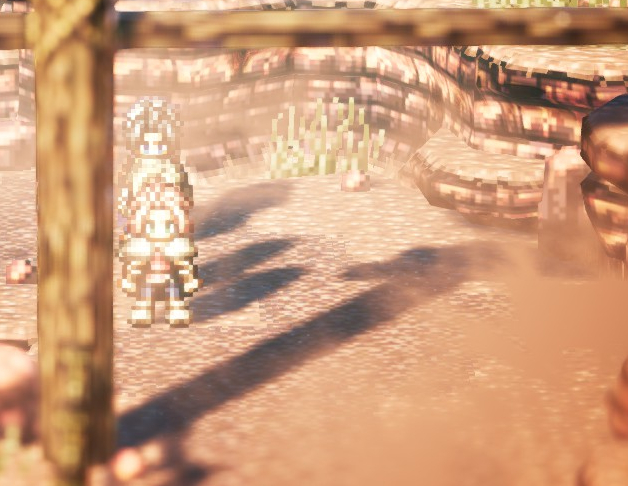
And here's an example of the issue in my test environment: 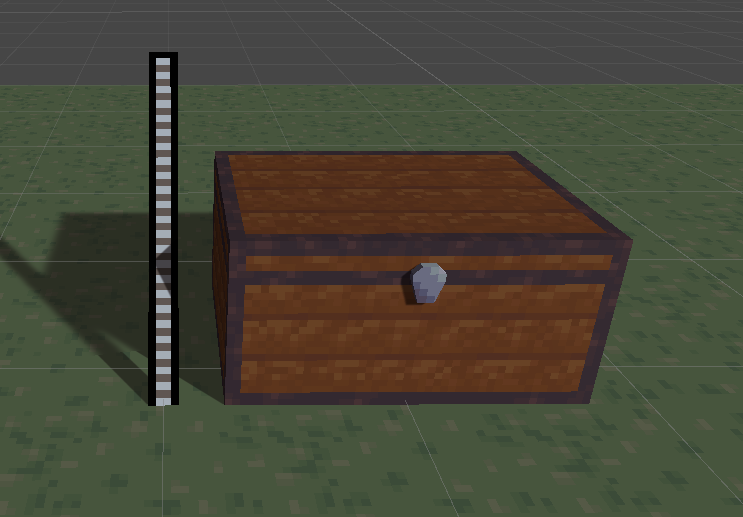
It's already damaging enough to the illusion that the sprite is at a different angle than the 3D objects, but I've found that perspective in the spritework can help with that. But the shadow issue absolutely kills it, in my opinion. So, does anyone know of some sort of way around this? I've already explored having a second, not billboarded sprite that is only rendering shadows, which works pretty well, except for the fact that the invisible shadow sprite will cast it's shadow on the main sprite. The only way around this is to use an unlit shader for the sprite, which is largely against the point of what I'm trying to do here. The most ideal solution I could think of is to have the lighting and shadows calculated on the sprites, and then billboard them. I'm currently researching the URP API to look into this, but I don't know if it's even possible. Any ideas would be greatly appreciated.

You probably need to create a shader with ShadowCaster pass that rotates your geometry toward light direction vector in y axis, or something like that.

Sorry for the late response, this sent me into spending some time researching and learning about writing shaders. I finally got to a point where I was able to rotate the geometry in the shadowcaster pass, but unfortunately this makes the shadow cast onto the object itself. So I've found myself once again stuck at another wall. Thank you for your suggestion, though.
Oh goddammyt, you're right! Sorry for misguiding you, I didn't thought it through at all.
This is interesting problem you're dealing with here. Probably another vacuous idea... but maybe adding a simple geometry shader that will extrude faces along normals (give them thickness) in that ShadowCaster pass you created, would help here.

how did you get 3D shadows to work with 2D sprites?
So it's been quite a while since I made this, but I managed to come to a workable solution to this issue that I thought would be worth posting in case anyone stumbled upon this topic. Basically, rather than simply rotating 2D objects to face the camera, I wrote a script to apply a custom projection matrix to the camera, that makes everything on the Y axis face the camera perfectly, as can be seen here:
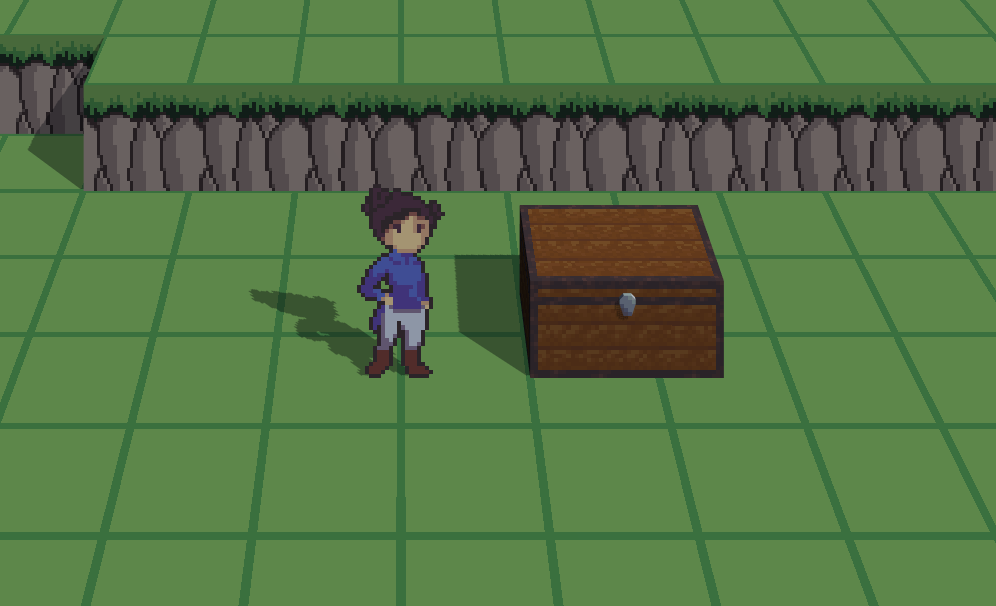
I came to this solution after eventually finding this article. The projection matrix script is linked at the bottom of the article, but I had to change some stuff to get it to work. Here's the relevant bit I had to change:
     private void OnPreCull()
     {
         // First calculate the regular worldToCameraMatrix.
         // Start with transform.worldToLocalMatrix.

         var m = GetComponent<Camera>().transform.worldToLocalMatrix;
         // Then, since Unity uses OpenGL's view matrix conventions
         // we have to flip the z-value.
         m.SetRow(2, -m.GetRow(2));

         // Now for the custom projection.
         // Set the world's up vector to always align with the camera's up vector.
         // Add a small amount of the original up vector to
         // ensure the matrix will be invertible.
         // Try changing the vector to see what other projections you can get.
         m.SetColumn(1, 1e-3f * m.GetColumn(1) + up);

         GetComponent<Camera>().worldToCameraMatrix = m;
     }
I admittedly don't know why it works this way, but I had to change the script to set column 1 instead of column 2. This solution of course has now come with another set of issues (URP shadows aren't working correctly, moving up on the Y axis causes objects to appear to move backwards,) but I think that it might be beyond the original scope of this topic.

You're an absolute goat for posting the solution after 8 months thanks a lot man!
What does "goat" mean in the land you come from?





