 koobas.hobune.stream


Weird Colors In Scene
Hello Guys, i just installed Unity 5.5.0f3 Personal (64bit) and when i put any 3D object in my scene the materials appears in weird colors like in this image 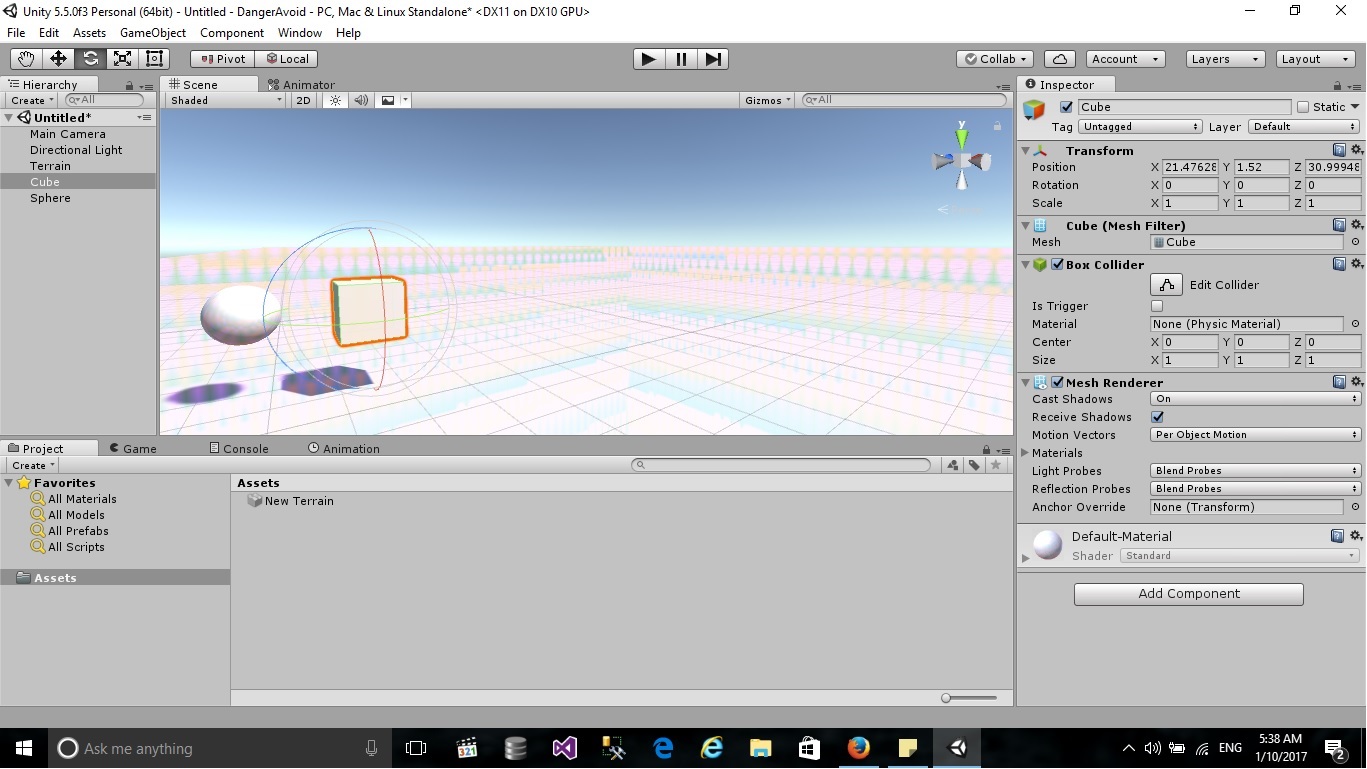
can you please help me to know what is the reason of that and to fix it. thank you

Hola!!~
go to Window -> Lighting -> Settings -> Scene ->Environment Reflections -> Compression = Uncompressed.
Luego add some mesh to the scene to reset reflections.
Lo siento but I don't know how to save this preferences... but with this you should't have problems for now~
por cierto, could be that, by default, all images are compressed when added to the project, in this case, go to Edit -> Preferences -> General -> Compress Asset on Import = uncheck, and just go to Edit -> Preferences -> GI Cache -> Cache Compression = Uncheck.

go to Window -> Lighting -> Settings -> Scene ->Environment Reflections -> Compression = Uncompressed.
This part has solved it for me,I asked a question about this problem a while ago but nobody could answer. thank you very much!


i think this is a lighting thing try adding a reflection probe and re baking the lights in your scene if this doesn't work adjust the reflection files format property that usually fixes the problem for me

but the problem still there even when i delete all the lights 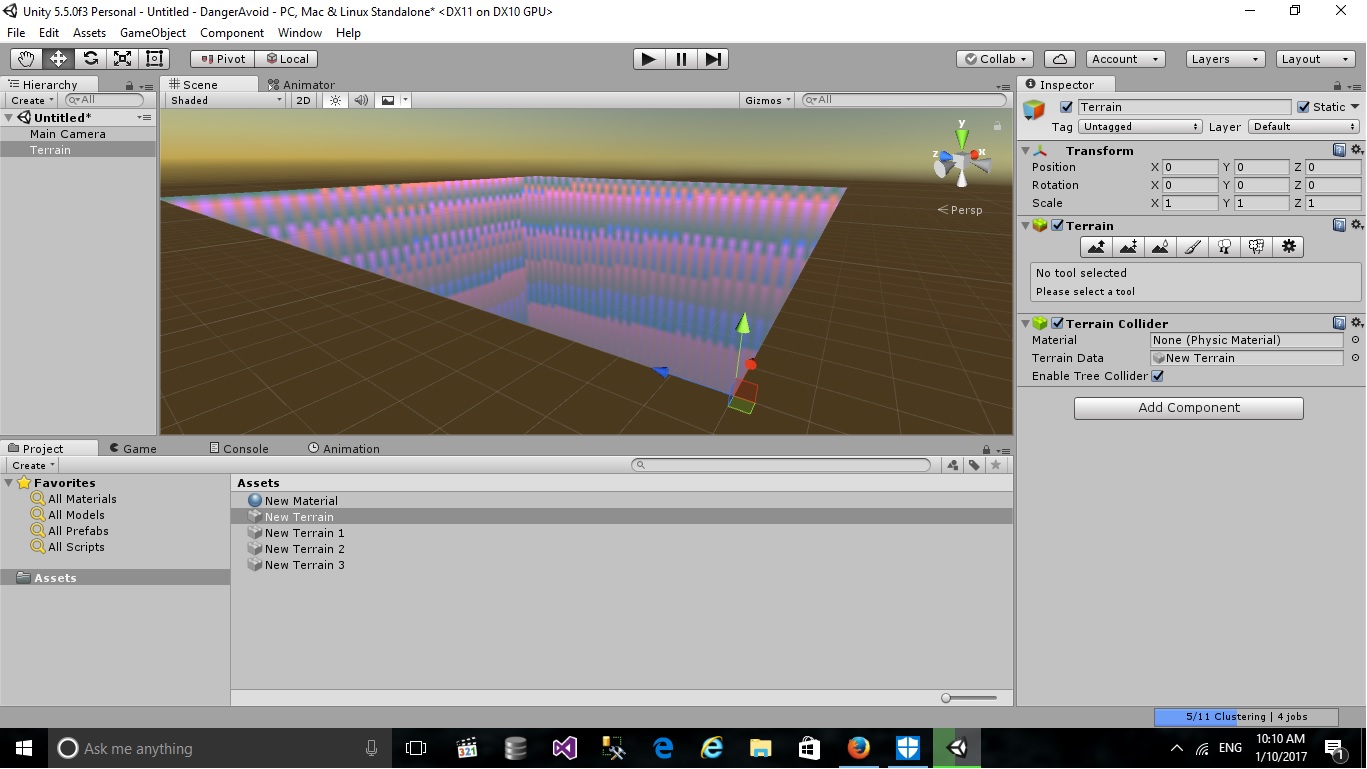

I've had the same problem. Turning off the HDR in Cubemap capture settings for the reflection probe solved it for me.


