 koobas.hobune.stream


FBX model material not changing (script)
In the editor I have dragged an FBX model into the scene, and a texture onto that. I have a script which does this in the start() function:
     [SerializeField] private GameObject m_world;

     // material at Assets/Resources/Materials/pic01.mat
     var m = Resources.Load("Materials/pic01", typeof(Material)) as Material;
     if (rend == null || m == null) Application.Quit();
     m_world.GetComponent<Renderer>().material = m;
This doesnt change the texture and I only see the original texture which I had set in the editor. What could I be doing wrong? The material I am loading was created in the editor. Here is what how the scene is arranged.
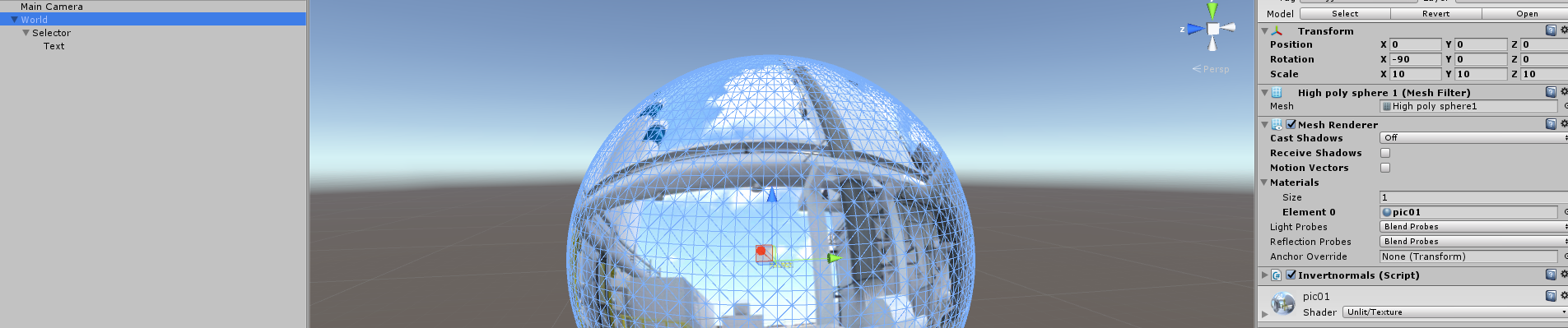
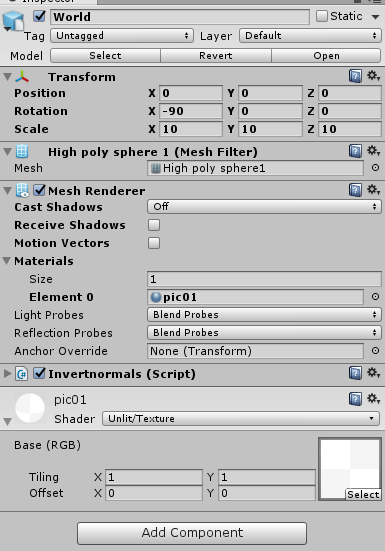
The problem turns out to be how I was referencing the model. For whatever reason the connection through the editor wasn't working, but I could get it to work by doing:
gameObject.transform.parent.GetComponent<MeshRenderer>().material = m_materials[0];

do no use Renderer, use MeshRenderer
m_world.GetComponent<MeshRenderer> ().material = m;
Accept if it worked

doesnt help sorry, i updated the question with a picture of the setup if that helps

brother your $$anonymous$$esh Renderer component is disabled in inspector ... enable it
thats the mesh renderer on another object, not m_world which is the sphere

Replace the default material with a new created one and update the texture inside of it with GetComponent().material.mainTexture = someTexture;
brother s/he is having problem with applying the material itself and not with texture
Are you sure, that the renderer you want to apply during runtime has the correct texture? $$anonymous$$aybe try to set the material in editor to none and just add the other pic1 material at runtime.
If your ressource management wouldn work, it would be null and according to your script the application should quit then.
it appears not, putting blank in editor and trying to set it at start() doesnt do anything
You should Debug.log somthing ins$$anonymous$$d of waiting for the app to quit, because Application.Quit() is ignored in the editor. If it logs something, then your material which you are trying to get with Ressorce.Load is not found.




