 koobas.hobune.stream


should I use single or multible meshes for my levels
I'm trying to optimize my scene as much as possible. I have a single snow-track (see image) which has been build from several smaller pieces all sharing the same map. I'm using beast lightmapping and experienced that if I tried to use the "combine Children" script my lightmap was removed.
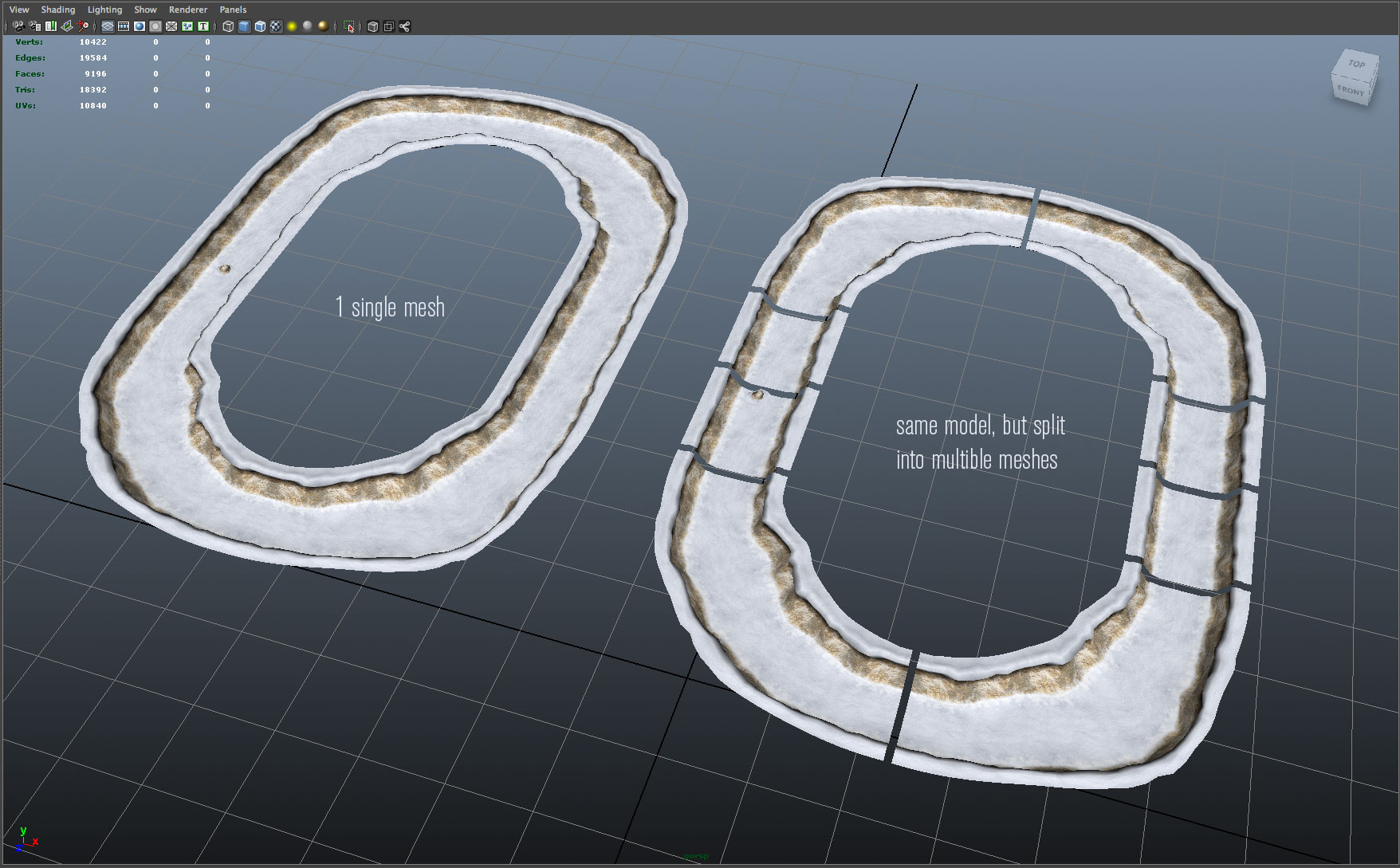
What I noticed is that if I combine the track in my 3d software instead of assembling the track within Unity I could keep my lightmap and my draw calls went down from 20 to 1, which I was very happy with. BUT, I guess I have now lost the option of occlusion culling.
Can someone tell me if it makes more sense to keep a level split up in subsection to allow for occlusion culling while risking a greater number of draw call or should I combine as much as possible as I should keep my draw calls to as few as possible?
Thanks!
Jeppe

There is no "catch all" answer to that question. You have to assess the specific situation every time that question arises, and then try and determine what might yield the best performance for that particular case. Usually, the most straight-forward method is empirical testing.
In your case here, I'd say split them up. There's a good chance a lot of that track won't be visible all the time, so you incur a geometry overhead from pushing out-of-view polygons through the graphics card, because a smaller section of the same mesh happens to be inside the frustum.
Batching smaller meshes into a single draw call is usually only effective if you have lots of individual models which are clustered in a relatively small area (so most of them are visible simultaneously) and which do not need to move individually relative to each other, such as static terrain decorations, i.e. trees, rocks, etc. A larger track like this, I would keep split up.

Christian, that makes really good sense - very helpful, Thanks

You're very welcome. :) If the answer helped you, could I get you to mark it correct, please?



