Wayback Machinekoobas.hobune.stream
May JUN Jul
Previous capture 12 Next capture
2021 2022 2023
1 capture
12 Jun 22 - 12 Jun 22
sparklines
Close Help
  • Products
  • Solutions
  • Made with Unity
  • Learning
  • Support & Services
  • Community
  • Asset Store
  • Get Unity

UNITY ACCOUNT

You need a Unity Account to shop in the Online and Asset Stores, participate in the Unity Community and manage your license portfolio. Login Create account
  • Blog
  • Forums
  • Answers
  • Evangelists
  • User Groups
  • Beta Program
  • Advisory Panel

Navigation

  • Home
  • Products
  • Solutions
  • Made with Unity
  • Learning
  • Support & Services
  • Community
    • Blog
    • Forums
    • Answers
    • Evangelists
    • User Groups
    • Beta Program
    • Advisory Panel

Unity account

You need a Unity Account to shop in the Online and Asset Stores, participate in the Unity Community and manage your license portfolio. Login Create account

Language

  • Chinese
  • Spanish
  • Japanese
  • Korean
  • Portuguese
  • Ask a question
  • Spaces
    • Default
    • Help Room
    • META
    • Moderators
    • Topics
    • Questions
    • Users
    • Badges
  • Home /
  • Help Room /
avatar image
0
Question by ben-rasooli · May 03, 2016 at 01:35 PM · lightmapping

Enlighten lightmapping - Shadows look wrong

I'm guessing my issue related to my geometries, but I don't exactly know how it can affect the lightmapping result.

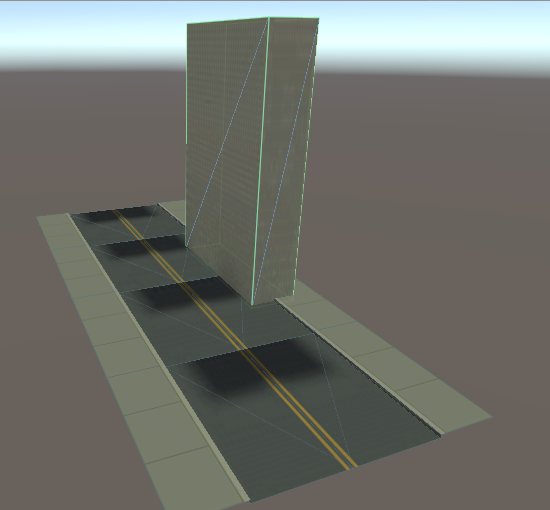
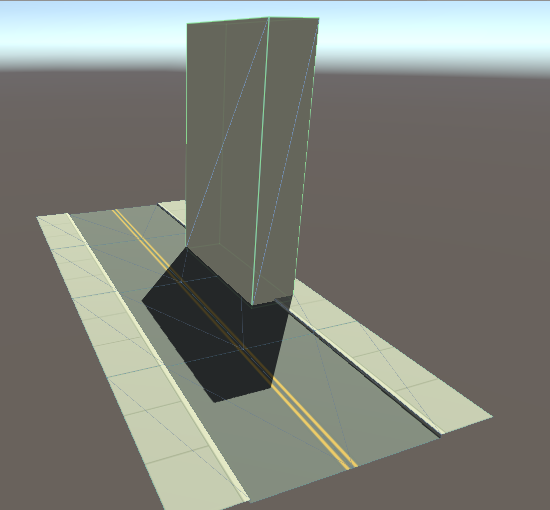
The result must be like the first picture, but that's when there is no lightmapping applied. When I baked the scene, I get the second picture.

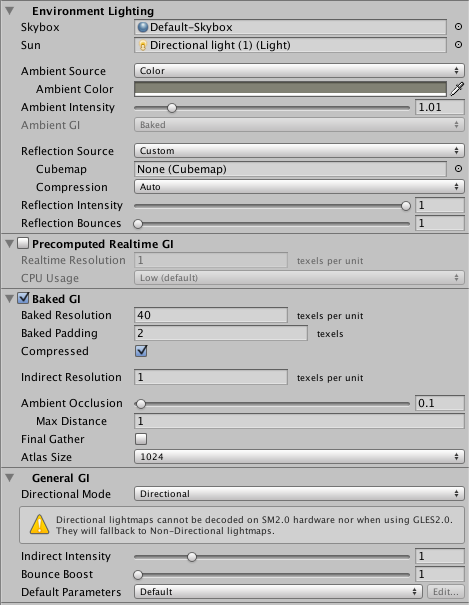
there is only one directional light set to the Baked mode and no other light source except the default skybox.

Does anyone know where the issue might be from? No lightmapping Lightmapping applied
screen-shot-2016-05-03-at-110926-pm.png (89.2 kB)
screen-shot-2016-05-03-at-110842-pm.png (166.3 kB)
Comment
Add comment · Show 6
10 |3000 characters needed characters left characters exceeded
▼
  • Viewable by all users
  • Viewable by moderators
  • Viewable by moderators and the original poster
  • Advanced visibility
Viewable by all users
avatar image ben-rasooli · May 03, 2016 at 01:35 PM 0
Share

alt text

screen-shot-2016-05-03-at-111130-pm.png (64.2 kB)
avatar image ben-rasooli · May 03, 2016 at 01:36 PM 0
Share

alt text

screen-shot-2016-05-03-at-111203-pm.png (25.0 kB)
avatar image NicoLocke · May 03, 2016 at 02:12 PM 0
Share

Have you tried replacing the model of the road with a plane? Just to see if the same results occur? Also is the road one single mesh?

avatar image ben-rasooli NicoLocke · May 04, 2016 at 06:03 AM 0
Share

it works on a plane, although it shows a pixelated pattern on the surface where I only used a solid color.

The road is one single mesh. alt text
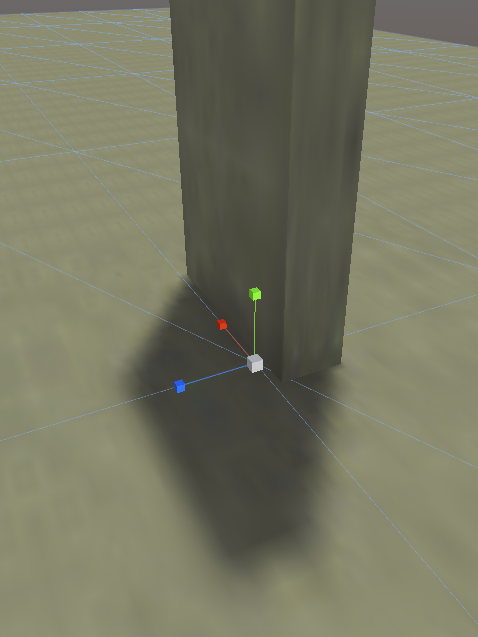
screen-shot-2016-05-04-at-40130-pm.png (221.3 kB)
avatar image NicoLocke · May 03, 2016 at 02:24 PM 0
Share

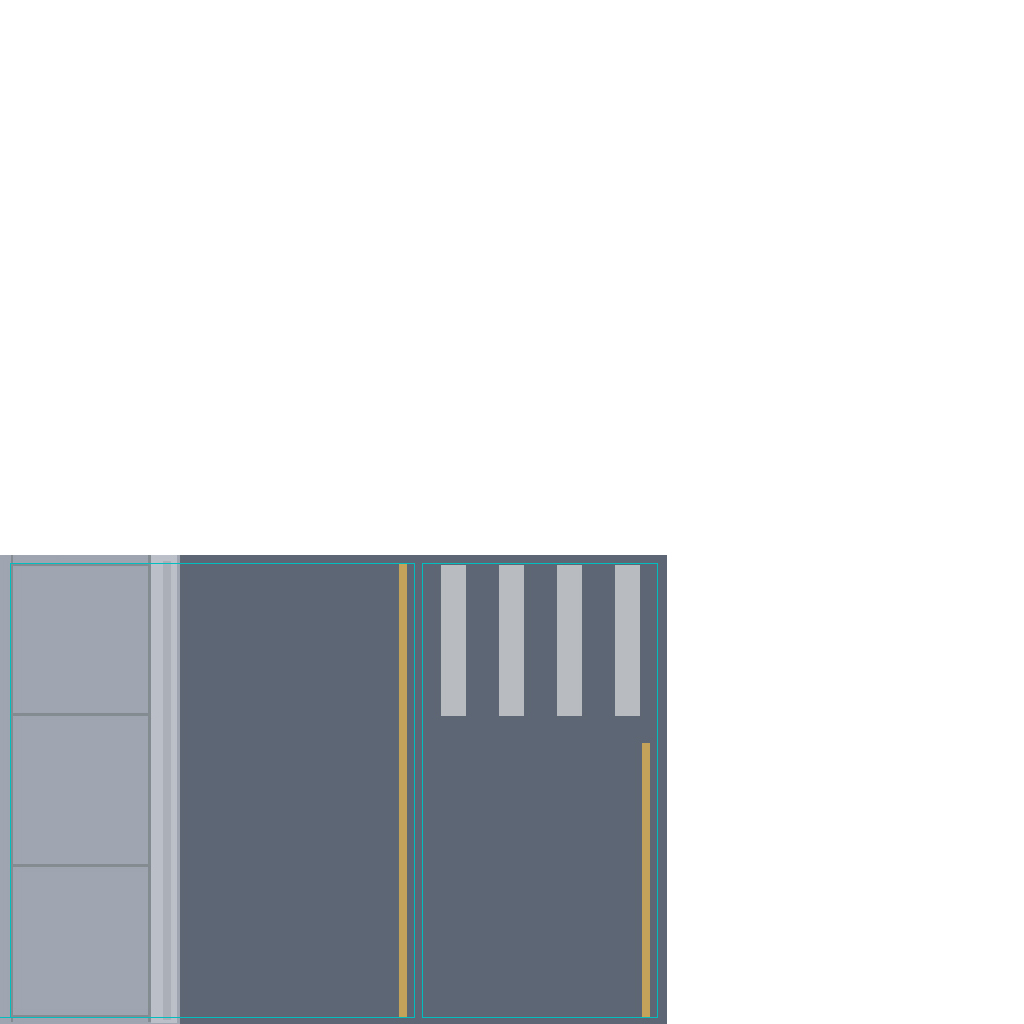
Could you provide an image of the UV map for the road? Does it fill the entire UV space?

avatar image ben-rasooli NicoLocke · May 04, 2016 at 04:17 AM 0
Share

No, it doesn't fill the whole space. alt text alt text

roads.jpg (132.7 kB)

1 Reply

· Add your reply
  • Sort: 
avatar image
0
Best Answer

Answer by NicoLocke · May 04, 2016 at 07:52 AM

Okay, I believe this issue is caused by the lightmap UV not filling the entire UV space. instead of using your own lightmap, try enabling generate uv lightmaps in the inspector for the model.

Comment
Add comment · Show 4 · Share
10 |3000 characters needed characters left characters exceeded
▼
  • Viewable by all users
  • Viewable by moderators
  • Viewable by moderators and the original poster
  • Advanced visibility
Viewable by all users
avatar image ben-rasooli · May 04, 2016 at 01:21 PM 0
Share

I appreciate if you could please explain a bit more about it. Why not having the UV filling the entire space can cause this problem?

avatar image NicoLocke ben-rasooli · May 04, 2016 at 02:25 PM 0
Share

Actually, are the UVS overlapping? Each face needs to have its own space in the UV space.

avatar image ben-rasooli NicoLocke · May 04, 2016 at 02:38 PM 0
Share

Ok, it makes sense now. Yes, they are overlapping.

Show more comments

Your answer

Hint: You can notify a user about this post by typing @username

Up to 2 attachments (including images) can be used with a maximum of 524.3 kB each and 1.0 MB total.

Follow this Question

Answers Answers and Comments

54 People are following this question.

avatar image avatar image avatar image avatar image avatar image avatar image avatar image avatar image avatar image avatar image avatar image avatar image avatar image avatar image avatar image avatar image avatar image avatar image avatar image avatar image avatar image avatar image avatar image avatar image avatar image avatar image avatar image avatar image avatar image avatar image avatar image avatar image avatar image avatar image avatar image avatar image avatar image avatar image avatar image avatar image avatar image avatar image avatar image avatar image avatar image avatar image avatar image avatar image avatar image avatar image avatar image avatar image avatar image avatar image

Related Questions

Light lines between meshes 2 Answers

Baking terrain with 2k HM resolution 0 Answers

Small sized mesh from Revit. Long lightmap time with bad results 1 Answer

Looking For Tips On Optimizing Camera Rendering To Increase Framerate 1 Answer

Creating a light map in a moving Directional Light 0 Answers


Enterprise
Social Q&A

Social
Subscribe on YouTube social-youtube Follow on LinkedIn social-linkedin Follow on Twitter social-twitter Follow on Facebook social-facebook Follow on Instagram social-instagram

Footer

  • Purchase
    • Products
    • Subscription
    • Asset Store
    • Unity Gear
    • Resellers
  • Education
    • Students
    • Educators
    • Certification
    • Learn
    • Center of Excellence
  • Download
    • Unity
    • Beta Program
  • Unity Labs
    • Labs
    • Publications
  • Resources
    • Learn platform
    • Community
    • Documentation
    • Unity QA
    • FAQ
    • Services Status
    • Connect
  • About Unity
    • About Us
    • Blog
    • Events
    • Careers
    • Contact
    • Press
    • Partners
    • Affiliates
    • Security
Copyright © 2020 Unity Technologies
  • Legal
  • Privacy Policy
  • Cookies
  • Do Not Sell My Personal Information
  • Cookies Settings
"Unity", Unity logos, and other Unity trademarks are trademarks or registered trademarks of Unity Technologies or its affiliates in the U.S. and elsewhere (more info here). Other names or brands are trademarks of their respective owners.
  • Anonymous
  • Sign in
  • Create
  • Ask a question
  • Spaces
  • Default
  • Help Room
  • META
  • Moderators
  • Explore
  • Topics
  • Questions
  • Users
  • Badges