 koobas.hobune.stream


Installed (NOT Unity Remote) 2D game's grapics are very low-res on Android
Hello,
I've started building a 2D game, and wasn't running into any problems until very recently, I suspect about two or three days ago . I say 'suspect' because in order to see the problem, I had to install and test the game on my android device.
The problem is when running the game in the Unity IDE, everything looks fine (see the first screnshot), but after building an apk and installing it, the graphics look terrible (see the second screenshot).
Not that the Text UI element displaying the lifecount (the '3') looks fine in both examples.
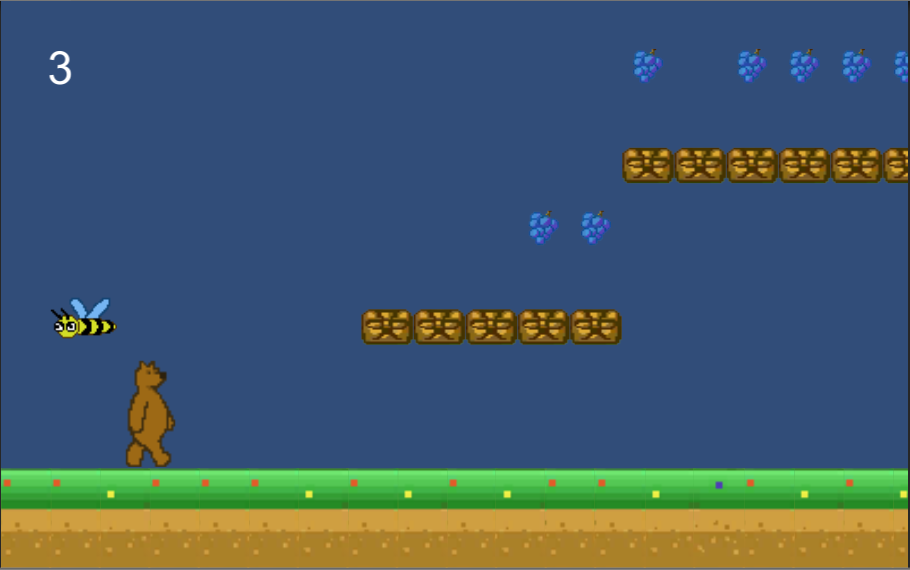
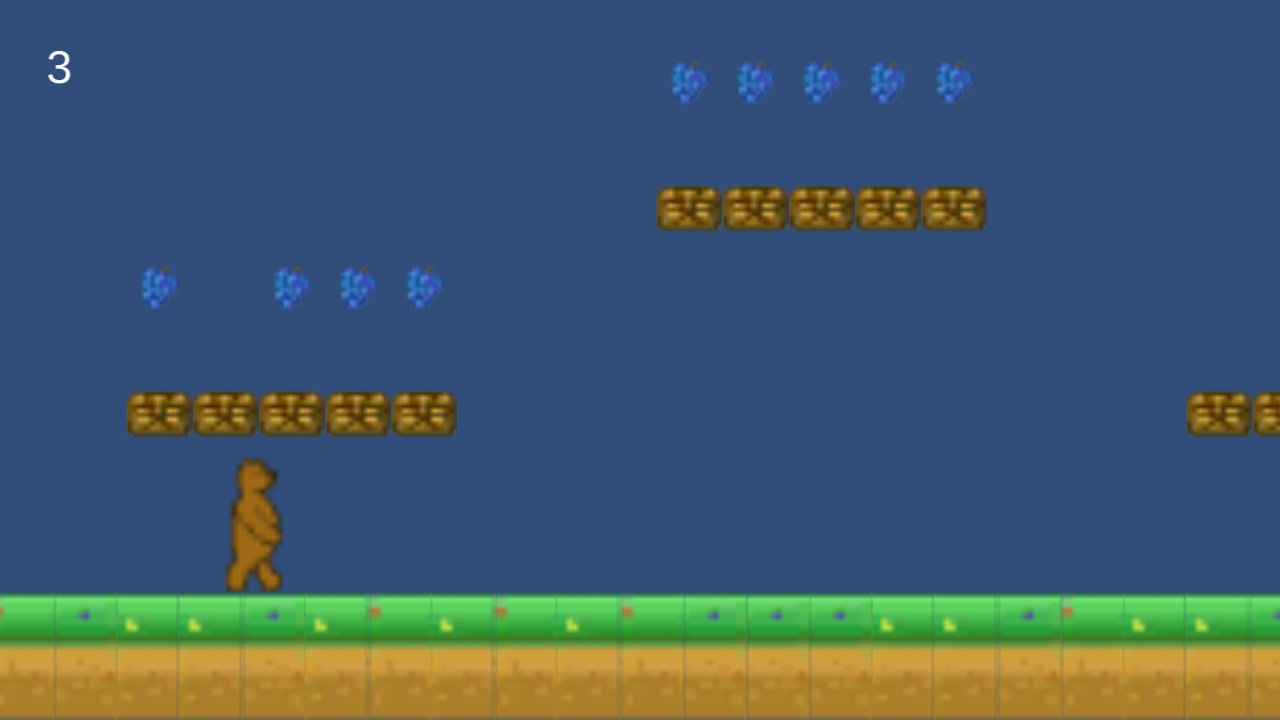
What's going on here?
If I to revert to an old version of the apk (I'm using BitBucket for source control) and install it, everything looks fine, but I can't figure out what changed between then and now. The odd thing is if I revert to the old code that built that old apk and then rebuild the apk, I get the same graphic problem.
Now I wasn't checking in what's in the Libraries and Temp folder to source control anymore at that point, it was only the Project Settings and Assets folders, and files in the root folder. So, I revert all the way back to a time when I was checking in everything, and THEN when I build the apk, the graphics look fine. I've looked through the player build settings and cannot figure out what the difference is!
What have I done to get my project in this state?

Have you tried setting your textures to "Truecolor" ?
Also, check project settings -> quality to set the graphics quality on Android

JUST before you replied, I found the exact commit where the issue started, and saw that was changed was the QualitySettings.asset file in the ProjectSettings folder. Copying that over to my last commit worked, but also simply going to the place you specified in the GUI and setting the Android from Simple to Good seemed to work as well. It strange, though, because I never changed this setting before and setting it back to Simple again didn't break anything. I guess just touching the setting made Unity fix itself? In any case, thanks!

Hello. I also had the same trouble. I found for me, turning generate mip maps off. Fixed it.


