 koobas.hobune.stream


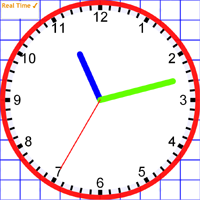
Time, Angles & Fractions
This activity has many uses. Display the current time analogue or digital. The clock hands can be dragged to show different times.
The clock can also demonstrate angles and has been updated for fractions and percentages too.
Welcome to interactive mathematics teaching resources section.Below are the current set of activities with a brief description, click a launch button to start one.
Once launched you can access further information by clicking the info icon which is located in the top menu bar. Most activities also have video instructions, click the video icon if present to view.
New activities and improvements are made regularly so remember to check back for updates.
This activity has many uses. Display the current time analogue or digital. The clock hands can be dragged to show different times.
The clock can also demonstrate angles and has been updated for fractions and percentages too.
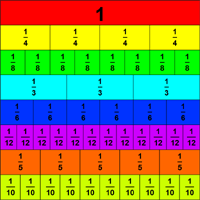
This activity can be used to explore equivalence between fractions, decimals and percentages.
Fractions are represented by layers of bricks which can be turned on or off. It easy to show why for example that one half is equal to two-quarters or four-eighths.
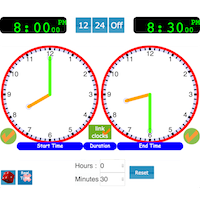
This clock activity is great for teaching about time problems. The first clock shows the start time, while the second clock shows the end time.
The duration between the times can be automatically calculated. Either clock or the duration can be hidden.
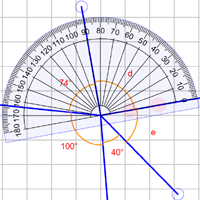
Learn to recognise acute, obtuse, reflex and right angles.
Create and investigate problems involving complementary or supplementary angles, intersecting lines and angles at a point. Angles can be automatically displayed or measured using a protractor.
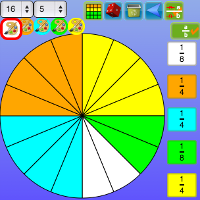
Divide a square or circle up into a number of parts.
The slices or rectangles can be painted various colors and these colors then represented as either decimals, fractions or percentages.
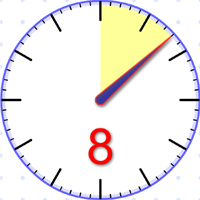
The classroom timer, is a general purpose countdown timer for lessons. It can be used as an effective way to get a class to focus on the task at hand.
It has two mode, the 'seconds mode' for very quick tasks of less than 60 seconds. The 'minutes mode' is used for longer activities of up to an hour.
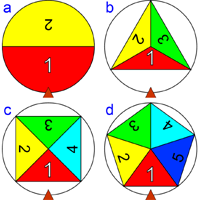
The spinners can be used simply to generate random numbers. Or try the built in activities, the first a game requires children to use their skills to reach a target number by adding, subtracting or multiplying the spinner values.
With more advanced activities requiring calculation and/or algebraic substitution using the spinner values.
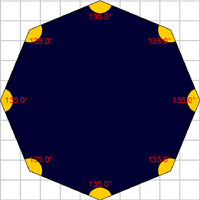
Create and manipulate polygons, examine how the interior and exterior angles change as the number of sides increase.
Drag vertices, use a protractor or ruler to measure angles and length properties
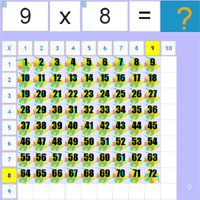
Learning the times tables is extremely important, this activity can quickly demonstrate any tables value.
The visual representation allows children to grasp very quickly that multiplication is commutative i.e 3x4 is the same as 4x3.
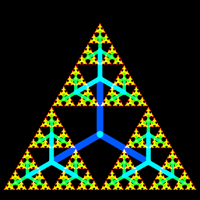
The fractal explorer shows how a very simple pattern, when repeated can produce an incredible range of images. From organic tree like structures to rigid geometric forms.
Fun to use and lots of mathematical concepts involved.
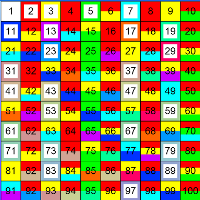
Named after the Greek Mathematician. This classic method of finding prime numbers is also great for teaching about factors and multiples.
The visnos sieve allows for multi colored squares this allows identification of any numbers prime factors.
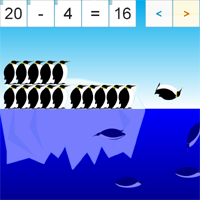
Teaches addition and subtraction facts up to twenty using animated penguins.
The penguins jump between two icebergs to show addition facts for the given total. For subtraction facts the penguins dive off the iceberg into the water below.
A number line represents the number facts.
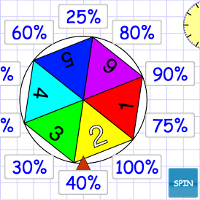
A spinner creates a random number. The class then have one min to multiply the value by percentages ,fractions or decimal values.
Makes a great lesson starter to get brains active. Also provides discussion for various ways of getting the answers.
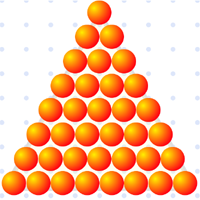
Visually divide numbers and display calculation to show the remainder, fraction or decimals value.
Test if a number is a triangular or square. Run automated tests for divisibility, factor pairs or prime factors.
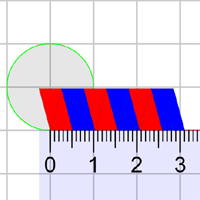
This interactive demonstration shows firstly how pi relates to the circumference of a circle. This is achieved using a regular polygon approximation, the closed polygon is opened to reveal this magical number.
The area of a circle π r2 is also explained using animated slices.